
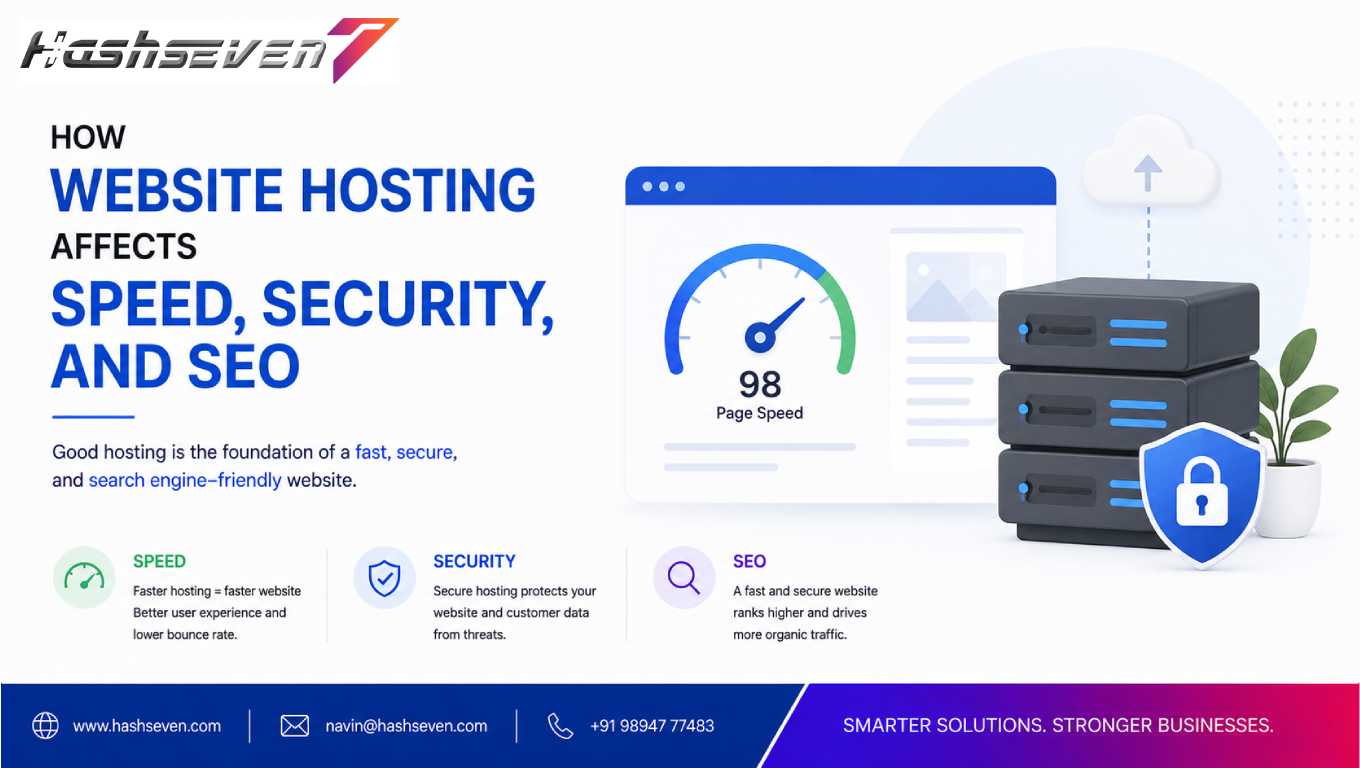

Choosing the right hosting provider is one of the most important technical decisions a business makes when building a website. While website hosting is often viewed simply as the place where a website’s files are stored, its impact goes much further.
The right hosting environment can contribute to better website speed, stronger security, improved reliability, and a more consistent user experience. These factors can also influence how effectively a website performs in search engines.
For businesses investing in SEO, understanding website hosting for SEO is essential. A well-configured hosting environment can support fast page delivery, stable uptime, secure connections, efficient server response, and the technical foundation required for long-term search visibility.
On the other hand, poor hosting can create slow loading times, frequent downtime, security vulnerabilities, server errors, and other technical problems that can negatively affect users and make SEO more difficult.
In this guide, we will explain how website hosting affects speed, security, and SEO, what hosting features businesses should look for, common hosting mistakes, and how to choose a hosting environment that supports long-term website growth.
What Is Website Hosting?
Website hosting is a service that provides the server infrastructure needed to store and deliver a website’s files to visitors.
When someone enters a website address into a browser, the browser communicates with the website’s server and requests the required resources.
These resources may include:
- HTML files
- CSS files
- JavaScript
- Images
- Videos
- Databases
- Fonts
- Application files
The hosting server processes requests and sends the required information back to the visitor’s browser.
Therefore, hosting plays an important role in how quickly and reliably a website can be delivered.
Why Website Hosting Matters for SEO
SEO involves much more than keywords and content.
Search engines evaluate many aspects of websites, while users expect pages to load quickly, work reliably, and provide a secure experience.
Hosting can influence technical factors such as:
- Server response time
- Website availability
- HTTPS support
- Server configuration
- Resource availability
- Security
- Database performance
- Geographic server location
- Scalability
This is why website hosting for SEO should be considered as part of a complete technical SEO strategy.
Hosting alone will not make a website rank higher. However, poor hosting can create technical problems that make it harder to provide a strong search and user experience.
Build a Website That Grows Your Business
A professionally developed website is the foundation of your online success. If you’re planning to create a responsive, fast, and SEO-friendly business website, explore our Website Development Services to see how Hashseven can help transform your ideas into a powerful digital presence.
How Website Hosting Affects Website Speed
Website speed is one of the most visible effects of hosting quality.
When a visitor requests a page, the server needs to process the request and begin delivering the required resources.
A slow server can increase the time before the browser starts receiving content.
This can contribute to:
- Slower page loads
- Higher user frustration
- Lower engagement
- Poorer user experience
Hosting is not the only factor affecting speed, but it can be an important part of the performance equation.
1. Server Response Time
Server response time refers to how quickly a server begins responding to a request.
A hosting environment with appropriate hardware, software configuration, and sufficient resources can help reduce unnecessary server delays.
Factors affecting server response include:
- CPU resources
- RAM
- Storage technology
- Database performance
- Server configuration
- Application efficiency
- Traffic levels
Businesses should monitor server performance rather than assuming that a hosting plan will automatically deliver fast response times.
2. Server Resources Affect Performance
Hosting plans typically provide different levels of resources.
These can include:
- CPU
- RAM
- Storage
- Bandwidth
- Database resources
- Concurrent processes
A small website with limited traffic may function well with modest resources.
However, a growing e-commerce store or high-traffic business website may require more capacity.
Insufficient resources can lead to:
- Slow requests
- Temporary errors
- Performance fluctuations
- Downtime
Businesses should choose hosting based on actual website requirements rather than selecting the cheapest available plan.
3. SSD and NVMe Storage
Modern hosting environments may use SSD or NVMe storage technologies.
These technologies can provide faster storage performance than traditional hard disk drives in many workloads.
Faster storage can benefit:
- Database operations
- File access
- Application processing
- Website management
However, storage technology is only one part of overall website performance.
A fast SSD cannot compensate for poorly optimized code, oversized images, excessive plugins, or inefficient database queries.
4. Content Delivery Networks
A Content Delivery Network, or CDN, stores or caches website resources across multiple geographic locations.
When a visitor requests cached content, the CDN can often deliver it from a location closer to the visitor.
CDNs can help improve delivery of:
- Images
- CSS
- JavaScript
- Fonts
- Static files
- Cached web pages
For businesses serving visitors across different regions, CDN integration can be particularly useful.
5. Server Location and Geographic Distance
The physical or network location of a hosting server can affect latency.
If most customers are located in one region, hosting infrastructure relatively close to that audience may help reduce network latency.
For businesses serving a global audience, CDNs and distributed infrastructure can help deliver content more efficiently across different regions.
Server location is therefore one consideration when evaluating website hosting for SEO and performance.
6. Hosting and Core Web Vitals
Google’s Core Web Vitals focus on aspects of loading performance, responsiveness, and visual stability.
Hosting can influence some underlying performance factors, particularly server response and resource delivery.
However, Core Web Vitals are affected by many other elements, including:
- Images
- JavaScript
- CSS
- Fonts
- Third-party scripts
- Page structure
- Caching
Businesses should therefore optimize the entire website rather than expecting hosting upgrades alone to solve performance problems.
For current information about Core Web Vitals, businesses can refer to Google’s official Core Web Vitals documentation.
How Website Hosting Affects Website Security
Website security is another major consideration when selecting a hosting provider.
A compromised website can cause serious problems for businesses.
Potential consequences include:
- Data exposure
- Malware
- Website defacement
- Customer trust issues
- Downtime
- Search visibility problems
A hosting provider should offer appropriate security infrastructure and tools.
7. SSL and HTTPS Support
Modern business websites should use HTTPS.
Hosting providers commonly support SSL/TLS certificates and HTTPS configuration.
HTTPS helps encrypt communication between browsers and servers.
Businesses should ensure that:
- HTTPS is enabled
- Certificates are valid
- Certificates renew properly
- HTTP redirects to HTTPS
- Mixed content is addressed
An SSL certificate is an important security layer, although it does not protect a website from every type of attack.
8. Server-Level Security
A reliable hosting environment should implement appropriate server security measures.
Depending on the hosting platform, these may include:
- Firewalls
- Malware monitoring
- Intrusion detection
- Security updates
- Isolation between accounts
- DDoS protection
- Access controls
Businesses should understand what security protections their hosting provider actually includes.
9. Regular Backups
Website backups are essential for business continuity.
A hosting provider may offer automated backups, but businesses should understand:
- How frequently backups are created
- How long they are retained
- Where they are stored
- Whether restoration is included
- Whether backups can be downloaded
Businesses should avoid relying on a single backup location.
Important websites should maintain reliable backup and recovery procedures.
10. Software Updates
Hosting environments may include server software such as:
- PHP
- MySQL
- MariaDB
- Nginx
- Apache
- Operating system components
Keeping supported software versions updated can help reduce security and compatibility problems.
For WordPress websites, businesses should also maintain:
- WordPress core
- Plugins
- Themes
Hosting and website software should be managed together as part of an overall security strategy.
11. Malware Protection
Some hosting providers offer malware scanning or security monitoring.
This can help identify suspicious files or activities.
However, businesses should not assume that hosting-level malware protection is sufficient by itself.
Additional security measures may include:
- Web application firewalls
- Security monitoring
- Strong authentication
- Multi-factor authentication
- Regular backups
- Vulnerability management
Layered security provides stronger protection than relying on one feature.
12. DDoS Protection
Distributed Denial-of-Service attacks attempt to overwhelm a website or server with large volumes of traffic.
DDoS protection can help mitigate certain types of attacks.
Businesses with important websites should understand whether their hosting provider offers:
- Traffic filtering
- Network-level protection
- Rate limiting
- DDoS mitigation
The appropriate protection depends on the website’s size, traffic, and risk profile.
How Website Hosting Affects SEO
Hosting is not a direct replacement for SEO.
However, hosting can influence technical conditions that support search engine accessibility and user experience.
13. Website Uptime Matters
Uptime refers to how consistently a website remains accessible.
Frequent downtime can create problems for:
- Customers
- Search engine crawlers
- Sales
- Leads
- Brand reputation
If a website regularly becomes unavailable, users cannot access its content and search engine crawlers may encounter server errors.
Businesses should choose reliable hosting and monitor uptime continuously.
14. Server Errors Can Affect Crawling
Search engine crawlers need to access website pages to discover and process content.
Server errors such as:
- 500 Internal Server Error
- 502 Bad Gateway
- 503 Service Unavailable
- 504 Gateway Timeout
can interfere with crawling and website accessibility.
Occasional errors may not be catastrophic, but recurring server problems should be investigated quickly.
15. Hosting and Crawlability
Good hosting helps ensure that website pages are available when search engine crawlers request them.
Businesses should also ensure that:
- Robots.txt is correctly configured
- Important pages are accessible
- Internal links work
- XML sitemaps are available
- Server responses are appropriate
Hosting and technical SEO therefore work together.
16. Hosting and Website Security Signals
A secure website provides a better environment for users.
HTTPS is a standard expectation for modern websites and is also considered by Google as a ranking signal.
However, businesses should not expect an HTTPS implementation alone to create significant ranking improvements.
It should be treated as part of a broader technical SEO foundation.
17. Hosting and Mobile SEO
Hosting affects the speed with which website resources can be delivered to mobile visitors.
Mobile users may access websites through:
- Cellular networks
- Wi-Fi
- Older devices
- Different browsers
A fast hosting environment combined with optimized pages can help provide a better mobile experience.
Businesses should therefore evaluate performance using real-world devices and network conditions.
18. Hosting Scalability
A website may start small and eventually receive much more traffic.
A hosting environment should be capable of scaling as business requirements change.
For example:
Small website → Growing traffic → High traffic → Advanced infrastructure
Scaling options may include:
- More CPU
- Additional RAM
- Dedicated resources
- Managed cloud infrastructure
- Load balancing
- CDN integration
Scalability helps businesses avoid performance problems when traffic increases.
Types of Website Hosting
Different hosting models are designed for different requirements.
Shared Hosting
Multiple websites share resources on the same server.
Advantages
- Affordable
- Easy to manage
- Suitable for small websites
Disadvantages
- Limited resources
- Performance can vary
- Less control
Shared hosting can be appropriate for smaller business websites with moderate traffic.
VPS Hosting
A Virtual Private Server provides more dedicated resources and control than typical shared hosting.
Advantages
- Greater control
- Better resource allocation
- More configuration options
- Suitable for growing websites
Disadvantages
- More expensive
- May require technical knowledge
- Server management can be more complex
Dedicated Hosting
A dedicated server provides an entire physical server for one customer.
Advantages
- High resource availability
- Greater control
- Strong customization options
Disadvantages
- Higher cost
- Requires more management
- May be unnecessary for small websites
Cloud Hosting
Cloud hosting uses distributed infrastructure to provide scalable resources.
Advantages
- Flexible scaling
- High availability options
- Suitable for growing businesses
- Can handle changing traffic levels
Disadvantages
- Pricing can be more complex
- Configuration may require technical expertise
Cloud hosting can be useful for businesses with unpredictable traffic or growing applications.
Managed Hosting
Managed hosting means the provider handles some technical server management.
Depending on the provider, this may include:
- Updates
- Security monitoring
- Backups
- Server configuration
- Technical support
Managed hosting can be useful for businesses that prefer to focus on their operations rather than server administration.
Which Hosting Is Best for SEO?
There is no single hosting type that is automatically best for every website.
The right option depends on:
- Website size
- Traffic
- Budget
- Technical requirements
- Security needs
- Expected growth
- Geographic audience
- Application complexity
For many small business websites, reliable shared or managed hosting may be sufficient.
Growing businesses may benefit from VPS or cloud infrastructure.
Large applications may require more advanced infrastructure.
The key is choosing hosting that provides the reliability, security, performance, and scalability the website actually needs.
What to Look for in Website Hosting for SEO
Businesses evaluating hosting providers should consider the following factors.
1. Reliable Uptime
Look for a provider with a strong reliability record.
2. Fast Server Response
Evaluate actual performance rather than relying only on marketing claims.
3. HTTPS Support
Ensure SSL/TLS certificates are supported and easy to manage.
4. CDN Compatibility
CDN integration can improve global content delivery.
5. Regular Backups
Choose reliable automated backup options.
6. Security Features
Review firewalls, malware protection, monitoring, and access controls.
7. Scalability
Make sure the platform can grow with your business.
8. Technical Support
Reliable support can be valuable when server problems occur.
9. Database Performance
Database-driven websites need efficient database resources.
10. Server Configuration
Check whether the hosting environment supports the technologies your website requires.
Common Website Hosting Mistakes
Choosing Hosting Based Only on Price
The cheapest plan may not provide the resources your business needs.
Ignoring Server Performance
A slow server can affect the user experience.
Not Checking Renewal Pricing
Some hosting plans have different introductory and renewal prices.
Ignoring Backup Policies
Understand exactly how backups work.
Using Outdated Software
Old server and website software can create security risks.
Not Monitoring Uptime
Problems may go unnoticed without monitoring.
Choosing the Wrong Server Location
A hosting environment far from the primary audience may increase latency.
Overpaying for Resources
Businesses should also avoid paying for infrastructure they do not need.
How to Improve Website Hosting Performance
Businesses can improve hosting-related performance by:
- Upgrading server resources
- Using caching
- Implementing a CDN
- Optimizing databases
- Using efficient storage
- Reducing server response time
- Optimizing website code
- Compressing images
- Reducing unnecessary plugins
- Keeping software updated
Hosting optimization should be combined with front-end performance optimization.
How to Test Your Website Hosting
Businesses can use several tools to investigate website performance.
Google PageSpeed Insights
Useful for analyzing page performance and user experience metrics.
Google Search Console
Useful for monitoring search performance, indexing, and Core Web Vitals.
WebPageTest
Useful for detailed website performance testing.
These tools should be used alongside server monitoring because page performance depends on both hosting and website implementation.
Hosting vs Website Optimization
It is important to understand that hosting is only one part of website performance.
Consider two websites using the same hosting provider.
Website A:
- Optimized images
- Efficient code
- Caching
- CDN
- Minimal scripts
Website B:
- Large images
- Excessive plugins
- Heavy JavaScript
- Poor database queries
- No caching
Website A may perform significantly better even though both websites use the same hosting.
Therefore, businesses should optimize both hosting infrastructure and website implementation.
Hosting and WordPress SEO
WordPress websites depend on hosting for server resources and database processing.
Businesses using WordPress should consider hosting that supports:
- Current PHP versions
- Reliable databases
- Caching
- HTTPS
- Backups
- Security monitoring
- CDN integration
WordPress performance can also be improved through:
- Lightweight themes
- Optimized plugins
- Image compression
- Page caching
- Database optimization
- Regular updates
Good WordPress hosting provides a foundation, but website optimization remains essential.
Hosting and E-Commerce SEO
E-commerce websites often have more demanding hosting requirements.
They may need to process:
- Product searches
- Customer accounts
- Shopping carts
- Orders
- Inventory
- Payment integrations
- Promotional traffic
Slow or unreliable hosting can negatively affect the shopping experience.
Businesses should prioritize:
- Performance
- Scalability
- Security
- Backups
- Monitoring
- Reliable database infrastructure
For large online stores, cloud or dedicated infrastructure may be more appropriate than basic shared hosting.
Hosting and Local SEO
Local businesses also benefit from reliable hosting.
A local service website needs to be:
- Fast
- Secure
- Mobile-friendly
- Accessible
- Available consistently
Hosting alone does not improve Google Maps rankings or local search rankings.
However, a reliable website supports the broader online presence that local businesses depend on.
Website Hosting Migration and SEO
Businesses sometimes need to move their website to a new hosting provider.
A migration should be planned carefully.
Important steps include:
- Create complete backups.
- Set up the new hosting environment.
- Transfer website files.
- Transfer databases.
- Configure DNS.
- Verify HTTPS.
- Test important pages.
- Check redirects.
- Monitor server responses.
- Check Search Console after migration.
Poorly managed migrations can result in:
- Downtime
- Broken links
- Missing files
- Database problems
- Redirect errors
- HTTPS issues
A carefully planned migration can minimize these risks.
Website Hosting for SEO Checklist
Use this checklist when evaluating your hosting:
- Reliable uptime
- Fast server response
- Adequate CPU resources
- Adequate RAM
- SSD or NVMe storage where appropriate
- HTTPS support
- SSL/TLS certificate management
- CDN compatibility
- Regular backups
- Security monitoring
- Malware protection
- DDoS protection where needed
- Scalable resources
- Good technical support
- Suitable server location
- Database optimization options
- Current software support
- Monitoring tools
- Easy migration options
Frequently Asked Questions
1. Does website hosting affect SEO?
Yes, hosting can indirectly affect SEO through factors such as website speed, uptime, server response time, security, and availability. Hosting is not a standalone ranking solution, but poor hosting can create technical problems that affect website performance and accessibility.
2. What is the best website hosting for SEO?
There is no single best hosting provider or hosting type for every website. The right choice depends on traffic, performance requirements, security needs, budget, technical requirements, and scalability.
3. Does faster hosting improve Google rankings?
Faster hosting can improve server response and contribute to a better user experience, but hosting speed alone does not guarantee higher Google rankings. SEO depends on many factors, including content quality, relevance, technical SEO, links, and page experience.
4. Is shared hosting bad for SEO?
Not necessarily. Shared hosting can work well for small business websites when the provider offers reliable resources and performance. Problems may occur when a website consistently lacks adequate resources or experiences frequent downtime.
5. Should I change hosting if my website is slow?
Not always. Slow performance can come from hosting, but it can also result from large images, inefficient code, plugins, databases, third-party scripts, or poor caching. Businesses should diagnose the actual cause before changing hosting.
Conclusion
Website hosting for SEO is an important part of a strong technical foundation.
Hosting affects how efficiently a website’s server processes requests, how reliably pages remain available, how securely information is transmitted, and how effectively a website can handle growing traffic.
A good hosting environment can support:
- Faster server response
- Better website availability
- HTTPS security
- Reliable backups
- Scalability
- Better user experience
- Stronger technical SEO foundations
However, hosting should not be treated as a shortcut to higher search rankings. A successful website requires a combination of reliable infrastructure, high-quality content, technical SEO, optimized code, mobile usability, security, and excellent user experience.
Businesses should regularly monitor website speed, uptime, security, and search performance. When hosting becomes a bottleneck, upgrading or migrating to a more suitable environment can provide a stronger foundation for long-term growth.
Ready to Build a Professional Website for Your Business?
Turn your business into a powerful online brand with Hashseven.
Since 2017, we’ve helped businesses grow through professional website development, mobile apps, custom software, SEO, digital marketing, CRM, POS solutions, and Meta-approved WhatsApp automation. Let’s create a fast, secure, and conversion-focused website that attracts more customers and drives real business growth.


