

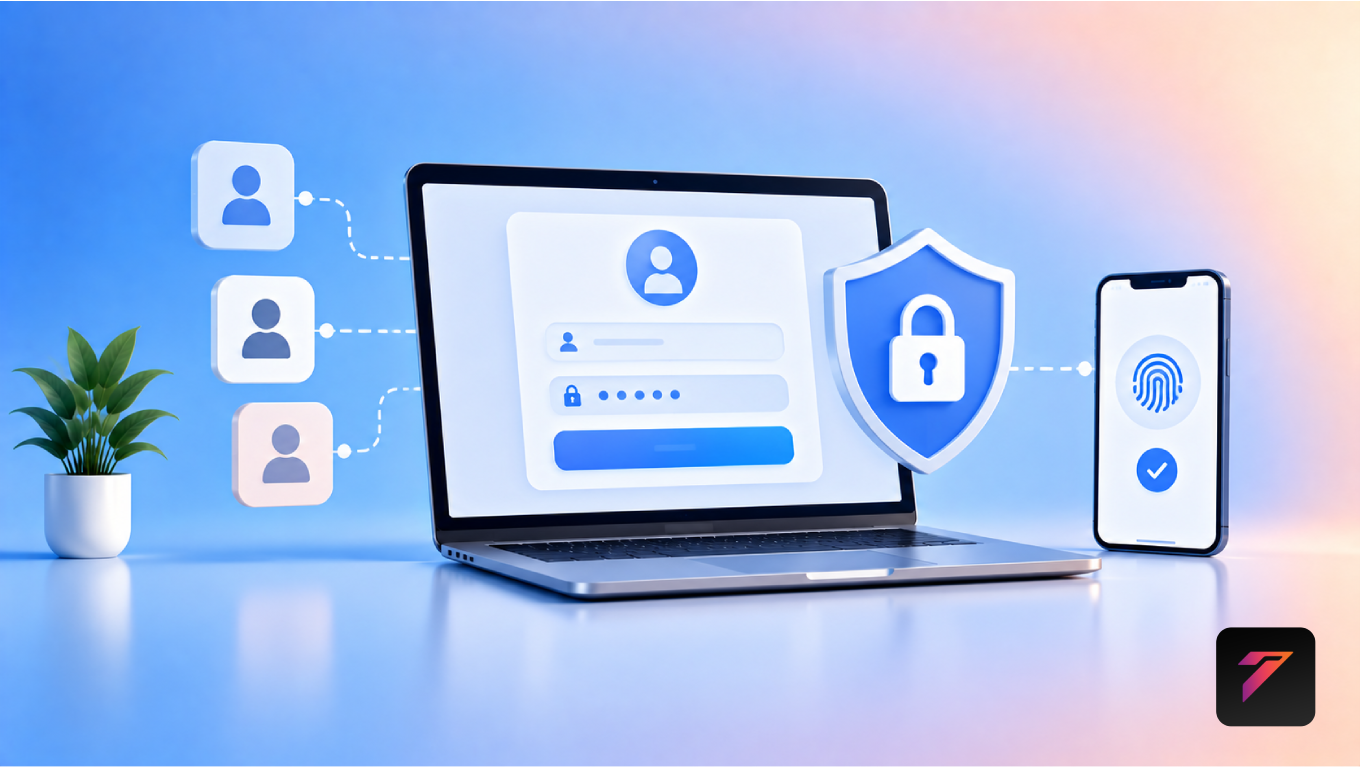

Modern business web applications handle everything from customer accounts and employee information to payments, documents, orders, and internal operations. As businesses move more processes online, protecting access to these applications becomes increasingly important.
This is where user authentication plays a central role.
User authentication is the process of verifying that a person attempting to access an application is actually the user they claim to be. It is commonly used when customers log into an account, employees access an internal portal, or administrators manage business systems.
Authentication is different from authorization. Authentication verifies who the user is, while authorization determines what that user is allowed to access or do.
For businesses, a secure authentication system can help protect accounts, restrict unauthorized access, support customer trust, and create a safer foundation for web applications.
In this guide, we will explore what user authentication means, why it matters for business applications, common authentication methods, security considerations, implementation best practices, common mistakes, and future authentication trends.
What Is User Authentication?
User authentication is the process of verifying a user’s identity before allowing access to a protected application or resource.
A simple authentication flow might look like:
User → Login → Authentication System → Verification → Application Access
Traditional authentication often uses a username and password.
Modern systems can also use:
- Multi-factor authentication
- One-time passwords
- Authentication apps
- Passkeys
- Biometrics
- Social login
- Single sign-on
- Security tokens
The appropriate method depends on the application’s users, data, security requirements, and business environment.
Authentication vs Authorization
Authentication and authorization are related but different.
Authentication
Authentication answers:
“Who are you?”
For example, a user enters their email address and password.
Authorization
Authorization answers:
“What are you allowed to do?”
For example:
- Customer → View their own orders
- Employee → Manage assigned records
- Manager → View department information
- Administrator → Manage application settings
A secure business application generally needs both.
Build a Website That Grows Your Business
A professionally developed website is the foundation of your online success. If you’re planning to create a responsive, fast, and SEO-friendly business website, explore our Website Development Services to see how Hashseven can help transform your ideas into a powerful digital presence.
Why User Authentication Matters for Business Applications
Business web applications often contain sensitive information.
This may include:
- Customer data
- Employee information
- Financial records
- Business documents
- Orders
- Contracts
- Account details
- Internal communications
- Project information
Without appropriate access controls, unauthorized individuals may gain access to protected resources.
A properly designed authentication system helps establish the first layer of protection.
1. Protects User Accounts
The most basic purpose of user authentication is protecting user accounts.
Without authentication, anyone could potentially access information that should be private.
Authentication creates a controlled access point where users must prove their identity before reaching protected areas.
For example:
Public Website
↓
Login
↓
Authenticated User
↓
Private Dashboard
This separation is important for customer portals, SaaS applications, e-commerce platforms, and business management systems.
2. Protects Sensitive Business Data
Businesses may store information that should only be accessible to authorized users.
Examples include:
- Customer records
- Sales data
- Financial information
- Employee details
- Business reports
- Internal documents
Authentication helps restrict access to these systems.
However, authentication alone is not enough. Businesses should also implement authorization, encryption, secure storage, monitoring, and other appropriate security controls.
3. Builds Customer Trust
Customers expect businesses to protect their accounts and information.
A secure login experience can contribute to customer confidence.
For example, customers may feel more comfortable using a website when it provides:
- Secure HTTPS
- Strong authentication
- Multi-factor authentication
- Account security controls
- Clear privacy information
- Secure password recovery
Security should be communicated clearly without creating unnecessary friction.
4. Supports Personalized Experiences
Authentication allows applications to associate activity with individual accounts.
This can support features such as:
- Personalized dashboards
- Saved preferences
- Order history
- Saved products
- Account settings
- Subscription information
- Personalized content
For example:
User Login → Account Identification → Personalized Dashboard
Without authentication, these experiences become much more difficult to manage securely.
5. Enables Customer Portals
Customer portals often require authentication because users need access to private information.
A customer portal may allow users to:
- View invoices
- Track orders
- Submit support requests
- Download documents
- Manage subscriptions
- Update account information
- View project status
Authentication helps ensure that one customer cannot simply access another customer’s information.
6. Supports Employee Access
Business applications often contain internal systems for employees.
Authentication can allow employees to access:
- HR systems
- CRM platforms
- Project management tools
- Sales dashboards
- Internal documents
- Inventory systems
Different employees can then be authenticated and assigned appropriate permissions.
7. Enables Role-Based Access
Business applications often have multiple user types.
For example:
| User Role | Typical Access |
|---|---|
| Customer | Personal account |
| Employee | Assigned business data |
| Manager | Department-level data |
| Administrator | System management |
Authentication identifies the user.
Authorization then determines which role and permissions apply.
This combination helps businesses control access according to job responsibilities.
8. Supports Secure E-Commerce Accounts
E-commerce websites use authentication to provide customers with secure accounts.
Authenticated customers can access:
- Order history
- Saved addresses
- Wishlists
- Saved preferences
- Loyalty information
- Subscription details
Businesses should take particular care when authentication is combined with payment, personal, or financial information.
9. Helps Prevent Unauthorized Account Access
Weak authentication systems can make accounts vulnerable to attacks such as:
- Credential stuffing
- Password guessing
- Phishing
- Brute-force attempts
- Session theft
Businesses can reduce risks through measures such as:
- Multi-factor authentication
- Rate limiting
- Secure password storage
- Account monitoring
- Session controls
- Strong recovery processes
Security controls should be selected according to the application’s risk profile.
10. Supports Business Compliance
Certain businesses may operate under laws, regulations, contractual requirements, or industry standards involving access to information.
Authentication can form part of an organization’s access-control strategy.
Depending on the business and jurisdiction, requirements may apply to areas such as:
- Personal information
- Healthcare data
- Financial information
- Employee records
- Payment information
Businesses should obtain appropriate professional guidance when determining their specific compliance obligations.
Common Types of User Authentication
1. Username and Password
The traditional method uses a username or email address with a password.
It remains widely used, but password-only authentication can be vulnerable to credential theft and reuse.
Passwords should never be stored in plain text.
2. Multi-Factor Authentication
Multi-factor authentication, or MFA, requires more than one authentication factor.
Factors can include:
- Something you know
- Something you have
- Something you are
For example:
Password + Authentication App Code
MFA can provide an additional layer of protection if a password is compromised.
3. One-Time Passwords
One-time passwords are temporary codes used during authentication.
They can be delivered through supported authentication mechanisms such as authenticator applications or other secure channels.
Businesses should carefully evaluate the security characteristics of each delivery method.
4. Authentication Apps
Authentication applications can generate temporary verification codes.
This approach can provide an additional factor without relying entirely on passwords.
5. Passkeys
Passkeys use cryptographic credentials to authenticate users without requiring traditional passwords.
They can provide a more phishing-resistant authentication experience when implemented using supported standards and platforms.
6. Biometric Authentication
Biometric authentication may use:
- Fingerprints
- Face recognition
- Other supported biometric mechanisms
For web applications, biometric authentication is often provided through platform-supported authentication technologies rather than directly storing biometric information on the website.
7. Social Login
Social login allows users to authenticate through supported external identity providers.
Examples can include accounts from major technology platforms.
Businesses should carefully evaluate privacy, availability, account linking, and dependency considerations.
8. Single Sign-On
Single sign-on, or SSO, allows users to access multiple authorized applications through a centralized identity system.
SSO can be especially useful for organizations with many internal applications.
How a Secure Login Process Works
A simplified login process may look like:
1. User enters credentials
↓
2. Application receives authentication request
↓
3. Credentials are securely verified
↓
4. Additional authentication factor is requested if required
↓
5. Identity is confirmed
↓
6. Session or token is established
↓
7. Application applies authorization rules
↓
8. User accesses permitted resources
Each stage should be designed with appropriate security controls.
Password Security Best Practices
Passwords remain important for many applications.
Businesses should:
- Never store passwords in plain text.
- Use modern password-hashing algorithms.
- Encourage strong, unique passwords.
- Provide secure password recovery.
- Protect login endpoints against abuse.
- Avoid unnecessarily restrictive password rules.
- Consider password managers and passkeys.
- Support MFA for appropriate accounts.
Password storage should use a suitable password-hashing approach rather than general-purpose encryption.
Why Multi-Factor Authentication Matters
Passwords can be compromised.
Users may accidentally:
- Reuse passwords
- Share passwords
- Enter credentials into phishing pages
- Use weak passwords
- Have credentials exposed in unrelated breaches
MFA introduces another verification step.
For example:
Password
Authenticator Verification
=
Additional Security Layer
MFA does not eliminate every security risk, but it can significantly strengthen account protection when implemented appropriately.
User Authentication and Session Management
Authentication does not end after login.
Applications also need to manage user sessions securely.
Important considerations include:
- Session expiration
- Secure cookies
- Session invalidation
- Logout functionality
- Token expiration
- Re-authentication for sensitive actions
- Protection against session theft
For example, an application may require the user to re-authenticate before changing a password or performing another sensitive account action.
User Authentication and API Security
Modern web applications frequently communicate with APIs.
For example:
Website → API → Database
The API should verify that requests are properly authenticated and authorized.
Authentication methods may include:
- Secure session cookies
- Access tokens
- OAuth-based flows
- OpenID Connect
- API-specific credentials
The correct approach depends on the application’s architecture and use case.
The OWASP API Security Top 10 provides useful information about common API security risks.
User Authentication for Customer Portals
Customer portals often require strong authentication because they contain private customer information.
A portal may include:
- Profile details
- Orders
- Invoices
- Support tickets
- Contracts
- Project documents
Businesses should ensure that users can only access resources belonging to their authorized account or role.
This is particularly important when applications use predictable URLs or identifiers.
User Authentication for Employee Portals
Employee portals may provide access to sensitive internal information.
Organizations should consider:
- Employee roles
- Department access
- Account lifecycle management
- Offboarding
- Password policies
- MFA
- SSO
- Device security
- Audit logging
When an employee leaves an organization, their access should be revoked promptly.
User Authentication for Admin Accounts
Administrative accounts generally have greater privileges than standard accounts.
Businesses should apply additional security controls to administrator accounts.
These can include:
- MFA
- Strong authentication
- Limited administrator access
- Separate administrative accounts
- Audit logging
- Session controls
- Re-authentication for sensitive actions
Administrators should receive only the permissions required for their responsibilities.
Authentication and Authorization
A secure business application should not stop at authentication.
Consider this example:
User A successfully logs in.
Authentication confirms the identity.
But the application must still ask:
“Can User A access this specific invoice?”
Authorization checks the user’s permissions before providing access.
This distinction is fundamental to secure application design.
Authentication and Website User Experience
Security should not make the user experience unnecessarily complicated.
A good authentication experience should be:
- Clear
- Fast
- Accessible
- Responsive
- Mobile-friendly
- Easy to recover
- Secure
Users should understand:
- Where to log in
- What information is required
- Why additional verification is needed
- How to recover access
Clear error messages should provide useful guidance without revealing sensitive information.
Authentication Accessibility
Authentication interfaces should be accessible to users with different abilities.
Businesses should consider:
- Keyboard navigation
- Screen-reader support
- Clear labels
- Accessible error messages
- Sufficient contrast
- Visible focus indicators
- Appropriate form controls
The W3C Web Accessibility Initiative provides resources for building accessible web experiences.
Common Authentication Mistakes
1. Storing Plain-Text Passwords
Passwords should never be stored in plain text.
2. Using Weak Password Hashing
Password storage should use an appropriate password-hashing algorithm.
3. Relying Only on Passwords
MFA or phishing-resistant authentication methods can provide additional protection.
4. Weak Password Recovery
Account recovery should be designed with the same security considerations as login.
5. Poor Session Management
Long-lived or improperly protected sessions can create security risks.
6. Ignoring Authorization
Authenticating a user does not automatically mean they can access every resource.
7. Exposing Sensitive Login Errors
Error messages should avoid revealing whether a specific account exists when doing so could create security risks.
8. Forgetting Account Lifecycle Management
Employee access should be updated when roles change and revoked when access is no longer required.
9. Not Monitoring Authentication Events
Unusual login patterns can provide valuable security signals.
10. Making Authentication Inaccessible
Security features should also be usable by people with different accessibility needs.
Best Practices for User Authentication
Businesses should:
- Use secure authentication protocols.
- Protect all authentication traffic with HTTPS.
- Store passwords using appropriate password hashing.
- Support MFA for suitable accounts.
- Consider passkeys for supported applications.
- Use secure session management.
- Apply authorization after authentication.
- Limit login attempts where appropriate.
- Monitor suspicious authentication activity.
- Protect account recovery processes.
- Secure administrator accounts.
- Implement appropriate access controls.
- Keep authentication dependencies updated.
- Log important security events.
- Review authentication policies regularly.
- Test authentication and authorization controls.
- Provide accessible login interfaces.
- Minimize unnecessary collection of personal data.
- Plan for account recovery and lockout scenarios.
- Educate users about phishing and account security.
How to Implement User Authentication
Step 1: Identify User Types
Define whether your application has:
- Customers
- Employees
- Managers
- Administrators
- Partners
Step 2: Define Access Requirements
Determine what each user type should be able to access.
Step 3: Choose an Authentication Method
Evaluate:
- Password authentication
- MFA
- Passkeys
- SSO
- OAuth
- OpenID Connect
- Other identity solutions
Step 4: Design Authorization
Define roles and permissions separately from authentication.
Step 5: Secure Sessions
Implement appropriate session and token management.
Step 6: Protect Account Recovery
Create secure processes for password resets and account recovery.
Step 7: Test Security
Test:
- Login
- Logout
- Password reset
- MFA
- Session expiration
- Authorization
- Account lockout
- Privilege boundaries
Step 8: Monitor and Maintain
Review authentication logs and update security controls as threats and application requirements evolve.
User Authentication and Business Automation
Authentication also enables secure automation.
For example:
Customer Login
↓
Authenticated Account
↓
Customer Portal
↓
Automated Workflow
↓
CRM Update
This can allow businesses to automate account-related processes while maintaining controlled access.
User Authentication and Digital Transformation
As businesses adopt cloud platforms, SaaS applications, customer portals, mobile applications, and custom web applications, identity management becomes increasingly important.
A centralized authentication strategy can help businesses manage access across multiple digital systems.
For larger organizations, identity and access management can become a core part of their technology architecture.
Future of User Authentication
Authentication continues to evolve.
Important developments include:
- Passkeys
- Passwordless authentication
- Multi-factor authentication
- Risk-based authentication
- Single sign-on
- Zero-trust security models
- Device-based authentication
- Stronger phishing resistance
- Adaptive access controls
Businesses should select technologies based on actual security requirements, user needs, compatibility, and operational capabilities.
Conclusion
User authentication is a fundamental component of modern business web applications. It helps verify user identities and provides the foundation for controlled access to customer accounts, employee systems, administrative platforms, customer portals, and other protected resources.
However, authentication should not be treated as an isolated login feature. Businesses also need authorization, secure session management, account recovery, API security, monitoring, accessibility, and appropriate data-protection practices.
As businesses increasingly rely on digital platforms, a well-designed identity and access strategy can help create safer and more reliable web applications.
Frequently Asked Questions
1. What is user authentication?
User authentication is the process of verifying a person’s identity before allowing access to a protected website, application, account, or digital resource.
2. Why is user authentication important for business web applications?
It helps businesses control access to customer accounts, employee systems, administrative platforms, and sensitive information while providing a foundation for authorization and other security controls.
3. What is the difference between authentication and authorization?
Authentication verifies who a user is, while authorization determines what that authenticated user is allowed to access or do within an application.
4. Is multi-factor authentication important for business applications?
MFA can provide an additional layer of protection by requiring more than one authentication factor. It can help reduce the impact of compromised passwords when implemented appropriately.
5. How can businesses improve user authentication security?
Businesses can use secure authentication protocols, strong password hashing, MFA or passkeys where appropriate, secure session management, authorization controls, protected account recovery, monitoring, and regular security testing.
Ready to Build a Professional Website for Your Business?
Turn your business into a powerful online brand with Hashseven.
Since 2017, we’ve helped businesses grow through professional website development, mobile apps, custom software, SEO, digital marketing, CRM, POS solutions, and Meta-approved WhatsApp automation. Let’s create a fast, secure, and conversion-focused website that attracts more customers and drives real business growth.


