
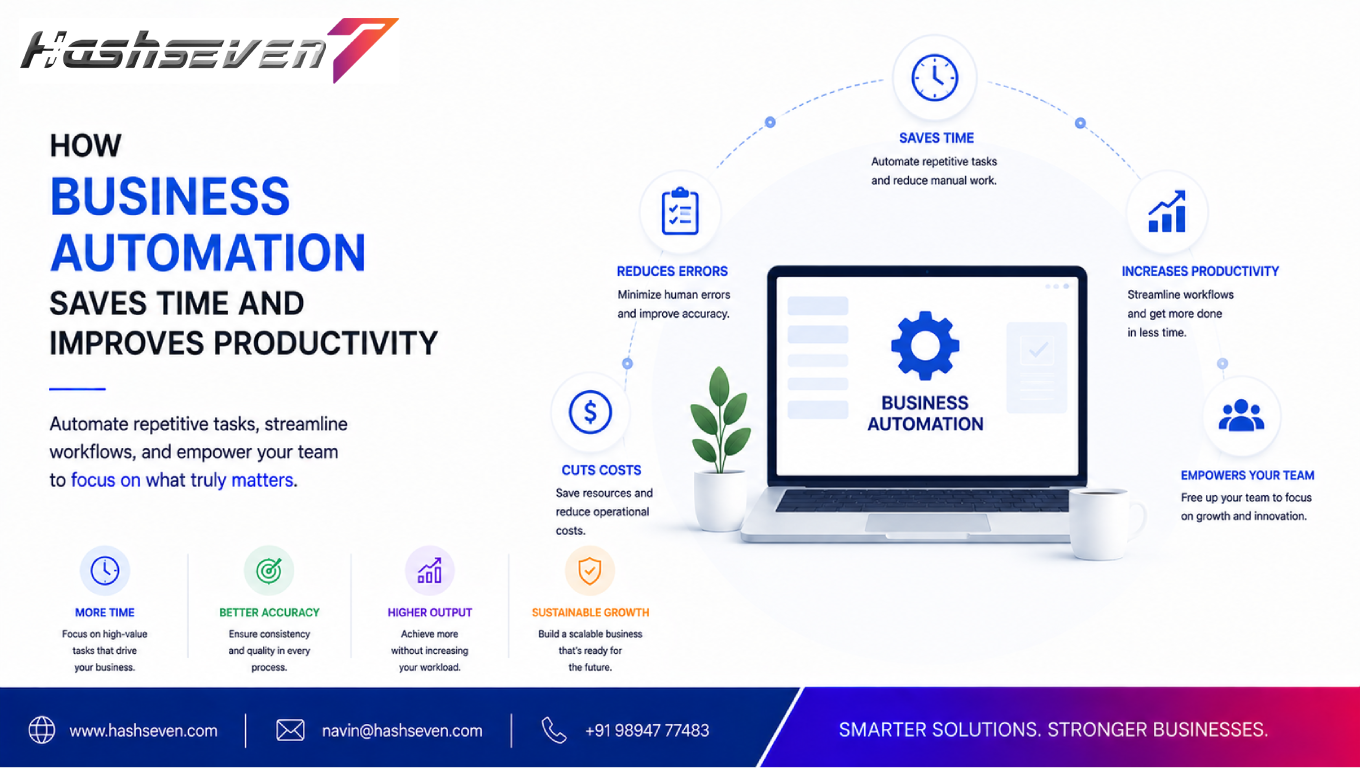

In a competitive digital environment, businesses need to accomplish more without wasting valuable time on repetitive tasks. Employees often spend hours every week handling manual data entry, sending routine emails, processing invoices, updating records, scheduling appointments, and managing repetitive customer requests.
Business automation helps organizations reduce this manual workload by using software, workflows, integrations, and digital tools to perform repetitive processes automatically.
Automation does not simply replace manual work. It helps employees spend more time on activities that require creativity, strategic thinking, communication, and decision-making.
From small businesses to growing enterprises, automation can improve productivity, reduce human errors, speed up processes, and create a more consistent customer experience.
This guide explains what business automation is, how it works, its major benefits, common use cases, implementation steps, mistakes to avoid, and how businesses can use automation to achieve sustainable growth.
What Is Business Automation?
Business automation is the use of technology to automatically perform repetitive business processes with limited manual intervention.
Automation can be used for tasks such as:
- Data entry
- Email notifications
- Lead management
- Invoice processing
- Appointment scheduling
- Customer support
- Employee onboarding
- Report generation
- Inventory updates
- Marketing campaigns
- Document management
- Workflow approvals
Instead of employees completing every step manually, automation software follows predefined rules and performs appropriate actions.
For example, when a customer submits a website form, an automated workflow could:
- Capture the customer’s information.
- Add the lead to a CRM.
- Send a confirmation email.
- Notify the sales team.
- Create a follow-up task.
- Schedule a reminder.
This can happen within seconds without requiring an employee to perform each step manually.
Why Business Automation Is Important
Modern businesses handle large amounts of information and repetitive processes every day.
Without automation, employees may spend significant time performing tasks that do not directly contribute to business growth.
Business automation can help organizations:
- Save employee time
- Reduce repetitive work
- Improve productivity
- Reduce errors
- Speed up workflows
- Improve customer service
- Standardize processes
- Increase operational efficiency
- Support business growth
Automation becomes especially valuable as a company grows because manual processes become harder to manage at scale.
Build a Website That Grows Your Business
A professionally developed website is the foundation of your online success. If you’re planning to create a responsive, fast, and SEO-friendly business website, explore our Website Development Services to see how Hashseven can help transform your ideas into a powerful digital presence.
How Business Automation Saves Time
One of the biggest advantages of automation is time savings.
1. Automates Repetitive Tasks
Employees often perform the same tasks repeatedly.
Examples include:
- Copying customer information
- Sending confirmation emails
- Updating spreadsheets
- Creating reports
- Assigning leads
- Sending reminders
- Updating records
Automation can handle many of these tasks automatically.
This allows employees to focus on higher-value responsibilities.
2. Reduces Manual Data Entry
Manual data entry is time-consuming and can lead to mistakes.
For example, a sales employee may need to transfer information from an inquiry form into a CRM system.
With automation, the information can move directly from the website to the CRM.
This eliminates unnecessary manual steps and reduces duplicate work.
3. Speeds Up Communication
Businesses frequently send repetitive messages.
Automation can send:
- Welcome emails
- Order confirmations
- Appointment reminders
- Payment notifications
- Follow-up messages
- Customer updates
- Internal notifications
Messages can be triggered automatically based on customer actions or predefined conditions.
4. Automates Scheduling
Scheduling meetings and appointments manually can require multiple messages.
Automation tools can allow customers to:
- View availability
- Select a time
- Receive confirmation
- Receive reminders
- Reschedule appointments
This reduces administrative work for both businesses and customers.
5. Simplifies Reporting
Businesses often need regular reports about:
- Sales
- Marketing
- Website traffic
- Customer activity
- Revenue
- Inventory
- Employee performance
Instead of manually collecting information from multiple systems, automated reporting can gather and organize data at scheduled intervals.
This saves time and gives managers faster access to important information.
How Business Automation Improves Productivity
Saving time is only one benefit.
Automation can also improve how employees use their working hours.
1. Employees Focus on High-Value Work
Employees should spend their time on tasks that require human judgment and expertise.
These may include:
- Strategy
- Problem-solving
- Customer relationships
- Creative work
- Sales conversations
- Product development
- Decision-making
When repetitive administrative tasks are automated, employees can dedicate more time to these activities.
2. Reduces Task Switching
Constantly switching between applications and repetitive tasks can reduce productivity.
Automation can connect systems and move information between them automatically.
For example:
Website → CRM → Sales Notification → Follow-Up Task
The employee does not need to manually transfer the same information between multiple platforms.
3. Creates Consistent Workflows
Manual processes can vary from employee to employee.
Automation creates standardized workflows.
For example, every new lead can automatically receive:
- The same confirmation
- The same CRM process
- The same sales assignment
- The same follow-up schedule
This creates consistency across the organization.
4. Reduces Human Errors
Manual processes can result in:
- Incorrect data
- Duplicate records
- Missed follow-ups
- Wrong email recipients
- Calculation errors
- Forgotten tasks
Automation can reduce errors by executing predefined processes consistently.
However, automated workflows still need proper design, testing, monitoring, and maintenance.
Business Automation Examples
Automation can be applied across almost every department.
Sales Automation
Sales teams can automate:
- Lead assignment
- Follow-up reminders
- Lead scoring
- CRM updates
- Sales notifications
- Appointment scheduling
- Customer communication
For example, when a prospect completes a contact form, the system can automatically assign the lead to the appropriate salesperson.
Marketing Automation
Marketing teams can automate:
- Email campaigns
- Customer segmentation
- Lead nurturing
- Social media workflows
- Campaign notifications
- Form submissions
- Marketing reports
A customer who downloads an ebook, for example, could automatically enter a relevant email sequence.
Customer Support Automation
Customer service teams can automate:
- Support ticket creation
- Frequently asked questions
- Ticket routing
- Customer notifications
- Follow-up reminders
- Chatbot responses
Automation can help support teams respond faster while allowing human agents to focus on complex issues.
Finance Automation
Finance departments can automate:
- Invoice generation
- Payment reminders
- Expense tracking
- Recurring billing
- Financial reports
- Transaction notifications
Automation can reduce administrative workloads while improving process consistency.
Human Resources Automation
HR departments can automate:
- Employee onboarding
- Interview scheduling
- Leave requests
- Document collection
- Training reminders
- Employee notifications
- Offboarding workflows
For example, when a new employee joins, an automated workflow can notify HR, IT, and management while creating the required onboarding tasks.
Inventory Automation
Businesses managing physical products can automate:
- Stock updates
- Low-stock alerts
- Purchase orders
- Inventory reports
- Supplier notifications
- Order processing
This can help businesses maintain better visibility over inventory.
E-Commerce Automation
Online stores can automate:
- Order confirmations
- Shipping notifications
- Abandoned-cart emails
- Customer reviews
- Inventory updates
- Discount campaigns
- Customer segmentation
Automation can improve the customer journey while reducing manual administrative work.
Website Automation
Websites can trigger automated processes when visitors perform specific actions.
Examples include:
- Contact form submission
- Newsletter signup
- Product purchase
- Account registration
- Appointment booking
- Download request
These actions can trigger workflows involving CRM systems, email platforms, analytics tools, or customer support software.
CRM Automation
A CRM can become a central part of business automation.
CRM automation can help businesses:
- Capture leads
- Assign leads
- Track customer interactions
- Schedule follow-ups
- Update customer records
- Send notifications
- Generate reports
This reduces repetitive sales administration and gives teams better visibility into customer relationships.
Business Automation and Artificial Intelligence
Artificial intelligence is expanding what automation systems can accomplish.
Traditional automation generally follows predefined rules.
For example:
If customer submits form → send email.
AI-powered automation can handle more complex tasks such as:
- Classifying customer messages
- Summarizing conversations
- Generating responses
- Analyzing customer feedback
- Categorizing leads
- Extracting information from documents
- Identifying patterns in data
AI and automation can work together, but businesses should still establish appropriate human oversight for important decisions.
Business Automation Tools and Integrations
Automation becomes more powerful when different systems communicate with one another.
A business may connect:
Website → CRM → Email → Accounting → Analytics
For example, a customer purchase could automatically:
- Create an order record.
- Update inventory.
- Send an email confirmation.
- Notify the fulfillment team.
- Update the CRM.
- Record the transaction.
Integrations eliminate unnecessary manual data transfers.
Benefits of Business Automation
Saves Time
Automation reduces the number of repetitive tasks employees need to perform manually.
Improves Productivity
Employees can focus on strategic and customer-focused activities.
Reduces Errors
Automated workflows can perform repetitive tasks consistently.
Improves Response Times
Customers can receive immediate confirmations, notifications, and basic assistance.
Reduces Operational Costs
Automating repetitive work can reduce administrative workload and improve resource utilization.
Improves Scalability
Automated processes can handle increasing volumes without requiring every task to be performed manually.
Improves Customer Experience
Customers receive faster and more consistent communication.
Provides Better Visibility
Automated reporting can provide businesses with timely information about operations.
How to Identify Tasks That Should Be Automated
Not every business process needs automation.
Look for tasks that are:
- Repetitive
- Time-consuming
- Rule-based
- High-volume
- Predictable
- Prone to manual errors
- Dependent on moving information between systems
A useful question is:
“Does an employee perform the same sequence of actions repeatedly?”
If the answer is yes, the process may be a good candidate for automation.
When You Should Not Automate a Process
Automation is not appropriate for every task.
Avoid automating processes that:
- Require complex human judgment
- Change frequently
- Have unclear requirements
- Require sensitive decision-making
- Are performed very rarely
- Would cost more to automate than to perform manually
Automation should solve a real business problem rather than add unnecessary complexity.
How to Implement Business Automation
Successful automation requires planning.
Step 1: Identify Repetitive Processes
List the tasks employees perform repeatedly.
Step 2: Measure the Current Process
Determine:
- Time required
- Number of employees involved
- Frequency
- Error rate
- Business impact
Step 3: Prioritize Automation Opportunities
Start with processes that provide significant time savings or business value.
Step 4: Select Appropriate Tools
Choose software based on:
- Features
- Integrations
- Security
- Scalability
- Cost
- Ease of use
Step 5: Design the Workflow
Clearly define:
Trigger → Action → Condition → Result
Step 6: Test the Automation
Test different scenarios before launching the workflow.
Step 7: Train Employees
Employees should understand how the automation works and when human intervention is required.
Step 8: Monitor Performance
Review automation regularly to identify errors, delays, or improvement opportunities.
Common Business Automation Mistakes
Automating a Bad Process
Automation cannot fix a fundamentally inefficient process.
First improve the workflow, then automate it.
Automating Everything
Not every task should be automated.
Focus on repetitive processes that provide measurable benefits.
Ignoring Employees
Employees should understand why automation is being introduced and how it will affect their work.
Choosing Too Many Tools
Using too many disconnected platforms can create unnecessary complexity.
Ignoring Security
Automation systems often handle customer and business data, so security must be a priority.
Failing to Monitor Automation
Automated workflows can fail because of software updates, API changes, incorrect configurations, or missing data.
Regular monitoring is essential.
Business Automation Security Considerations
Automation systems may process sensitive information.
Businesses should consider:
- User permissions
- Data encryption
- Secure authentication
- API security
- Access controls
- Backup procedures
- Audit logs
- Software updates
Only authorized users should be able to create, modify, or access important automated workflows.
For application security guidance, businesses can refer to the OWASP resources.
How Automation Supports Business Growth
Automation can help businesses scale without increasing administrative work at the same rate.
For example, imagine a company receives 100 customer inquiries each month.
As the business grows, it may receive 1,000 inquiries.
If every process remains manual, employees may struggle to manage the increased workload.
With automation:
- Leads can be captured automatically.
- Customers can receive instant confirmations.
- Leads can be assigned automatically.
- Follow-ups can be scheduled.
- Reports can be generated automatically.
This allows the business to handle higher volumes more efficiently.
Business Automation vs Manual Processes
| Factor | Manual Process | Automated Process |
|---|---|---|
| Repetitive work | High | Lower |
| Speed | Depends on employees | Often faster |
| Human errors | Higher risk | Can be reduced |
| Consistency | Can vary | More consistent |
| Scalability | Limited | Higher |
| Monitoring | Often manual | Can be automated |
| Employee focus | Administrative tasks | Higher-value work |
Automation does not eliminate the need for employees. Instead, it helps employees spend more time where human skills provide the greatest value.
How to Measure Automation Success
Businesses should measure results after implementing automation.
Useful metrics include:
- Hours saved
- Processing time
- Error rates
- Lead response time
- Customer response time
- Employee productivity
- Conversion rates
- Operational costs
- Customer satisfaction
For example, if an automated workflow reduces a process from 20 minutes to 5 minutes and the task is performed hundreds of times per month, the time savings can become significant.
Future of Business Automation
Business automation will continue evolving as AI, cloud computing, APIs, analytics, and workflow platforms become more advanced.
Future automation systems are likely to become:
- More intelligent
- More connected
- More personalized
- Easier to configure
- More data-driven
Businesses will increasingly combine traditional workflow automation with AI-powered systems to handle both repetitive processes and more complex information-based tasks.
However, human oversight will remain important for decisions requiring context, responsibility, creativity, and judgment.
Frequently Asked Questions
1. What is business automation?
Business automation is the use of software, workflows, integrations, and technology to perform repetitive business tasks with limited manual intervention.
2. How does business automation save time?
It reduces repetitive manual work such as data entry, email notifications, scheduling, reporting, and CRM updates, allowing employees to focus on higher-value activities.
3. What business processes can be automated?
Sales, marketing, customer support, finance, HR, inventory, e-commerce, reporting, appointment scheduling, lead management, and many other repetitive processes can be automated.
4. Is business automation suitable for small businesses?
Yes. Small businesses can automate repetitive tasks such as lead capture, appointment booking, customer emails, invoicing, reporting, and follow-ups to save time and improve productivity.
5. How should a business start with automation?
Start by identifying repetitive, time-consuming, rule-based processes. Measure their current cost and time requirements, prioritize high-impact opportunities, select suitable tools, test workflows, and monitor results.
Conclusion
Business automation can transform the way organizations manage repetitive work.
By automating tasks such as data entry, lead management, communication, scheduling, reporting, invoicing, customer support, and workflow approvals, businesses can save valuable time and improve employee productivity.
The most effective automation strategy is not about automating everything. It is about identifying repetitive processes that consume valuable resources and using technology to make those processes faster, more consistent, and easier to manage.
Businesses should begin with high-impact workflows, measure the results, train employees, and continuously improve their automated processes.
When implemented strategically, business automation can reduce operational workload, improve customer experiences, support scalability, and give employees more time to focus on the work that drives business growth.
Ready to Build a Professional Website for Your Business?
Turn your business into a powerful online brand with Hashseven.
Since 2017, we’ve helped businesses grow through professional website development, mobile apps, custom software, SEO, digital marketing, CRM, POS solutions, and Meta-approved WhatsApp automation. Let’s create a fast, secure, and conversion-focused website that attracts more customers and drives real business growth.


