

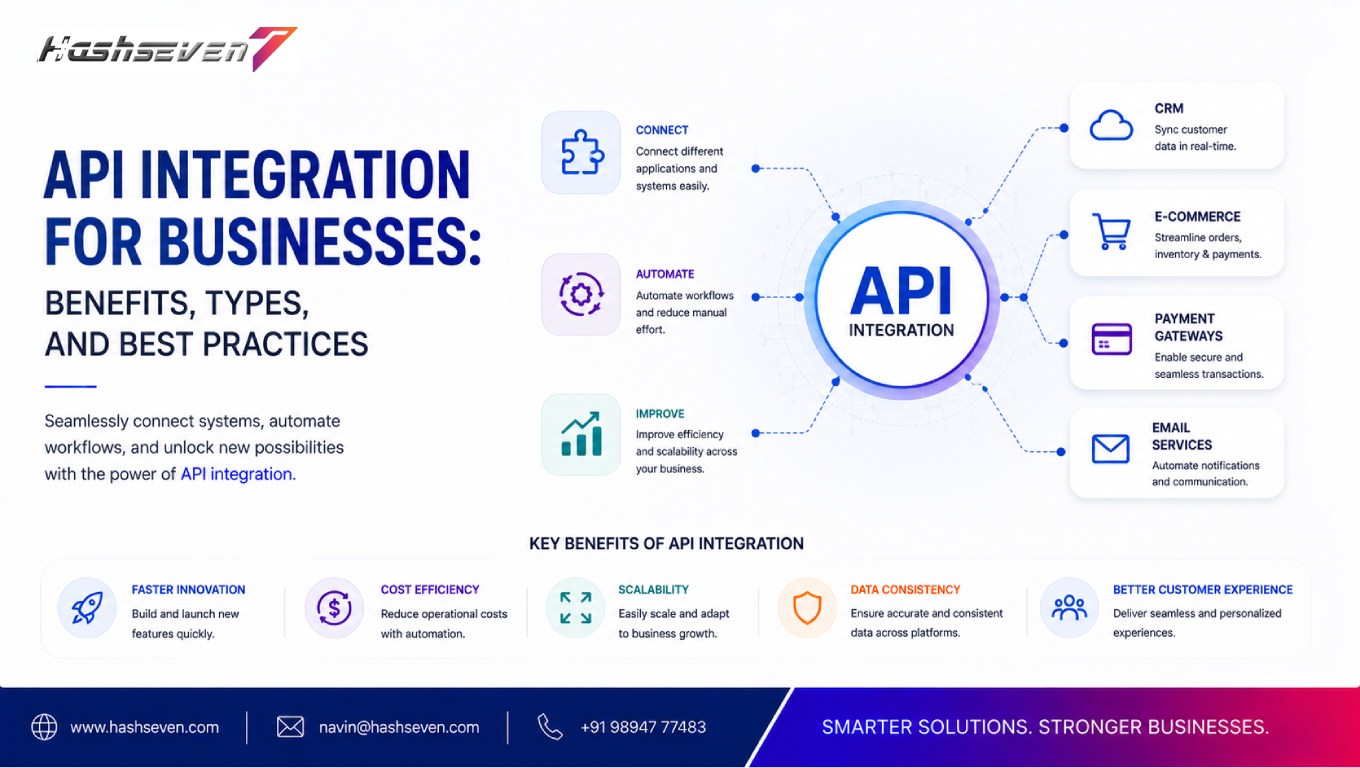

Modern businesses rely on multiple software systems to manage their daily operations. Websites, CRM platforms, ERP systems, payment gateways, accounting software, marketing tools, customer support platforms, and mobile applications all need to exchange information efficiently.
When these systems operate separately, employees may have to manually transfer data from one platform to another. This can waste time, increase errors, and make it difficult for businesses to maintain accurate information.
API integration for business helps solve this problem by allowing different applications and systems to communicate and exchange data automatically.
From improving customer experiences to streamlining internal operations, API integration can help businesses create connected digital ecosystems.
This guide explains what API integration is, how it works, its types, benefits, common use cases, implementation steps, security considerations, best practices, and how businesses can use API technology for long-term growth.
What Is API Integration for Business?
API integration for business is the process of connecting different software applications through APIs so they can communicate and exchange information.
API stands for Application Programming Interface.
An API acts as a communication layer between two or more applications.
For example, an e-commerce website may need to connect with:
- Payment gateways
- Inventory systems
- CRM software
- Shipping platforms
- Accounting software
- Email marketing tools
Instead of employees manually transferring information between these systems, APIs can allow the applications to exchange data automatically.
A simple workflow could look like:
Customer places order → Payment processed → Inventory updated → CRM updated → Shipping notified → Customer receives confirmation
This creates a connected business process.
How Does API Integration Work?
API integration allows one application to request information or perform an action through another application’s API.
A typical API workflow includes:
- Request – One application sends a request.
- Authentication – The system verifies whether the request is authorized.
- Processing – The receiving application processes the request.
- Response – The API returns the requested information or result.
- Action – The requesting application uses the returned information.
For example, when a customer makes an online payment, the website can send payment information to a payment gateway through an API.
The payment gateway processes the transaction and sends the result back to the website.
The website can then display a payment-success message.
Why API Integration for Business Is Important
Businesses increasingly depend on multiple digital platforms.
Without integration, information can become fragmented across different systems.
API integration can create a connected technology environment where information flows between applications automatically.
This can help businesses:
- Reduce manual work
- Improve data accuracy
- Increase productivity
- Improve customer experiences
- Automate workflows
- Connect different software
- Improve decision-making
- Scale digital operations
Instead of replacing every existing system, businesses can connect the tools they already use.
Build a Website That Grows Your Business
A professionally developed website is the foundation of your online success. If you’re planning to create a responsive, fast, and SEO-friendly business website, explore our Website Development Services to see how Hashseven can help transform your ideas into a powerful digital presence.
Major Benefits of API Integration for Business
1. Automates Data Transfer
One of the biggest advantages of API integration is automated data exchange.
For example, when a customer submits a form:
Website → CRM → Sales Notification
The customer information can automatically move into the CRM.
Employees do not need to copy and paste the information manually.
2. Reduces Manual Errors
Manual data entry can result in:
- Incorrect customer details
- Duplicate records
- Missing information
- Incorrect orders
- Data inconsistencies
API integration reduces unnecessary manual data entry by allowing systems to exchange information automatically.
This can improve data consistency across business applications.
3. Saves Employee Time
Employees often spend valuable time moving information between different platforms.
API integration can automate these repetitive tasks.
For example, instead of manually entering every online order into an inventory system, the website can automatically send order information through an API.
Employees can then focus on higher-value activities.
4. Improves Customer Experience
Customers expect fast and convenient digital experiences.
API integration can connect different systems behind the scenes to provide smoother services.
For example:
Website → Payment Gateway → Order Management → Shipping System
The customer can complete the entire purchase process without needing to interact with multiple systems manually.
5. Creates Real-Time Data Synchronization
APIs can allow information to move between systems quickly.
For example, when inventory changes on an e-commerce platform, the information can be sent to another system.
This helps businesses maintain more accurate information across connected platforms.
6. Supports Business Automation
API integration is an important foundation for automation.
Businesses can create workflows such as:
New Lead → CRM → Email → Sales Notification → Follow-Up Task
Each step can be triggered automatically.
This can reduce administrative work and improve operational efficiency.
7. Connects Existing Software
Businesses do not always need to replace their existing software.
API integration can connect:
- CRM
- ERP
- Website
- Mobile application
- Accounting software
- Payment gateway
- Marketing platform
- Customer support system
This allows businesses to create an integrated technology environment.
8. Improves Business Scalability
As businesses grow, the amount of data and number of transactions usually increase.
Manual processes can become difficult to manage at scale.
API integration allows systems to communicate automatically, making it easier to handle larger volumes of information and transactions.
Types of API Integration
Different businesses may use different API integration approaches depending on their requirements.
REST API Integration
REST APIs are widely used for web and mobile applications.
They typically use HTTP methods such as:
- GET
- POST
- PUT
- PATCH
- DELETE
REST APIs are popular because they are relatively simple, flexible, and widely supported.
SOAP API Integration
SOAP is a protocol commonly associated with structured enterprise integrations.
It can be useful in environments where strict standards, security requirements, and formal messaging structures are important.
Some legacy enterprise systems still rely heavily on SOAP.
GraphQL API Integration
GraphQL allows applications to request specific data rather than receiving a fixed response structure.
This can be useful when applications need flexible access to complex datasets.
GraphQL is increasingly used in modern application architectures.
Webhook Integration
Webhooks allow one application to automatically notify another application when a specific event occurs.
For example:
New Order → Webhook → Inventory System
Instead of repeatedly asking whether a new order exists, the receiving system can receive a notification when the event occurs.
Third-Party API Integration
Businesses can integrate external services into their applications.
Common examples include:
- Payment APIs
- Maps APIs
- SMS APIs
- Email APIs
- Social media APIs
- Shipping APIs
- Analytics APIs
- AI APIs
Third-party integrations can allow businesses to add advanced functionality without building every service from scratch.
Common API Integration Use Cases
API integration can be applied across different industries and departments.
CRM Integration
A business website can connect with CRM software to automatically send customer inquiries to the sales team.
Example:
Website Form → CRM → Lead Assignment → Sales Notification
This helps sales teams respond more quickly.
ERP Integration
Businesses can connect websites, CRM platforms, inventory systems, and ERP software.
For example:
Website Order → ERP → Inventory → Accounting
This can improve visibility across business operations.
Payment Gateway Integration
Payment APIs allow websites and applications to process online transactions.
Common use cases include:
- Online stores
- Subscription services
- Booking platforms
- SaaS applications
- Online marketplaces
The payment system can communicate transaction results back to the application.
E-Commerce Integration
E-commerce businesses may need to connect:
- Website
- Payment system
- Inventory
- CRM
- Shipping
- Accounting
API integration allows these systems to communicate automatically.
Accounting Integration
A business application can send transaction information to accounting software.
This can help automate:
- Invoice creation
- Payment records
- Tax-related information
- Sales records
- Financial reporting
Marketing Integration
Marketing platforms can connect with websites and CRM systems.
For example:
Website Form → CRM → Email Marketing Platform
This can automatically add qualified leads to appropriate campaigns.
Shipping Integration
E-commerce businesses can connect their websites to shipping services through APIs.
This can enable:
- Shipping-rate calculation
- Shipment creation
- Tracking updates
- Delivery notifications
AI API Integration
Businesses can integrate AI capabilities into their websites and applications.
Examples include:
- AI chatbots
- Text generation
- Document analysis
- Recommendation systems
- Customer support
- Data classification
AI APIs can help businesses add intelligent functionality without developing an AI model entirely from scratch.
API Integration for Websites
A website can use APIs to connect with multiple external services.
For example, a business website might integrate:
Website + CRM + Payment + Email + Analytics
This allows the website to become part of a larger digital ecosystem.
API integration can also support features such as:
- Online booking
- Customer accounts
- Product catalogs
- Live pricing
- Payment processing
- Location services
- Notifications
API Integration for Mobile Applications
Mobile applications frequently depend on APIs to communicate with backend systems.
For example:
Mobile App → API → Database
The API can handle requests such as:
- User login
- Product information
- Orders
- Payments
- Notifications
- Account information
This allows the mobile application to access centralized business data.
API Integration and Cloud Applications
Cloud-based applications frequently communicate through APIs.
Businesses may connect cloud services for:
- CRM
- Accounting
- Marketing
- Storage
- Analytics
- Communication
- Project management
API integration makes it easier to build connected cloud-based workflows.
API Integration vs Manual Data Entry
| Factor | Manual Data Entry | API Integration |
|---|---|---|
| Data transfer | Manual | Automated |
| Speed | Slower | Faster |
| Human effort | High | Lower |
| Error risk | Higher | Can be reduced |
| Scalability | Limited | Better |
| Real-time updates | Difficult | Easier |
| Workflow automation | Limited | Strong |
API integration does not remove the need for employees. Instead, it reduces repetitive data-transfer tasks.
API Integration and Business Automation
API integration is often the technical foundation behind business automation.
For example:
Customer submits inquiry
↓
Website API sends information to CRM
↓
CRM creates lead
↓
Automation assigns salesperson
↓
Email system sends confirmation
↓
Sales team receives notification
A connected workflow like this can significantly reduce manual administrative work.
API Security Best Practices
Security should be a major priority when implementing API integration.
Use Authentication
APIs should verify the identity of applications and users making requests.
Common authentication approaches include:
- API keys
- OAuth
- Tokens
- Signed requests
The appropriate method depends on the system and security requirements.
Use HTTPS
API communication should use secure HTTPS connections to protect data while it is transmitted.
Apply Authorization
Authentication determines who or what is accessing the API.
Authorization determines what that user or application is allowed to do.
Businesses should follow the principle of least privilege.
Protect API Keys and Secrets
API keys, tokens, and credentials should not be exposed in:
- Public repositories
- Frontend code
- Screenshots
- Public documentation
Sensitive credentials should be stored securely.
Implement Rate Limiting
Rate limiting can prevent excessive API requests and help protect systems from abuse.
Monitor API Activity
Businesses should monitor:
- Failed requests
- Unusual traffic
- Authentication failures
- Error rates
- Response times
Monitoring can help identify technical problems and potential security incidents.
For additional web application security guidance, businesses can refer to OWASP.
API Integration Best Practices
1. Define Clear Integration Requirements
Before starting development, identify:
- Systems to connect
- Data to exchange
- Required actions
- Authentication requirements
- Expected response times
- Security requirements
2. Use Proper Documentation
Good API documentation should explain:
- Endpoints
- Parameters
- Authentication
- Request formats
- Response formats
- Error codes
- Rate limits
Clear documentation makes integrations easier to develop and maintain.
3. Validate Input Data
Applications should validate incoming information before processing it.
This can help prevent:
- Invalid data
- Unexpected values
- Application errors
- Security vulnerabilities
4. Handle Errors Properly
API integrations can fail because of:
- Network problems
- Invalid requests
- Authentication issues
- Server errors
- Rate limits
Applications should handle these errors gracefully rather than crashing.
5. Use Versioning
APIs may change over time.
Versioning can help businesses maintain compatibility with existing applications while introducing new functionality.
6. Monitor Performance
Track:
- Response time
- Error rate
- Request volume
- Availability
- Failed transactions
Performance monitoring helps identify problems before they significantly affect customers.
7. Design for Scalability
API integrations should be designed to handle increasing traffic and data volumes.
Businesses should consider:
- Caching
- Queues
- Load balancing
- Rate limiting
- Database performance
when appropriate.
How to Implement API Integration for Business
A structured implementation process can reduce risks.
Step 1: Identify the Business Problem
Determine what process needs improvement.
Step 2: Identify the Systems
List the applications that need to communicate.
Step 3: Review Available APIs
Check whether the existing platforms provide APIs and review their documentation.
Step 4: Define the Data Flow
Map how information should move between systems.
For example:
Website → CRM → Email
Step 5: Choose the Integration Method
Decide whether REST, GraphQL, SOAP, webhooks, or another approach is appropriate.
Step 6: Plan Security
Define authentication, authorization, data protection, and access requirements.
Step 7: Develop the Integration
Build and configure the required API connections.
Step 8: Test Thoroughly
Test:
- Successful requests
- Failed requests
- Invalid data
- Authentication
- Performance
- Security
Step 9: Deploy
Release the integration carefully into the production environment.
Step 10: Monitor and Maintain
Monitor the integration continuously and update it when connected platforms change.
Common API Integration Challenges
Compatibility Issues
Different systems may use different data formats and structures.
Authentication Problems
Incorrect credentials or expired tokens can cause integrations to fail.
API Rate Limits
Third-party platforms may limit the number of requests an application can make.
Data Mapping
Different systems may use different field names or structures.
For example:
customer_name
versus
full_name
The integration needs to map these fields correctly.
Downtime
If a third-party API becomes unavailable, dependent services may also be affected.
API Changes
Third-party providers may change or discontinue APIs.
Businesses should monitor API documentation and version changes.
How to Choose the Right API Integration Strategy
Businesses should consider:
- Business requirements
- Existing technology
- API availability
- Security
- Data volume
- Integration complexity
- Scalability
- Development cost
- Maintenance requirements
- Vendor support
There is no single API integration strategy that works for every business.
The right solution depends on the organization’s technology ecosystem and goals.
API Integration for Small Businesses
Small businesses can benefit from API integration without building a complex enterprise architecture.
For example, a small business could connect:
Website → CRM → Email Marketing
or:
E-Commerce Store → Payment → Accounting
These integrations can eliminate repetitive work and allow small teams to operate more efficiently.
Businesses can start with one high-impact integration and expand gradually.
API Integration for Enterprise Businesses
Large organizations may have hundreds of applications and data sources.
Enterprise API integration can connect:
- ERP
- CRM
- HR systems
- E-commerce platforms
- Financial systems
- Data warehouses
- Mobile applications
- Internal applications
Enterprises often need additional governance, monitoring, security, documentation, and API management capabilities.
Future of API Integration for Business
The future of API integration for business is closely connected with AI, cloud computing, automation, and connected digital ecosystems.
Important developments include:
AI-Powered Integrations
AI can help businesses analyze information exchanged between systems and automate more complex workflows.
API-First Development
Businesses may increasingly design APIs as core building blocks of their digital products.
Real-Time Integrations
More applications will exchange information in near real time.
Event-Driven Architecture
Businesses can trigger workflows automatically when specific events occur.
API Security
As API usage grows, stronger authentication, monitoring, and security practices will become increasingly important.
Automated Workflow Orchestration
Multiple APIs can work together to execute complete business workflows automatically.
How API Integration Improves Business Efficiency
Consider a company that receives 500 online orders every month.
Without integration, employees might manually:
- Download orders.
- Enter them into the ERP.
- Update inventory.
- Send payment details.
- Create shipping information.
- Update the CRM.
- Send customer notifications.
With API integration, these steps can happen automatically.
The result can be:
- Less manual work
- Faster order processing
- Fewer errors
- Better customer communication
- More efficient employees
This demonstrates why API integration for business can become an important part of digital transformation.
Frequently Asked Questions
1. What is API integration for business?
API integration for business connects different software applications through APIs so they can exchange information and perform actions automatically.
2. What are the benefits of API integration?
Major benefits include reduced manual work, improved data accuracy, faster processes, better customer experiences, workflow automation, and improved scalability.
3. What are the common types of API integration?
Common approaches include REST APIs, SOAP APIs, GraphQL APIs, webhooks, and third-party API integrations.
4. Is API integration suitable for small businesses?
Yes. Small businesses can connect websites, CRMs, payment systems, accounting platforms, marketing tools, and other applications to reduce repetitive work and improve efficiency.
5. Is API integration secure?
API integration can be secure when businesses use appropriate authentication, authorization, HTTPS, input validation, rate limiting, secure credential management, monitoring, and regular security reviews.
Conclusion
API integration for business provides a practical way to connect different applications and create more efficient digital workflows.
Instead of keeping websites, CRM platforms, ERP systems, payment gateways, accounting tools, and other applications isolated, businesses can use APIs to allow these systems to communicate and exchange information.
The benefits can include reduced manual work, improved data accuracy, faster processes, better customer experiences, stronger automation, and improved scalability.
However, successful API integration requires more than connecting two systems. Businesses need proper planning, secure authentication, clear documentation, data validation, error handling, monitoring, version management, and regular maintenance.
Whether you are a small business connecting a website to a CRM or an enterprise integrating multiple business applications, a well-designed API strategy can create a stronger digital foundation for future growth.
Ready to Build a Professional Website for Your Business?
Turn your business into a powerful online brand with Hashseven.
Since 2017, we’ve helped businesses grow through professional website development, mobile apps, custom software, SEO, digital marketing, CRM, POS solutions, and Meta-approved WhatsApp automation. Let’s create a fast, secure, and conversion-focused website that attracts more customers and drives real business growth.


