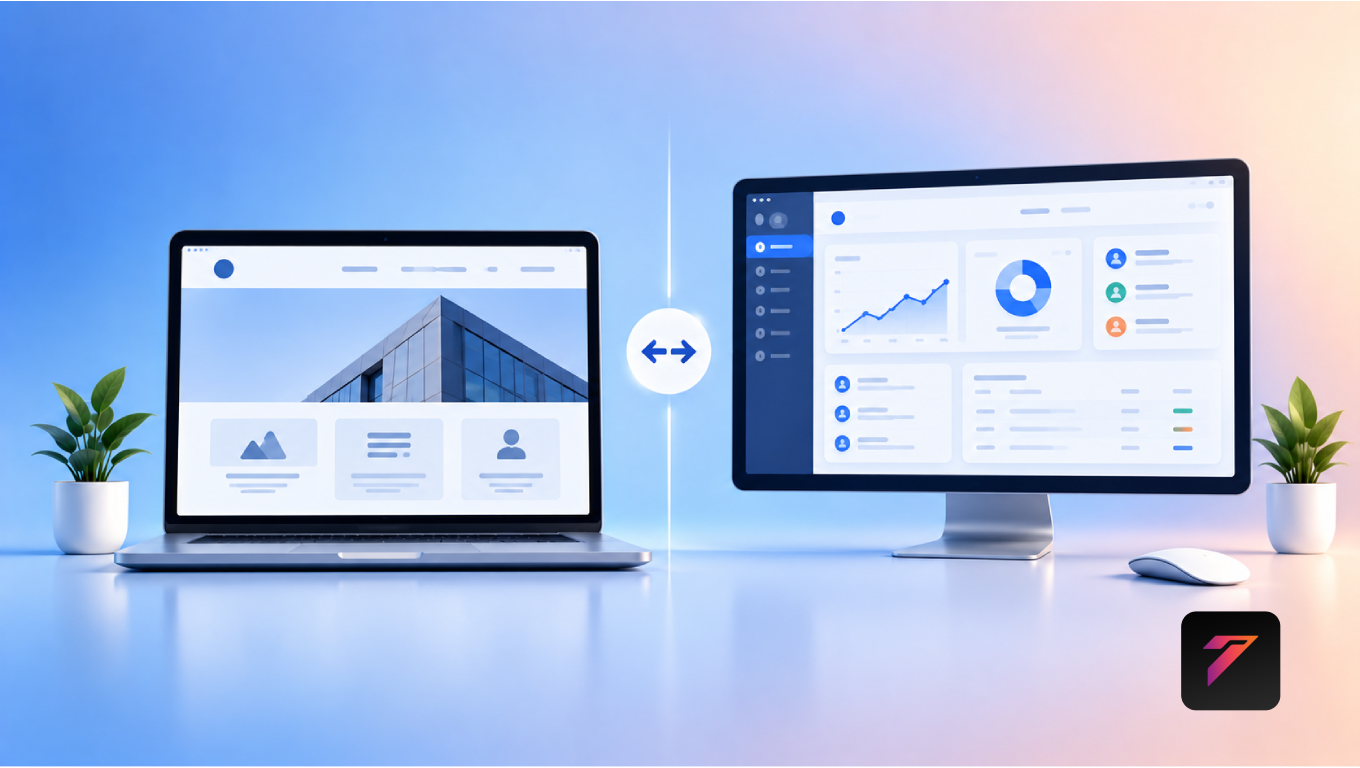
Moving a website to a new domain, hosting provider, platform, or technology stack can create significant opportunities for better performance, security, and scalability. However, a poorly planned move can also cause broken links, indexing problems, traffic losses, and ranking drops.
This is why website migration needs to be treated as both a technical and SEO project.
A successful migration is not simply about moving website files from one server to another. It involves planning URLs, preserving important content, configuring redirects, updating internal links, checking search engine accessibility, monitoring rankings, and testing the website after launch.
Whether you are changing hosting providers, moving from HTTP to HTTPS, redesigning your website, changing domains, or migrating to a new CMS, a structured process can significantly reduce SEO risks.
This complete guide explains what website migration is, the different types of migrations, common SEO risks, a step-by-step migration process, post-migration monitoring, best practices, and mistakes businesses should avoid.
What Is Website Migration?
Website migration is the process of moving a website from one environment, platform, domain, server, or technology setup to another.
A migration can involve changes to:
- Domain name
- Hosting provider
- CMS platform
- Website structure
- URL structure
- Website design
- Programming technology
- HTTP to HTTPS
- Server environment
- Website architecture
For example, a business might move from:
Old Hosting → New Hosting
or:
Old Domain → New Domain
or:
Old CMS → New CMS
The complexity of the migration depends on how many website components are changing.
Why Website Migration Is Important
Businesses may migrate their websites for several reasons.
Common reasons include:
- Improving website performance
- Changing hosting providers
- Rebranding
- Changing domain names
- Moving to a better CMS
- Improving website security
- Updating outdated technology
- Redesigning the website
- Improving mobile experience
- Supporting business growth
- Moving to a scalable infrastructure
A well-planned migration can improve the overall website experience.
However, SEO must remain a major consideration throughout the process.
Build a Website That Grows Your Business
A professionally developed website is the foundation of your online success. If you’re planning to create a responsive, fast, and SEO-friendly business website, explore our Website Development Services to see how Hashseven can help transform your ideas into a powerful digital presence.
Types of Website Migration
Not every migration is the same.
Understanding the type of migration helps determine the SEO risks and technical requirements.
Domain Migration
A domain migration occurs when a website moves from one domain to another.
Example:
oldbusiness.com → newbusiness.com
This type of migration requires careful redirect planning and communication with search engines.
Hosting Migration
A hosting migration moves the website from one hosting provider or server to another.
Example:
Hosting Provider A → Hosting Provider B
The domain may remain unchanged, but server configuration, performance, DNS settings, and security need to be checked.
CMS Migration
A CMS migration occurs when a website moves from one content management system to another.
For example:
WordPress → Another CMS
or:
Custom CMS → WordPress
The URL structure and content should be carefully preserved wherever possible.
HTTP to HTTPS Migration
This involves moving:
to:
HTTPS improves connection security and is an important standard for modern websites.
Website Redesign Migration
A redesign may involve changes to:
- Layout
- Navigation
- Content
- URLs
- Images
- Internal links
- Page templates
Even if the domain stays the same, significant structural changes can affect SEO.
URL Structure Migration
A business may change its URL structure during a redesign or CMS migration.
For example:
example.com/services/web-design
may become:
example.com/web-development-services
These changes require proper redirects.
Technology Migration
A website may move from one technology stack to another.
For example:
Traditional website → Modern web application
or:
Old framework → New framework
Technology changes should be tested carefully to ensure that important SEO elements remain available.
How Website Migration Can Affect SEO
Search engines use many signals to understand and rank website pages.
During a migration, these signals can be disrupted.
Potential problems include:
- Lost rankings
- Lower organic traffic
- Broken links
- Missing pages
- Incorrect redirects
- Duplicate content
- Crawl errors
- Indexing problems
- Missing metadata
- Incorrect canonical tags
- Blocked pages
- Sitemap issues
This does not mean every migration will cause an SEO decline.
With proper planning and testing, businesses can preserve much of their existing SEO value and create opportunities for improvement.
Website Migration SEO Checklist
Before starting a migration, prepare a checklist covering:
- Website backup
- URL inventory
- Analytics tracking
- Search Console verification
- Keyword rankings
- Organic traffic
- Backlinks
- Top-performing pages
- Metadata
- Internal links
- XML sitemap
- Robots.txt
- Canonical tags
- Redirect mapping
- Structured data
- Mobile usability
- Page speed
- Indexing
- Post-launch monitoring
Keeping a complete checklist reduces the chance of missing important SEO elements.
Step-by-Step Website Migration Process
Step 1: Define the Migration Goal
Start by determining why the website is being migrated.
For example:
- New hosting
- New domain
- Rebranding
- New CMS
- Website redesign
- Improved performance
- Better security
A clear goal helps determine the scope of the project.
Step 2: Create a Complete Website Backup
Before making major changes, create a complete backup.
The backup should include:
- Website files
- Database
- Images
- Documents
- Configuration files
- Important content
A backup provides a recovery option if something goes wrong during migration.
Step 3: Crawl the Existing Website
Before moving the website, create a record of the current site.
Identify:
- Existing URLs
- Page titles
- Meta descriptions
- H1 headings
- Canonical URLs
- Status codes
- Internal links
- Images
- Indexable pages
This creates a baseline for comparison after migration.
Step 4: Identify Your Most Important Pages
Not every page contributes equally to organic performance.
Identify pages that generate:
- Organic traffic
- Leads
- Sales
- Backlinks
- Keyword rankings
These pages should receive special attention during migration.
Step 5: Record Existing SEO Performance
Before migration, record important SEO metrics.
Track:
- Organic traffic
- Keyword rankings
- Indexed pages
- Clicks
- Impressions
- Click-through rate
- Backlinks
- Conversions
Google Search Console can be used to monitor search performance before and after migration.
Step 6: Create a URL Mapping Spreadsheet
A URL mapping document is one of the most important migration resources.
Create columns such as:
| Old URL | New URL | Redirect Type | Status |
|---|---|---|---|
/about-us | /about | 301 | Ready |
/services | /services | No change | Ready |
/web-design | /web-development | 301 | Ready |
Every important old URL should have a clear destination.
Step 7: Preserve URL Structure Where Possible
If there is no strong reason to change URLs, keeping the existing structure can reduce unnecessary migration complexity.
For example:
Old: example.com/services
New: example.com/services
Maintaining the same URL makes it easier to preserve existing search visibility.
If URLs must change, implement appropriate redirects.
Step 8: Implement 301 Redirects
A 301 redirect tells browsers and search engines that a page has permanently moved.
For example:
Old Page → 301 Redirect → New Page
Redirects are particularly important when changing domains or URLs.
Avoid redirecting every old URL to the homepage.
Instead, redirect each URL to the most relevant equivalent page.
Step 9: Avoid Redirect Chains
A redirect chain occurs when:
Page A → Page B → Page C
Instead, use:
Page A → Page C
Direct redirects are generally cleaner and easier to maintain.
Step 10: Update Internal Links
After changing URLs, review internal links.
Update links pointing to:
- Old URLs
- Redirected pages
- Deleted pages
- Incorrect paths
Whenever possible, internal links should point directly to the final destination.
Step 11: Update Canonical Tags
Canonical tags tell search engines which version of a page should be treated as the preferred URL.
After migration, ensure canonical tags point to the correct URLs.
Incorrect canonical tags can create indexing problems.
Step 12: Check Robots.txt
Review the site’s robots.txt file.
Make sure important pages are not accidentally blocked.
A common migration mistake is leaving a staging site’s search engine restrictions active on the live website.
For reference, Google’s documentation explains how robots.txt controls crawler access.
Google Search Central robots.txt documentation
Step 13: Create and Submit a New XML Sitemap
Generate an updated XML sitemap containing the URLs you want search engines to discover.
Make sure it contains:
- Correct URLs
- Canonical URLs
- Indexable pages
- Final destination URLs
After migration, submit the sitemap through Google Search Console.
Step 14: Check Meta Titles and Descriptions
Make sure important SEO elements are preserved.
Check:
- Title tags
- Meta descriptions
- H1 headings
- Image ALT text
- Structured data
Do not accidentally replace optimized metadata with generic content during migration.
Step 15: Preserve High-Value Content
Do not remove valuable content without a clear reason.
Important content may include:
- Blog articles
- Service pages
- Product pages
- Location pages
- Case studies
- Resource pages
If content must be removed, determine whether another relevant page should replace it.
Step 16: Check Structured Data
If the existing website uses structured data, verify that it continues working after migration.
Check relevant schema types such as:
- Organization
- LocalBusiness
- Product
- Article
- Breadcrumb
- FAQ
Use Google’s structured data testing resources to validate implementation where appropriate.
Step 17: Test the Staging Website
Before launching the new website, test it thoroughly.
Check:
- Navigation
- Forms
- Buttons
- Images
- Videos
- Links
- Search
- Login systems
- Checkout
- Mobile layout
- Page speed
SEO testing should happen alongside functional testing.
Step 18: Check Staging Website Indexing Controls
Staging environments are often intentionally blocked from search engines.
Before launch, confirm that production pages are accessible to search engines.
Check:
- robots.txt
- noindex tags
- password protection
- canonical tags
These settings should be reviewed carefully during launch.
Step 19: Launch the Website
Once the new website has been tested, launch it.
Immediately verify:
- Domain
- HTTPS
- Redirects
- DNS
- Homepage
- Important pages
- Forms
- Analytics
- Search Console
- XML sitemap
Do not assume everything works simply because the website loads.
Step 20: Test Redirects After Launch
Check your redirect mapping after launch.
Test important old URLs and confirm that they reach the correct new pages.
Pay special attention to:
- Top traffic pages
- Backlinked pages
- Ranking pages
- Important service pages
- Product pages
Step 21: Monitor Google Search Console
After migration, monitor Search Console regularly.
Look for:
- Indexing issues
- Crawl errors
- Traffic changes
- Search queries
- Page indexing
- Sitemap problems
Search Console can help identify technical problems that are not immediately visible on the website.
Step 22: Monitor Organic Traffic
Use your analytics platform to compare organic traffic before and after migration.
Look for significant changes in:
- Sessions
- Users
- Landing pages
- Conversions
- Engagement
- Traffic sources
Temporary fluctuations can occur, but significant or persistent declines require investigation.
Step 23: Monitor Keyword Rankings
Track important keywords before and after migration.
Focus on:
- High-value keywords
- Branded keywords
- Commercial keywords
- Local keywords
- Product keywords
- Service keywords
Ranking changes can help identify pages that may need additional attention.
Step 24: Monitor Backlinks
External websites may still link to old URLs.
If old URLs are redirected correctly, visitors can still reach the relevant content.
However, where practical, businesses should consider updating important backlinks to point directly to the new URLs.
Common Website Migration SEO Mistakes
1. Launching Without a Backup
Never begin a major migration without a reliable backup.
2. Forgetting 301 Redirects
Changing URLs without redirects can create broken links and lost SEO signals.
3. Redirecting Everything to the Homepage
The homepage is not a replacement for every old page.
Redirect old URLs to the most relevant equivalent destinations.
4. Changing URLs Without a Plan
Large-scale URL changes can create unnecessary complexity.
5. Forgetting Internal Links
Internal links should be updated after URL changes.
6. Blocking Search Engines
Incorrect robots.txt or noindex settings can prevent important pages from being crawled or indexed.
7. Losing Metadata
Page titles and descriptions can disappear during CMS migrations.
8. Forgetting Analytics
Make sure analytics tracking continues to work after launch.
9. Ignoring Mobile Testing
A migration should not introduce mobile usability problems.
10. Failing to Monitor After Launch
SEO monitoring should continue for weeks and months after migration.
Website Migration and Page Speed
Migration can affect website performance.
A new hosting environment may improve or reduce:
- Server response time
- Page loading speed
- Image delivery
- Caching
- Database performance
After migration, test important pages using performance tools and real-user data where available.
A faster website can provide a better user experience and support technical SEO performance.
Website Migration and Mobile SEO
Mobile usability should be checked carefully after migration.
Test:
- Responsive layout
- Navigation
- Buttons
- Forms
- Text readability
- Images
- Page speed
- Interactive elements
A website that works correctly on desktop may still have issues on smartphones.
Website Migration and Local SEO
Local businesses should pay particular attention when migrating websites.
Preserve:
- Business information
- Location pages
- Contact information
- Local landing pages
- Embedded maps
- LocalBusiness structured data
If the business changes its domain, make sure the new website still clearly communicates the same business identity.
Website Migration and E-Commerce SEO
E-commerce migrations can be particularly complex because online stores may contain hundreds or thousands of URLs.
Important areas include:
- Product pages
- Category pages
- Filters
- Pagination
- Product variants
- Images
- Reviews
- Structured data
- Inventory
- Checkout
Create a detailed URL migration plan before changing an e-commerce platform.
Website Migration Timeline
A typical migration can be divided into three stages.
Before Migration
Focus on:
- Planning
- Crawling
- Backups
- URL mapping
- SEO benchmarking
- Redirect preparation
- Testing
During Migration
Focus on:
- Launch
- DNS
- HTTPS
- Redirects
- Analytics
- Sitemap
- Robots.txt
- Search Console
After Migration
Focus on:
- Crawl monitoring
- Traffic
- Rankings
- Indexing
- Redirect errors
- Broken links
- Conversions
- Performance
This three-stage approach helps reduce migration risks.
Website Migration Checklist
Pre-Migration
Create a complete backup
Crawl the existing website
Record important URLs
Record SEO performance
Identify top-performing pages
Identify important backlinks
Create URL mapping
Prepare redirects
Review metadata
Review canonical tags
Review robots.txt
Prepare XML sitemap
Migration Day
Confirm DNS
Confirm HTTPS
Launch new website
Test redirects
Test important pages
Test forms
Check analytics
Check Search Console
Submit sitemap
Check indexing controls
Post-Migration
Monitor organic traffic
Monitor rankings
Monitor indexing
Check crawl errors
Check redirects
Check broken links
Check analytics
Review conversions
Monitor page performance
Update important external links
How Long Does Website Migration Take?
The time required depends on the size and complexity of the website.
A small business website with a few dozen pages may require significantly less planning than a large e-commerce website with thousands of URLs.
Factors include:
- Number of pages
- Number of URLs
- CMS complexity
- Domain changes
- URL changes
- Custom functionality
- Database size
- Third-party integrations
- SEO requirements
- Testing requirements
The larger the website, the more detailed the migration plan should be.
How to Know if a Website Migration Was Successful
A successful migration should maintain or improve important website metrics over time.
Monitor:
- Organic traffic
- Keyword rankings
- Indexed pages
- Leads
- Sales
- Conversion rate
- Crawlability
- Page speed
- User experience
- Redirect health
Short-term fluctuations can occur after major changes, so businesses should evaluate performance using trends rather than relying on a single day’s data.
Frequently Asked Questions
1. What is website migration?
Website migration is the process of moving a website to a new domain, hosting provider, CMS, technology platform, URL structure, or server environment.
2. Can website migration affect SEO rankings?
Yes. Poorly planned migrations can cause ranking and traffic losses through broken links, missing redirects, indexing problems, content changes, and technical errors. Proper planning can significantly reduce these risks.
3. How can I migrate a website without losing SEO?
Create a full backup, crawl the existing website, preserve important content and URLs where possible, create a redirect map, implement relevant 301 redirects, update internal links, verify technical SEO settings, and monitor performance after launch.
4. How long should I monitor SEO after website migration?
Businesses should monitor traffic, rankings, indexing, redirects, and crawl issues closely after launch and continue reviewing performance over the following weeks and months.
5. Should I change my URLs during a website migration?
Only when there is a clear reason. If URLs need to change, create a comprehensive redirect map and send each old URL to the most relevant new destination.
Conclusion
Website migration can provide significant benefits when it is planned and executed correctly. Businesses may migrate websites to improve performance, security, technology, usability, scalability, or branding.
However, SEO should be considered from the beginning rather than after the new website goes live.
A successful migration requires careful planning, complete backups, URL mapping, relevant 301 redirects, preserved content, updated internal links, correct canonical tags, proper XML sitemaps, accurate robots.txt settings, analytics tracking, and continuous post-launch monitoring.
The most important principle is simple: do not treat website migration as only a development project. Treat it as a combined development, SEO, and business continuity project.
With the right strategy, businesses can move to a better website environment while protecting valuable organic visibility and creating a stronger foundation for future growth.
Ready to Build a Professional Website for Your Business?
Turn your business into a powerful online brand with Hashseven.
Since 2017, we’ve helped businesses grow through professional website development, mobile apps, custom software, SEO, digital marketing, CRM, POS solutions, and Meta-approved WhatsApp automation. Let’s create a fast, secure, and conversion-focused website that attracts more customers and drives real business growth.