
Customer engagement has become increasingly important for businesses operating in a digital-first environment. Visitors may discover a website, browse products or services, and leave without completing an action. Reaching those visitors again can be challenging when businesses rely only on email or social media.
This is where web push notifications can provide another communication channel.
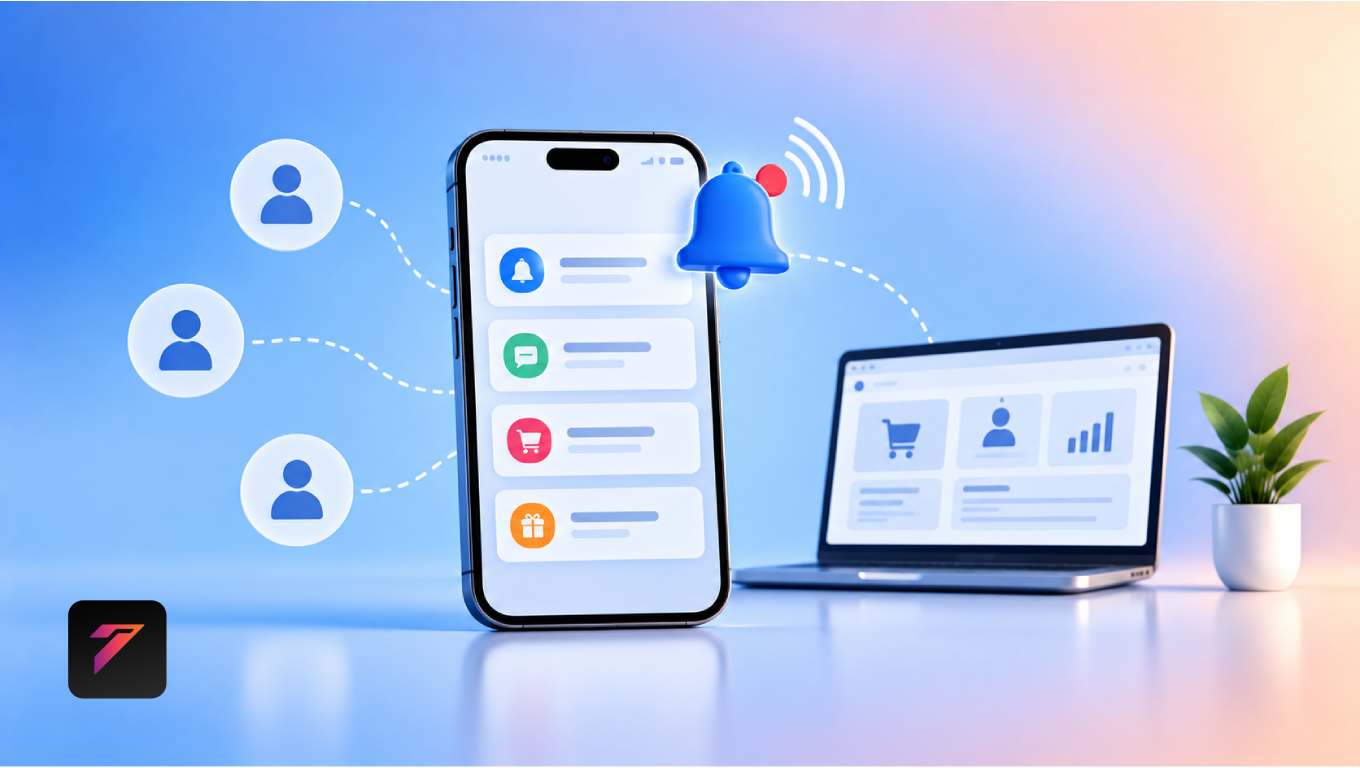
Web push notifications allow websites to send timely messages to users who have granted permission to receive notifications. These messages can be used to share product updates, special offers, reminders, content, service announcements, and other relevant information.
When implemented responsibly, web push notifications can help businesses maintain communication with customers after they leave a website. They can also support repeat visits, content engagement, promotions, and customer retention.
In this guide, we will explore what web push notifications are, how they work, their benefits, practical use cases, best practices, common mistakes, and how businesses can use them to create more meaningful customer engagement.
What Are Web Push Notifications?
Web push notifications are messages sent from a website to a user’s device through a supported web browser.
After a visitor gives permission, the website can send notifications even when the website is not currently open in the browser.
A basic process looks like this:
Website Visit → Notification Permission → User Subscription → Notification Sent → User Returns to Website
Notifications may contain:
- Short messages
- Links
- Images or icons
- Offers
- Product updates
- Content announcements
- Reminders
- Calls to action
The exact capabilities depend on browser, operating system, device, and implementation support.
Build a Website That Grows Your Business
A professionally developed website is the foundation of your online success. If you’re planning to create a responsive, fast, and SEO-friendly business website, explore our Website Development Services to see how Hashseven can help transform your ideas into a powerful digital presence.
How Web Push Notifications Work
A typical web push notification system involves several components.
1. User Visits the Website
A visitor arrives on the website through search, advertising, social media, referral traffic, or another source.
2. Website Requests Permission
The website asks whether the visitor wants to receive notifications.
The request should be clear and explain the value of subscribing.
3. User Gives Permission
If the visitor accepts, the browser creates the necessary subscription information.
4. Subscription Is Stored
The website or push-notification service stores the subscription details required to deliver notifications.
5. Business Sends a Notification
The business creates a message and sends it through its push notification infrastructure.
6. User Receives the Notification
The browser displays the notification on a supported device.
7. User Can Return to the Website
The notification can contain a relevant destination URL that takes the user directly to the appropriate page.
Why Customer Engagement Matters
Customer engagement refers to the interactions customers have with a business across its digital channels.
Engagement can include:
- Website visits
- Product interactions
- Content consumption
- Purchases
- Account activity
- Support interactions
- Newsletter subscriptions
- App usage
Businesses need ways to maintain useful communication between visits.
Web push notifications can support this by providing a direct communication channel for users who have opted in.
1. Bring Customers Back to Your Website
One of the most useful applications of web push notifications is encouraging return visits.
A customer may visit a website today but not return for several weeks.
A relevant notification can remind the customer about:
- A new product
- A useful article
- An upcoming event
- A limited-time promotion
- A service update
The goal should be to provide a useful reason to return rather than simply sending frequent promotional messages.
2. Share New Content
Businesses that publish blogs, guides, tutorials, and other resources can use push notifications to announce new content.
For example:
New Guide Available
A new guide about website security is now available.
Read the Guide →
This can help businesses reconnect with subscribers who may not regularly check the website.
3. Promote New Products
E-commerce businesses can use notifications to announce new products.
For example:
New Collection Available
Explore our latest products.
A notification can direct users to a relevant collection or product page.
4. Announce Special Offers
Businesses can use web push notifications for time-sensitive promotions.
Examples include:
- Seasonal offers
- New customer discounts
- Product promotions
- Limited-time sales
- Special events
However, promotional notifications should be used carefully to avoid overwhelming subscribers.
5. Send Helpful Reminders
Notifications are not limited to marketing.
Businesses can use them for useful reminders such as:
- Appointment reminders
- Event reminders
- Subscription updates
- Service notifications
- Order updates
- Payment reminders
- Renewal notifications
These messages can provide practical value to customers.
6. Support E-Commerce Engagement
Online stores can use push notifications throughout the customer journey.
Potential use cases include:
- New product announcements
- Price changes
- Back-in-stock alerts
- Order updates
- Delivery updates
- Promotional campaigns
- Product recommendations
The message should be relevant to the user’s relationship with the store.
7. Encourage Cart Recovery
Some e-commerce websites use notifications to remind customers about abandoned shopping carts.
For example:
You left something behind
Your selected products are still waiting in your cart.
Return to Cart →
Businesses should consider frequency, timing, privacy, and user expectations before implementing cart reminders.
8. Improve Customer Retention
Customer retention depends partly on maintaining useful relationships with existing customers.
Push notifications can provide another channel for communicating with users after their initial visit.
For example:
New Feature Available
We’ve added a new feature to your account.
This type of notification can encourage existing users to return and explore the update.
9. Deliver Time-Sensitive Information
Some information loses value if customers receive it too late.
Web push notifications can be useful for time-sensitive updates such as:
- Flash sales
- Event changes
- Appointment reminders
- Service alerts
- Product availability
- Order status
Timeliness can make a notification more useful.
10. Support Personalized Communication
Businesses can segment subscribers based on relevant information.
For example, a business could potentially create groups based on:
- Content interests
- Previous interactions
- Product categories
- Customer type
- Geographic relevance
- Subscription preferences
Personalization should be based on appropriate consent and responsible data practices.
11. Increase Content Engagement
Websites with large content libraries can use push notifications to highlight relevant resources.
For example:
Interested in SEO?
Read our latest guide to improving website visibility.
The notification can link directly to the article.
This creates a simple path:
Notification → Content → Website Engagement
12. Strengthen Customer Communication
Customers interact with businesses through many channels.
These may include:
- Websites
- Mobile applications
- Social media
- SMS
- Customer portals
- Messaging platforms
Web push notifications add another channel to the communication mix.
The key is to use each channel for an appropriate purpose instead of sending the same message everywhere.
13. Reduce Dependence on Email Alone
Email remains an important marketing and communication channel.
However, businesses may use multiple channels to reach customers who have opted in.
Push notifications can complement:
- Email marketing
- Content marketing
- SEO
- Social media
- Paid advertising
- Customer relationship management
A multi-channel strategy can provide different ways to communicate with customers.
14. Create Faster Communication
Email inboxes can become crowded.
A push notification appears directly through the user’s supported browser or device notification system.
For time-sensitive information, this can provide a more immediate communication experience.
However, immediacy should not be confused with guaranteed engagement. Users control notification permissions and can disable notifications.
15. Support Customer Journey Campaigns
Businesses can create notification campaigns around different stages of the customer journey.
For example:
Awareness
→ New content notification
Consideration
→ Product or service information
Conversion
→ Relevant offer or reminder
Retention
→ Product update or useful resource
Loyalty
→ Relevant customer benefit
Each message should have a clear purpose.
Web Push Notifications for Different Businesses
E-Commerce Businesses
Possible uses include:
- Product launches
- Back-in-stock alerts
- Order updates
- Promotions
- Cart reminders
- Price updates
SaaS Businesses
Possible uses include:
- Feature announcements
- Account notifications
- Usage reminders
- Subscription information
- Product updates
Service Businesses
Possible uses include:
- Appointment reminders
- New service announcements
- Offers
- Educational content
- Consultation reminders
Publishers and Blogs
Possible uses include:
- New article alerts
- Breaking updates
- Popular content
- Topic-specific notifications
Educational Websites
Possible uses include:
- Course updates
- New lessons
- Assignment reminders
- Important announcements
Web Push Notifications vs Email Marketing
Push notifications and email marketing serve different purposes.
| Feature | Web Push Notifications | Email Marketing |
|---|---|---|
| Delivery | Browser/device notification | Email inbox |
| Message length | Usually short | Can be detailed |
| User permission | Browser notification permission | Email subscription |
| Best for | Timely messages | Detailed communication |
| Content | Short updates and links | Newsletters, campaigns, guides |
| Timing | Often immediate | Flexible |
| Personalization | Possible | Highly customizable |
| Long-form content | Limited | Strong |
| Retention | Depends on opt-in | Depends on subscriber engagement |
Businesses do not necessarily need to choose one over the other. They can use both as part of a broader customer communication strategy.
Web Push Notifications vs SMS
SMS can reach users through their mobile phone network, while web push notifications depend on supported browsers and user permissions.
SMS may be appropriate for certain transactional or urgent communications, while push notifications can be useful for website engagement and digital marketing.
Businesses should select channels according to user expectations, consent requirements, cost, and message purpose.
Web Push Notifications vs Mobile App Notifications
Mobile app notifications are tied to installed applications.
Web push notifications can provide notification functionality through supported web browsers without requiring users to install a dedicated mobile application.
This can be useful for businesses that want to engage website visitors without immediately requiring an app installation.
How to Create Effective Push Notifications
A successful notification should be:
- Relevant
- Concise
- Timely
- Clear
- Useful
- Action-oriented
A simple structure is:
Message → Benefit → Action
For example:
New Website Design Guide
Learn practical ways to improve your website UX.
Read the Guide
Write Clear Notification Titles
The title should communicate the main point quickly.
Instead of:
Important Update!!!
Use:
Your Order Has Shipped
Clear communication makes it easier for users to understand the purpose of the notification.
Keep Messages Short
Push notifications are not designed for long-form communication.
Keep the message focused on one main idea.
Instead of explaining everything, use the notification to encourage the user to visit a relevant page when more information is needed.
Use Strong Calls to Action
A notification should make the next step clear.
Examples include:
- Read More
- Shop Now
- View Order
- Explore Products
- Book Now
- View Update
- Learn More
The CTA should accurately describe the destination.
Send Notifications at the Right Time
Timing can influence the usefulness of a notification.
Businesses should consider:
- User location
- Time zone
- Customer behavior
- Message urgency
- Business hours
- User preferences
Avoid sending non-urgent notifications at inconvenient times.
Segment Your Audience
Sending every notification to every subscriber can reduce relevance.
Businesses can create appropriate audience segments based on available and permitted data.
For example:
Segment A: Interested in technology content
Segment B: Interested in business services
Segment C: Existing customers
Each group can receive information that is more relevant to its interests.
Avoid Notification Overload
Too many notifications can lead users to:
- Ignore messages
- Disable notifications
- Leave the subscription
- Develop a negative perception of the brand
Quality is generally more important than quantity.
Before sending a notification, ask:
“Does the user genuinely benefit from receiving this message?”
If the answer is unclear, the message may not need to be sent.
Respect User Privacy and Consent
Permission is a fundamental part of web push notifications.
Businesses should:
- Clearly explain what users are subscribing to.
- Avoid misleading permission prompts.
- Respect browser permissions.
- Provide appropriate preference controls.
- Follow applicable privacy requirements.
- Avoid collecting unnecessary information.
Users should have meaningful control over their notification preferences.
Common Web Push Notification Mistakes
1. Asking for Permission Immediately
Requesting permission before explaining the value can create a poor experience.
2. Sending Too Many Notifications
Excessive messaging can cause users to unsubscribe or disable notifications.
3. Using Generic Messages
Generic messages may not provide enough value.
4. Poor Timing
Sending notifications at inconvenient times can reduce engagement.
5. No Clear CTA
Users should understand what action they can take.
6. Ignoring Mobile Experience
Many notifications are received on mobile devices, so destination pages should be mobile-friendly.
7. Sending Irrelevant Content
Messages should match subscriber interests where possible.
8. Not Testing Notifications
Businesses should test titles, content, links, timing, and display behavior.
9. Ignoring Unsubscribe Behavior
Subscription changes can provide useful feedback about messaging quality.
10. Treating Push Notifications as Spam
Push notifications should provide genuine value rather than simply increasing message volume.
Web Push Notification Best Practices
Businesses should:
- Explain the value of subscribing.
- Ask for permission at an appropriate moment.
- Keep messages concise.
- Use clear titles.
- Provide relevant content.
- Include useful CTAs.
- Segment audiences where appropriate.
- Consider user time zones.
- Avoid excessive frequency.
- Respect notification preferences.
- Optimize destination pages for mobile.
- Track engagement metrics.
- Test different messages.
- Monitor unsubscribe behavior.
- Review campaign performance regularly.
- Protect subscriber information.
- Follow applicable privacy requirements.
- Use notifications for both marketing and useful updates.
- Make every notification serve a clear purpose.
- Continuously improve based on user behavior.
How to Measure Push Notification Performance
Businesses should monitor relevant metrics.
Delivery Rate
Shows how many notifications were successfully delivered.
Click-Through Rate
Measures the percentage of recipients who clicked the notification.
Conversion Rate
Measures how many users completed the desired action after clicking.
Unsubscribe Rate
Shows how many users stopped receiving notifications.
Engagement Rate
Can help businesses understand overall interaction with notification campaigns.
Return Visits
Businesses can measure whether notifications contribute to users returning to the website.
Metrics should be interpreted in context rather than relying on one number alone.
A Simple Web Push Notification Strategy
Businesses can create a simple strategy using five steps.
Step 1: Define the Goal
Decide whether the notification is intended to:
- Generate traffic
- Promote a product
- Increase content engagement
- Recover abandoned carts
- Provide an update
- Support retention
Step 2: Define the Audience
Identify which subscribers should receive the message.
Step 3: Create the Message
Keep the notification concise and useful.
Step 4: Choose the Destination
Send users to a page directly related to the notification.
Step 5: Measure Results
Review:
- Delivery
- Clicks
- Conversions
- Unsubscribes
- Return visits
Then improve future campaigns based on the results.
How Web Push Notifications Support SEO
Web push notifications do not directly replace SEO.
However, they can support broader digital marketing activities by bringing opted-in users back to useful website content.
For example:
SEO → User discovers article → User subscribes → Push notification → User returns
This can create additional opportunities for content engagement and returning traffic.
Businesses should continue focusing on search-friendly content, technical SEO, user experience, and useful information rather than treating push notifications as an SEO shortcut.
Web Push Notifications and Website Performance
Push notification systems can require scripts and service-worker functionality.
Businesses should implement them carefully to avoid unnecessary impact on website performance.
Consider:
- Script loading
- Service worker implementation
- Third-party dependencies
- Caching
- Mobile performance
- Core Web Vitals
Notification technology should support the website rather than compromise the user experience.
Web Push Notifications and Accessibility
Notification content should be clear and understandable.
Businesses should also ensure that the website destination linked from a notification is accessible.
Consider:
- Clear page structure
- Keyboard navigation
- Sufficient color contrast
- Accessible forms
- Screen-reader compatibility
- Mobile usability
The W3C Web Accessibility Initiative provides guidance and resources for accessible web experiences.
Future of Web Push Notifications
Web push notifications are likely to become increasingly connected with broader personalization and automation systems.
Businesses may use:
- AI-assisted message creation
- Behavioral segmentation
- Automated campaigns
- Personalized recommendations
- Event-triggered notifications
- Customer journey automation
- Predictive engagement
However, automation should not replace relevance and user consent.
Businesses should ensure that automated notifications remain useful, transparent, and appropriate.
How Hashseven Can Help
Implementing web push notifications successfully involves more than adding a notification script.
The technology should work alongside:
- Website development
- Customer journey design
- UI/UX
- Marketing automation
- CRM integration
- Analytics
- API integration
- Performance optimization
Hashseven provides website development, custom web application development, digital marketing, API integration, CRM and ERP solutions, UI/UX design, and business automation services.
A well-planned push notification system can become part of a broader digital communication strategy designed around customer needs and business goals.
Want to improve customer engagement through your website? Contact Hashseven to discuss web push notifications, website development, and digital engagement solutions.
Conclusion
Web push notifications provide businesses with a direct way to reconnect with website visitors who have opted in to receive notifications. They can support content discovery, product announcements, customer reminders, promotions, e-commerce engagement, and retention.
However, effective push notifications are not about sending as many messages as possible. They depend on relevance, timing, clear communication, useful destinations, responsible personalization, and respect for user preferences.
Businesses that treat notifications as a customer communication channel rather than simply a marketing tool can create more useful digital experiences.
When combined with SEO, content marketing, website development, analytics, CRM, and automation, web push notifications can become a valuable part of a modern customer engagement strategy.
Frequently Asked Questions
1. What are web push notifications?
Web push notifications are messages delivered through supported web browsers to users who have opted in to receive notifications from a website.
2. How can web push notifications improve customer engagement?
They can help businesses reconnect with opted-in users by delivering relevant updates, content announcements, product information, reminders, and other timely messages.
3. Can web push notifications increase website traffic?
They can encourage returning visits by directing opted-in users to relevant website pages. Actual traffic results depend on message relevance, audience quality, timing, and other campaign factors.
4. How often should businesses send web push notifications?
There is no universal frequency that works for every business. Companies should consider user expectations, notification type, urgency, audience preferences, and engagement data while avoiding excessive messaging.
5. Are web push notifications better than email marketing?
They serve different purposes. Push notifications are useful for short and timely updates, while email is better suited to longer messages, newsletters, detailed offers, and richer content. Businesses can use both as complementary channels.
Ready to Build a Professional Website for Your Business?
Turn your business into a powerful online brand with Hashseven.
Since 2017, we’ve helped businesses grow through professional website development, mobile apps, custom software, SEO, digital marketing, CRM, POS solutions, and Meta-approved WhatsApp automation. Let’s create a fast, secure, and conversion-focused website that attracts more customers and drives real business growth.