

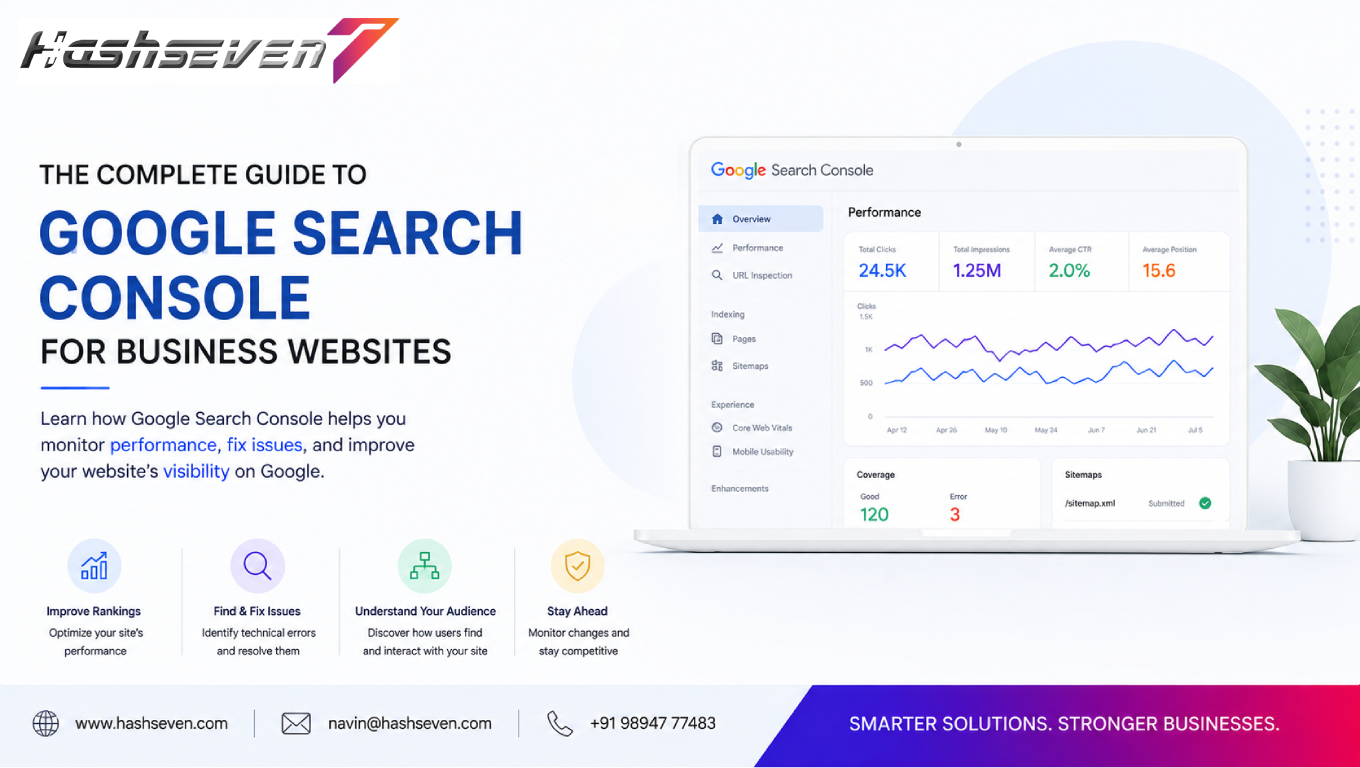

A business website needs more than attractive design and useful content to succeed online. Businesses also need to understand how their website appears in Google Search, whether important pages are indexed, which search queries bring visitors, and whether technical issues are affecting visibility.
This is where Google Search Console becomes valuable.
A Google Search Console guide can help business owners, marketers, and website administrators understand how to use Google’s free search performance and website monitoring platform. It provides information about search queries, impressions, clicks, indexing, technical issues, Core Web Vitals, links, and other aspects of a website’s presence in Google Search.
Google Search Console does not directly guarantee higher rankings. Instead, it provides data and diagnostic information that can help businesses identify opportunities and fix problems that may affect their search visibility.
In this complete guide, we will explain what Google Search Console is, why businesses should use it, how to set it up, the most important reports, how to identify indexing problems, how to monitor SEO performance, and how to use the platform as part of an ongoing SEO strategy.
What Is Google Search Console?
Google Search Console is a free service from Google that helps website owners monitor, maintain, and troubleshoot their website’s presence in Google Search.
It can provide information about:
- Search queries
- Search impressions
- Organic clicks
- Average search position
- Indexed pages
- Crawling
- Page experience
- Core Web Vitals
- Sitemaps
- Links
- Security issues
- Manual actions
Google explains that Search Console can help website owners understand how Google sees their websites and identify potential problems affecting search performance.
For businesses, this makes Google Search Console an important part of a broader SEO and website management process.
Build a Website That Grows Your Business
A professionally developed website is the foundation of your online success. If you’re planning to create a responsive, fast, and SEO-friendly business website, explore our Website Development Services to see how Hashseven can help transform your ideas into a powerful digital presence.
Why Google Search Console Matters for Business Websites
A business website may contain hundreds or thousands of pages.
Without search performance data, it can be difficult to know:
- Which pages receive organic traffic
- Which keywords generate impressions
- Which pages are indexed
- Which pages have technical problems
- Whether Google can access important content
- Whether mobile or performance issues exist
Google Search Console provides valuable information that can help businesses make more informed SEO decisions.
Instead of guessing how a website performs in Google Search, businesses can use actual search data to identify opportunities.
1. Monitor Organic Search Performance
One of the most useful features in Google Search Console is the Performance report.
It can show information such as:
- Total clicks
- Total impressions
- Average click-through rate
- Average position
Businesses can use this information to understand how their website performs in Google Search.
For example, a page may receive many impressions but relatively few clicks.
This may indicate an opportunity to improve:
- Page titles
- Meta descriptions
- Search intent alignment
- Content relevance
2. Understand Search Queries
The Performance report shows search queries associated with a website’s search visibility.
Businesses can discover queries related to:
- Products
- Services
- Locations
- Problems
- Questions
- Industry topics
These insights can help businesses understand what potential customers are searching for.
For example, a digital marketing company may discover that users search for several variations of a service that were not previously targeted in its content strategy.
This information can help guide future content creation.
3. Track Clicks
Clicks represent visits to your website from Google Search results.
Monitoring clicks over time can help businesses identify:
- Growing pages
- Declining pages
- Seasonal changes
- Successful content
- Search traffic opportunities
A sudden decline in clicks does not automatically mean a website has received a penalty.
Other factors can include:
- Search demand changes
- Algorithm changes
- Competitor activity
- Seasonal behavior
- Technical issues
Businesses should investigate changes rather than assuming the cause.
4. Monitor Search Impressions
An impression occurs when a website’s search result is shown to a user.
Impressions can help businesses understand search visibility.
For example, if impressions are increasing but clicks remain low, the website may be appearing for more searches without attracting enough users.
This can create an opportunity to improve search-result presentation and content relevance.
5. Understand Average Position
Search Console reports an average position metric for website results.
It is important to understand that average position is not the same as a fixed ranking for every user and every search.
Search results can vary based on:
- Search query
- Location
- Device
- Search features
- User context
Therefore, businesses should use average position as a trend metric rather than treating it as an exact ranking for every search.
6. Measure Click-Through Rate
Click-through rate, or CTR, represents the percentage of impressions that resulted in clicks.
A page may have a strong average position but a lower-than-expected CTR.
This can encourage businesses to review:
- Title
- Meta description
- Search intent
- Page relevance
- SERP competition
Improving CTR should always involve accurate and useful search-result information rather than misleading users.
7. Identify High-Performing Pages
Search Console can help businesses identify pages that attract organic clicks and impressions.
High-performing pages may include:
- Service pages
- Product pages
- Blog posts
- Location pages
- Guides
- Landing pages
These pages can provide insights into the topics and search intents that are already working.
Businesses can use these insights to develop related content and improve internal linking.
8. Discover SEO Opportunities
Search Console can reveal pages that are already receiving impressions but have room for improvement.
For example, a page may:
- Appear for relevant searches
- Receive substantial impressions
- Have a relatively low CTR
- Have an average position that could improve
Such pages can become SEO optimization opportunities.
Businesses can review the content, search intent, headings, internal links, and user experience before making improvements.
What Is the Search Console URL Inspection Tool?
The URL Inspection tool allows website owners to inspect individual URLs and understand how Google processes them.
It can provide information about:
- Indexing status
- Crawling
- Canonical URL
- Mobile usability where applicable
- Enhancements
- Page availability
The tool is particularly useful when a business publishes a new page and wants to investigate whether Google has discovered and indexed it.
9. Check Whether Pages Are Indexed
Indexing means Google has processed a page and considers it eligible to appear in its search index, subject to its systems and policies.
A page that is not indexed generally cannot appear as a normal organic search result.
Businesses should monitor important pages and investigate unexpected indexing issues.
Possible reasons for indexing problems can include:
noindexdirectives- Crawl problems
- Redirects
- Duplicate content
- Canonicalization
- Server errors
- Poorly accessible pages
10. Request Indexing for New or Updated Pages
The URL Inspection tool can provide an option to request indexing for eligible URLs.
This can be useful after:
- Publishing a new page
- Updating important content
- Fixing a technical issue
However, requesting indexing does not guarantee that Google will immediately index the page or that the page will rank.
Google determines crawling and indexing based on its own systems.
11. Monitor Page Indexing
The Page Indexing report can provide information about URLs that Google has indexed or encountered.
Businesses can use this report to investigate:
- Indexed pages
- Excluded pages
- Errors
- Valid pages
- Pages that require attention
Not every excluded URL represents a problem.
For example, some pages may intentionally be excluded from search results.
The goal is to determine whether the indexing status matches the website’s intended structure.
12. Understand Crawling
Crawling is the process through which search engines discover and access web pages.
Google uses automated systems, commonly known as Googlebot, to crawl web content.
Businesses should make sure important pages can be discovered and accessed appropriately.
Potential crawling problems can involve:
- Server errors
- Robots.txt restrictions
- Broken links
- Poor site architecture
- Incorrect redirects
Search Console can help identify some of these issues.
13. Submit an XML Sitemap
An XML sitemap provides search engines with information about pages a website considers important for discovery.
Submitting a sitemap through Search Console can help Google discover URLs.
A sitemap does not guarantee indexing or rankings.
However, it can be especially useful for:
- Large websites
- New websites
- Websites with complex structures
- Websites with frequently updated content
Businesses should ensure that their sitemap contains appropriate URLs and remains technically accessible.
14. Monitor Core Web Vitals
Core Web Vitals are user-focused metrics associated with loading performance, responsiveness, and visual stability.
Google Search Console provides a Core Web Vitals report based on available field data.
The report can help businesses identify pages that may need performance improvements.
Businesses should pay attention to:
- Loading performance
- Interactivity
- Visual stability
Improving these areas can create a better experience for visitors.
For the latest definitions and thresholds, businesses should refer to Google’s official Core Web Vitals documentation.
15. Monitor HTTPS and Page Experience
Secure websites are important for modern businesses.
HTTPS helps protect information exchanged between a user’s browser and the website.
Businesses should make sure important pages use secure connections and that certificates are configured correctly.
Search Console can also provide information related to page experience and other website signals.
16. Check Mobile Performance
People access business websites using many different devices.
Search Console provides information that can help businesses understand search performance across:
- Mobile
- Desktop
- Other supported device categories
Businesses should ensure that their website provides a consistent and usable experience across screen sizes.
Responsive design, readable text, accessible navigation, and touch-friendly interactions can all contribute to better usability.
17. Monitor Security Issues
Website security problems can affect users and search visibility.
Search Console can report certain security issues detected by Google.
Possible problems may involve:
- Hacking
- Malware
- Deceptive content
- Other security concerns
Businesses should take security warnings seriously and investigate them promptly.
A compromised website can damage customer trust as well as online visibility.
18. Check Manual Actions
A manual action can occur when Google’s spam policies are violated and a human reviewer determines that a website has issues requiring action.
Search Console provides a Manual Actions report where applicable.
Businesses should understand the specific issue, correct it, and follow Google’s available reconsideration process when appropriate.
Not every ranking decline is caused by a manual action.
19. Understand Links
Search Console includes link information that can help website owners understand:
- Top linked pages
- Internal links
- External links
Internal links help users and search engines discover related content.
For example, a blog article about SEO can link naturally to a relevant SEO service page.
Businesses should build internal links around relevance and user usefulness rather than adding links simply for SEO.
20. Improve Internal Linking
Internal linking can help create a logical website structure.
Businesses can connect:
- Blog posts
- Service pages
- Product pages
- Category pages
- Location pages
A strong internal linking strategy can help users discover relevant information and can help search engines understand relationships between pages.
21. Find Content Gaps
Search Console data can reveal search queries for which a website receives impressions but does not have a dedicated page.
These queries can inspire:
- New blog posts
- FAQ pages
- Service pages
- Product content
- Detailed guides
Content should only be created when it provides genuine value to users.
Publishing large amounts of low-value content simply to target keywords is unlikely to create a sustainable SEO strategy.
22. Identify Declining Pages
Search Console can be used to compare performance over different time periods.
A business can compare:
- Last 28 days
- Previous period
- Previous year
- Custom date ranges
A decline in clicks or impressions can help identify pages that need investigation.
Businesses should examine:
- Search demand
- Competitor changes
- Content freshness
- Technical problems
- Search intent
- Internal links
before deciding how to respond.
23. Analyze Search Performance by Device
Businesses can compare search performance across devices.
If mobile performance is significantly different from desktop performance, it may be worth reviewing:
- Mobile page speed
- Navigation
- Content layout
- Font size
- Forms
- Buttons
- Checkout
Device-specific analysis can reveal user experience opportunities.
24. Analyze Search Performance by Country
Businesses serving multiple locations can use Search Console to analyze search performance by country.
This can help identify where search visibility is strongest.
For international businesses, location-specific insights can support:
- Content planning
- Localization
- International SEO
- Market research
Businesses should avoid creating location pages that provide little unique value simply to target geographic keywords.
25. Analyze Search Performance by Page
Comparing individual pages can help businesses understand which content contributes most to organic visibility.
For example, a company may discover that:
- Service pages generate leads
- Blog posts generate impressions
- Product pages generate purchases
This can help the business prioritize future optimization efforts.
Google Search Console vs Google Analytics
Google Search Console and Google Analytics serve different purposes.
Google Search Console focuses primarily on search visibility and Google Search performance.
Google Analytics focuses more broadly on website and user behavior data after visitors arrive.
Businesses can use both tools together.
For example:
Search Console: How did users discover the website through Google Search?
Analytics: What did those users do after reaching the website?
Combining these perspectives can provide a stronger understanding of the customer journey.
How to Set Up Google Search Console
Setting up Search Console generally involves the following steps.
Step 1: Sign In
Use a Google account with appropriate access.
Step 2: Add a Property
Choose the appropriate property type for the website.
Step 3: Verify Ownership
Google provides several verification methods depending on the property configuration.
Step 4: Submit Your Sitemap
Add the website’s XML sitemap through the Sitemaps report.
Step 5: Inspect Important URLs
Use URL Inspection to check critical pages.
Step 6: Review Reports
Monitor:
- Performance
- Indexing
- Core Web Vitals
- Security
- Links
Step 7: Monitor Regularly
Search Console is most useful when businesses review it consistently rather than only when a problem occurs.
For official setup instructions, businesses can use Google’s Search Console documentation.
How Often Should Businesses Check Google Search Console?
There is no universal schedule.
For active business websites, checking Search Console regularly can help identify significant changes.
A practical approach is:
Weekly
Review major performance changes and important alerts.
Monthly
Analyze search queries, pages, indexing, and SEO opportunities.
Quarterly
Conduct a deeper SEO review and compare performance over longer periods.
Businesses with large or frequently changing websites may need more frequent monitoring.
Common Google Search Console Mistakes
1. Checking Rankings Only
Search Console provides much more than average position.
Businesses should also review:
- Clicks
- Impressions
- CTR
- Queries
- Pages
- Indexing
2. Requesting Indexing for Every URL
Indexing requests should not replace proper site architecture and content discovery.
3. Treating Every Excluded URL as an Error
Some exclusions are intentional.
4. Ignoring Security Alerts
Security issues should be investigated immediately.
5. Looking at Data Without Context
Seasonality, market changes, and search demand can influence performance.
6. Focusing Only on One Keyword
Modern SEO involves many queries and search intents.
7. Making Changes Without Testing
Not every SEO change produces a positive result.
8. Ignoring Technical Problems
Content alone cannot compensate for serious technical issues.
Google Search Console SEO Workflow
Businesses can create a simple recurring workflow:
Monitor → Analyze → Identify → Optimize → Test → Measure
Monitor
Check performance and important alerts.
Analyze
Review queries, pages, devices, and trends.
Identify
Find opportunities and technical problems.
Optimize
Improve content, structure, and user experience.
Test
Measure the impact of changes.
Measure
Compare results over time.
This creates a repeatable SEO process instead of relying on occasional optimization.
How Google Search Console Supports SEO
Google Search Console does not replace an SEO strategy.
Instead, it provides valuable information that supports SEO decisions.
Businesses can use it to:
- Discover search queries
- Monitor organic traffic
- Identify indexing problems
- Review page performance
- Find content opportunities
- Monitor technical issues
- Analyze search visibility
When combined with technical SEO, quality content, strong UX, internal linking, and other SEO practices, Search Console becomes a valuable part of ongoing website optimization.
Google Search Console Checklist for Business Websites
Use this checklist when managing your website:
- Website ownership is verified
- Correct property is configured
- XML sitemap is submitted
- Important URLs are inspected
- Search performance is monitored
- Search queries are reviewed
- CTR is analyzed
- Important pages are monitored
- Indexing issues are reviewed
- Core Web Vitals are checked
- Mobile performance is monitored
- Security issues are reviewed
- Manual Actions report is checked
- Internal links are monitored
- Content opportunities are identified
- Declining pages are investigated
- Search trends are compared
- Technical problems are addressed
- SEO changes are measured
- Search Console is reviewed regularly
The Future of Google Search Console and SEO
Search continues to evolve as Google introduces new search experiences, AI-powered features, changing user behavior, and increasingly complex search results.
Businesses should therefore avoid building their entire SEO strategy around a single metric.
Instead, they should focus on:
- Helpful content
- Strong technical foundations
- Good user experience
- Clear website structure
- Search intent
- Website accessibility
- Performance
- Trust
- Consistent measurement
Google Search Console can help businesses monitor how these efforts relate to their presence in Google Search.
Frequently Asked Questions
1. What is Google Search Console used for?
Google Search Console helps website owners monitor search performance, indexing, crawling, technical issues, Core Web Vitals, links, security issues, and other aspects of their website’s presence in Google Search.
2. Is Google Search Console free?
Yes. Google provides Search Console as a free service for website owners and administrators.
3. Does Google Search Console improve rankings directly?
No. Search Console itself does not directly improve rankings. It provides data and diagnostic information that businesses can use to identify SEO opportunities and technical problems.
4. How often should businesses check Google Search Console?
Active business websites should monitor Search Console regularly. Weekly checks for major issues and monthly deeper reviews can provide a practical starting point, although larger websites may require more frequent monitoring.
5. What is the difference between Google Search Console and Google Analytics?
Google Search Console primarily provides information about Google Search performance and indexing, while Google Analytics provides broader information about user behavior and website activity after visitors arrive.
Conclusion
A Google Search Console guide is essential for businesses that want to understand how their websites perform in Google Search.
Search Console provides valuable information about search queries, clicks, impressions, CTR, average position, indexing, crawling, Core Web Vitals, links, security issues, and other search-related factors.
However, the platform should not be treated as a tool that automatically improves rankings. Its real value comes from using the data to make better SEO and website management decisions.
Businesses should regularly monitor Search Console, investigate unusual changes, fix technical problems, analyze search opportunities, improve important pages, and measure the results of their optimization efforts.
When combined with quality content, technical SEO, strong website architecture, user-focused design, and consistent performance monitoring, Google Search Console can become an important part of a successful long-term SEO strategy.
Ready to Build a Professional Website for Your Business?
Turn your business into a powerful online brand with Hashseven.
Since 2017, we’ve helped businesses grow through professional website development, mobile apps, custom software, SEO, digital marketing, CRM, POS solutions, and Meta-approved WhatsApp automation. Let’s create a fast, secure, and conversion-focused website that attracts more customers and drives real business growth.


