

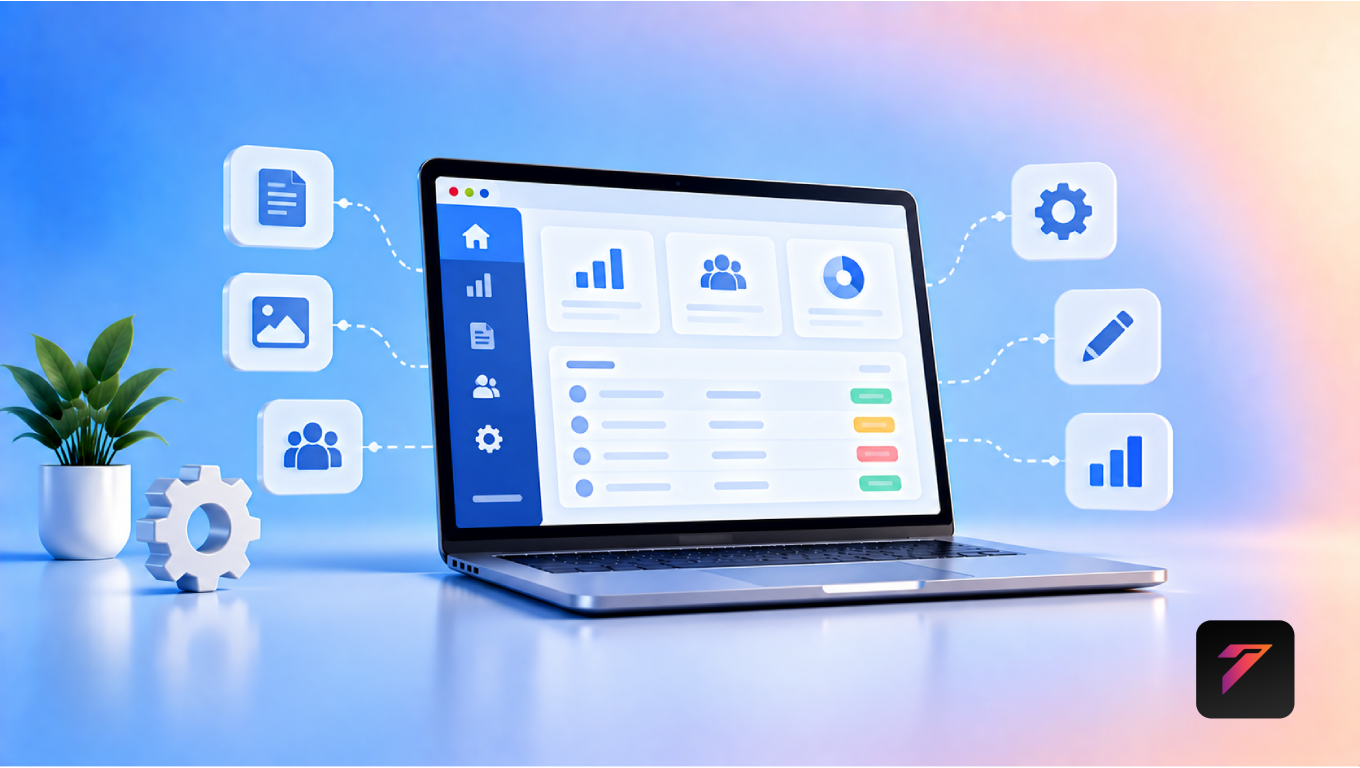

Managing a modern business website involves much more than publishing a few pages. Businesses may need to update products, manage customers, process orders, publish content, review inquiries, monitor analytics, update services, and control website settings regularly.
When these tasks are handled through complicated interfaces or disconnected tools, everyday website management can become time-consuming.
This is where custom admin panel development can help.
A custom admin panel provides a centralized management interface designed around the specific requirements of a business. Instead of forcing employees to work with unnecessary features, a customized admin dashboard can display the tools and information they actually need.
For businesses with complex websites, e-commerce platforms, customer portals, booking systems, or custom web applications, an admin panel can become the central control center for digital operations.
In this guide, we will explain what a custom admin panel is, how it works, its benefits, important features, development considerations, common mistakes, and how businesses can use custom dashboards to make website management easier.
What Is a Custom Admin Panel?
A custom admin panel is a private web-based interface that allows authorized users to manage and control different parts of a website or web application.
Depending on the business, an admin panel can be used to manage:
- Website content
- Products
- Services
- Orders
- Customers
- Employees
- Bookings
- Payments
- Inquiries
- Reports
- Website settings
- User accounts
- Notifications
Unlike a generic dashboard, a custom admin panel is designed around the business’s specific workflows.
For example, an e-commerce company may need product and order management, while a service company may need appointment, customer, and employee management.
Build a Website That Grows Your Business
A professionally developed website is the foundation of your online success. If you’re planning to create a responsive, fast, and SEO-friendly business website, explore our Website Development Services to see how Hashseven can help transform your ideas into a powerful digital presence.
Why Businesses Need Better Website Management
As a business grows, website management becomes more complicated.
A small website may initially require only:
- Page editing
- Image updates
- Contact management
Later, the business may add:
- E-commerce
- Customer accounts
- Online bookings
- Payment processing
- CRM integration
- Inventory
- Employee accounts
- Analytics
- Automated notifications
Managing all these functions through separate tools can create unnecessary complexity.
A custom admin panel can bring important operations together in one centralized interface.
1. Centralizes Website Management
One of the biggest benefits of custom admin panel development is centralized management.
Instead of switching between multiple platforms, administrators can manage important website functions from one dashboard.
For example:
Admin Login
↓
Dashboard
↓
- Products
- Customers
- Orders
- Bookings
- Content
- Reports
- Settings
This can reduce the time spent searching for information across different systems.
2. Makes Daily Tasks Easier
A well-designed admin panel should simplify common tasks.
For example, an administrator may need to:
- Log in.
- Open the product section.
- Search for a product.
- Update the price.
- Save changes.
The process should be straightforward.
The interface should focus on frequently performed tasks instead of presenting unnecessary controls.
3. Reduces Dependence on Developers
Without a suitable admin interface, businesses may need developers to make routine changes.
For example:
Business Owner → Developer → Website Update
This can create delays.
With an appropriate admin panel:
Business Owner → Admin Panel → Website Update
Businesses can manage supported content themselves without requesting developer assistance for every small change.
Developers are still required for technical changes, security updates, infrastructure work, and functionality that is not exposed through the admin interface.
4. Improves Content Management
Businesses regularly update website content.
A custom admin panel can allow authorized employees to manage:
- Page content
- Blog posts
- Images
- Services
- Product descriptions
- Testimonials
- FAQs
- Banners
- Announcements
This can make content updates more efficient.
5. Provides Better User Management
Businesses may have multiple users who need different levels of access.
For example:
Super Admin
→ Full system access
Manager
→ Reports + operations
Content Editor
→ Website content
Sales Team
→ Leads + customer information
A custom admin panel can support role-based access according to business requirements.
6. Improves Data Organization
Businesses generate large amounts of information.
An admin panel can organize data into structured sections.
For example:
Customer Management
- Customer name
- Phone
- Purchase history
- Booking history
- Account status
Order Management
- Order number
- Customer
- Products
- Payment status
- Order status
- Delivery information
Structured data can make it easier for employees to find and manage information.
7. Makes E-Commerce Management Easier
E-commerce websites often require complex administration.
A custom dashboard can provide tools for managing:
- Products
- Categories
- Inventory
- Orders
- Customers
- Discounts
- Payments
- Shipping
- Returns
For example:
Product Added
↓
Inventory Updated
↓
Customer Places Order
↓
Payment Confirmed
↓
Order Appears in Admin Panel
This creates a connected management workflow.
8. Simplifies Order Management
Businesses can manage orders through a centralized interface.
Administrators may be able to:
- View orders
- Search orders
- Update order status
- Review payment status
- View customer information
- Process returns
- Track fulfillment
The exact capabilities depend on the business requirements and integrations.
9. Helps Manage Online Bookings
Service businesses can use custom admin panels to manage appointments.
For example, an administrator can view:
- Today’s appointments
- Upcoming bookings
- Cancelled bookings
- Available employees
- Customer details
- Service types
This can make appointment management more organized.
10. Provides Useful Business Reports
A dashboard can bring important business metrics into one place.
Depending on the application, reports may include:
- Sales
- Orders
- Revenue
- Customers
- Leads
- Bookings
- Website activity
- Product performance
Visual reports can help employees quickly understand operational information.
11. Supports Real-Time Information
Some business applications require frequently updated information.
For example:
New Order
→ Dashboard notification
New Lead
→ Sales notification
New Booking
→ Calendar update
A properly designed system can display relevant updates as they occur or refresh them at appropriate intervals.
12. Improves Employee Productivity
Employees spend time searching for information and completing administrative tasks.
A well-designed admin panel can reduce unnecessary steps.
For example, instead of navigating through several separate applications, employees may access important functions from one dashboard.
This can make routine workflows more efficient.
13. Creates a Better User Experience for Administrators
User experience is not only important for customers.
Employees also need interfaces that are:
- Clear
- Fast
- Organized
- Responsive
- Easy to understand
A custom admin panel can be designed around how employees actually use the system.
14. Supports Business-Specific Workflows
Generic software may not match every business process.
For example, a logistics company may need:
- Shipment management
- Driver management
- Vehicle management
- Delivery tracking
A healthcare organization may require:
- Appointment management
- Patient-related workflows
- Staff scheduling
A custom admin panel can be built around these specific workflows.
15. Integrates With CRM Systems
A custom admin panel can connect with a CRM.
For example:
Website Lead
↓
Admin Panel
↓
CRM
↓
Sales Follow-Up
This can help businesses keep customer information connected across systems.
16. Supports API Integration
Modern websites often communicate with external services through APIs.
A custom admin panel can connect with:
- Payment gateways
- CRM systems
- ERP software
- Shipping platforms
- Email services
- SMS services
- Analytics tools
- Inventory systems
API integration can help synchronize information between different platforms.
17. Helps Manage Website Forms
Businesses receive inquiries through:
- Contact forms
- Quote forms
- Registration forms
- Booking forms
- Support forms
A custom dashboard can collect these submissions in one place.
Administrators may be able to:
- View inquiries
- Filter submissions
- Assign leads
- Change status
- Export information
- Contact customers
18. Supports Lead Management
A business website can generate leads through multiple channels.
A custom admin panel can help organize them.
For example:
New Lead
→ Assigned
→ Contacted
→ Qualified
→ Converted
→ Closed
This provides a structured way to track sales opportunities.
19. Improves Inventory Management
Businesses that sell physical products need accurate inventory information.
An admin panel can allow authorized users to:
- Add products
- Update stock
- Track inventory
- Set low-stock alerts
- Manage product variations
Integration with external inventory or ERP systems may also be possible.
20. Makes Website Settings Easier to Control
Administrators may need to update settings such as:
- Contact information
- Business hours
- Social media links
- Email settings
- Notifications
- Website preferences
A custom interface can make these settings easier to manage.
Essential Features of a Custom Admin Panel
The right features depend on business requirements, but common components include:
Dashboard
A central overview of important information.
User Management
Create, update, deactivate, and manage users.
Role-Based Access
Control which features each user can access.
Content Management
Update website content and media.
Customer Management
View and manage customer information.
Product Management
Add and update products and categories.
Order Management
Track orders and their statuses.
Booking Management
Manage appointments and schedules.
Reports and Analytics
View important business metrics.
Notifications
Display important alerts and system updates.
Search and Filters
Quickly find relevant information.
Activity Logs
Track important administrative actions.
Role-Based Access Control
Security is particularly important for admin systems.
Different employees should not necessarily have access to the same information.
For example:
| Role | Typical Access |
|---|---|
| Super Admin | Full system |
| Manager | Operations and reports |
| Editor | Content |
| Sales | Leads and customers |
| Support | Customer support |
| Finance | Payments and financial reports |
The exact permissions should be based on the organization’s requirements.
How Custom Admin Panel Development Works
A typical development process includes several stages.
Step 1: Understand Business Requirements
Developers first identify:
- Business workflows
- User roles
- Data requirements
- Integrations
- Reporting needs
Step 2: Plan the Dashboard
The dashboard structure and navigation are planned before development.
Step 3: Design the User Interface
UI/UX designers create the interface around administrator workflows.
Step 4: Develop the Backend
The backend handles:
- Business logic
- Authentication
- Database operations
- Permissions
- API connections
Step 5: Develop the Frontend
The admin interface is developed for desktop and, where appropriate, mobile devices.
Step 6: Integrate External Services
APIs and third-party systems are connected.
Step 7: Test the System
Developers test:
- Authentication
- Permissions
- Forms
- Data processing
- Integrations
- Reports
- Security
Step 8: Deploy
The system is deployed to the appropriate hosting environment.
Step 9: Maintain and Improve
Ongoing maintenance includes:
- Security updates
- Bug fixes
- Performance improvements
- Feature updates
Custom Admin Panel vs Generic Dashboard
| Feature | Generic Dashboard | Custom Admin Panel |
|---|---|---|
| Business-specific workflows | Limited | Designed around requirements |
| Custom permissions | May vary | Can be customized |
| UI customization | Limited | High |
| Business integrations | Depends on platform | Can be developed |
| Unnecessary features | Possible | Can be minimized |
| Scalability | Platform dependent | Designed around architecture |
| Workflow automation | Varies | Can be customized |
| Reporting | Standard options | Business-specific |
A generic dashboard may be sufficient for simple websites, while complex businesses may benefit from a more customized approach.
When Should a Business Build a Custom Admin Panel?
A custom admin panel may be useful when:
- The website has complex workflows.
- Multiple employees manage the system.
- Different users need different permissions.
- The business relies on several integrations.
- Existing software does not match business processes.
- Large amounts of data need to be managed.
- Manual processes are consuming significant time.
- Business-specific reports are required.
- The website is expected to scale.
For a simple brochure website, a full custom admin panel may not be necessary.
Common Custom Admin Panel Development Mistakes
1. Adding Too Many Features
More features do not automatically create a better dashboard.
Only include features that support real business workflows.
2. Ignoring User Roles
Giving every employee full access can create unnecessary security risks.
3. Poor Navigation
Employees should be able to find important functions quickly.
4. Complicated Interfaces
An admin panel should be powerful without becoming difficult to use.
5. Ignoring Mobile Responsiveness
Some administrators may need to access the dashboard from tablets or smartphones.
6. Weak Authentication
Admin accounts should have appropriate authentication and security controls.
7. No Activity Logs
Important administrative actions should be traceable where appropriate.
8. Poor Error Handling
The system should provide clear messages when something goes wrong.
9. Ignoring Performance
Large datasets and inefficient queries can make dashboards slow.
10. No Backup Strategy
Critical business data should have an appropriate backup and recovery strategy.
Security Best Practices for Admin Panels
Admin panels control important business information, so security should be treated as a priority.
Businesses should consider:
- HTTPS
- Strong authentication
- Multi-factor authentication where appropriate
- Role-based access control
- Secure password storage
- Session management
- Input validation
- Protection against common web vulnerabilities
- Activity logging
- Regular software updates
- Secure API authentication
- Database security
- Backup and recovery procedures
The OWASP resources provide widely used guidance for web application security.
How Admin Panels Support Business Automation
A custom dashboard can become the central control point for automated workflows.
For example:
New Website Inquiry
↓
Admin Panel
↓
Lead Created
↓
CRM Updated
↓
Sales Notification
↓
Follow-Up Task
This can connect website activity with business operations.
Custom Admin Panels and AI
AI can be incorporated into admin dashboards where it provides a practical benefit.
Potential applications include:
- Automated report summaries
- Customer inquiry classification
- Lead prioritization
- Content suggestions
- Sales trend analysis
- Anomaly detection
- Automated support responses
AI should be implemented around clear business requirements rather than added simply because it is available.
How to Improve Admin Panel Performance
Businesses with large amounts of data should consider:
- Database indexing
- Efficient queries
- Pagination
- Caching
- Optimized API calls
- Lazy loading
- Background processing
- Appropriate hosting
- Monitoring
Performance becomes increasingly important as the number of users and records grows.
How to Make a Custom Admin Panel User-Friendly
A good admin dashboard should:
- Use clear navigation.
- Group related features.
- Display important information prominently.
- Minimize unnecessary clicks.
- Provide useful search and filters.
- Use understandable labels.
- Show clear error messages.
- Provide confirmation for sensitive actions.
- Maintain consistent UI patterns.
- Avoid unnecessary visual clutter.
The goal is to make complex operations feel manageable.
How Hashseven Can Help
Developing a custom admin panel requires more than creating a dashboard interface. The system needs to connect the user interface with business logic, databases, APIs, authentication, permissions, and existing business applications.
Businesses may need:
- Custom admin panel development
- Custom web application development
- CRM development
- ERP development
- API integration
- E-commerce development
- Business automation
- Database development
- UI/UX design
- Customer portal development
Hashseven provides web development, custom CRM and ERP development, UI/UX design, API integration, business automation, digital marketing, and technology solutions.
A customized admin panel can be designed around the company’s actual workflows rather than forcing employees to adapt to unnecessary software features.
Want to make your website easier to manage? Contact Hashseven to discuss custom admin panel development, web application development, CRM integration, and business automation solutions.
Conclusion
Custom admin panel development can make complex business websites significantly easier to manage by bringing important operations into one centralized system.
Instead of relying on multiple disconnected tools or developers for routine updates, authorized employees can manage content, customers, products, orders, bookings, leads, reports, and other business functions through a customized interface.
The biggest value of a custom admin panel comes from designing it around real business workflows. A simple and well-organized dashboard can improve productivity, reduce repetitive tasks, support automation, and provide better visibility into business operations.
For growing businesses with complex websites or web applications, a custom admin panel can become an important part of a scalable digital infrastructure.
Frequently Asked Questions
1. What is custom admin panel development?
Custom admin panel development is the process of creating a private management interface specifically for a business website or web application. It allows authorized users to manage content, customers, products, orders, reports, settings, and other business functions.
2. Why is a custom admin panel useful for businesses?
A custom admin panel can centralize website management, simplify repetitive tasks, support business-specific workflows, provide role-based access, connect with other systems, and reduce the need for developers to handle routine content or operational updates.
3. What features should a custom admin panel include?
Common features include a dashboard, user management, role-based permissions, content management, customer management, product and order management, reports, notifications, search, filters, activity logs, and integrations with external business systems.
4. Is a custom admin panel secure?
A custom admin panel can be designed with security controls such as strong authentication, role-based access, HTTPS, secure session management, input validation, activity logging, API security, and appropriate backup procedures. Security also depends on implementation and ongoing maintenance.
5. When should a business choose a custom admin panel?
A custom admin panel can be useful when a business has complex workflows, multiple employees, different user permissions, large amounts of data, multiple integrations, specialized reporting requirements, or operational processes that generic software does not adequately support.
Ready to Build a Professional Website for Your Business?
Turn your business into a powerful online brand with Hashseven.
Since 2017, we’ve helped businesses grow through professional website development, mobile apps, custom software, SEO, digital marketing, CRM, POS solutions, and Meta-approved WhatsApp automation. Let’s create a fast, secure, and conversion-focused website that attracts more customers and drives real business growth.


