

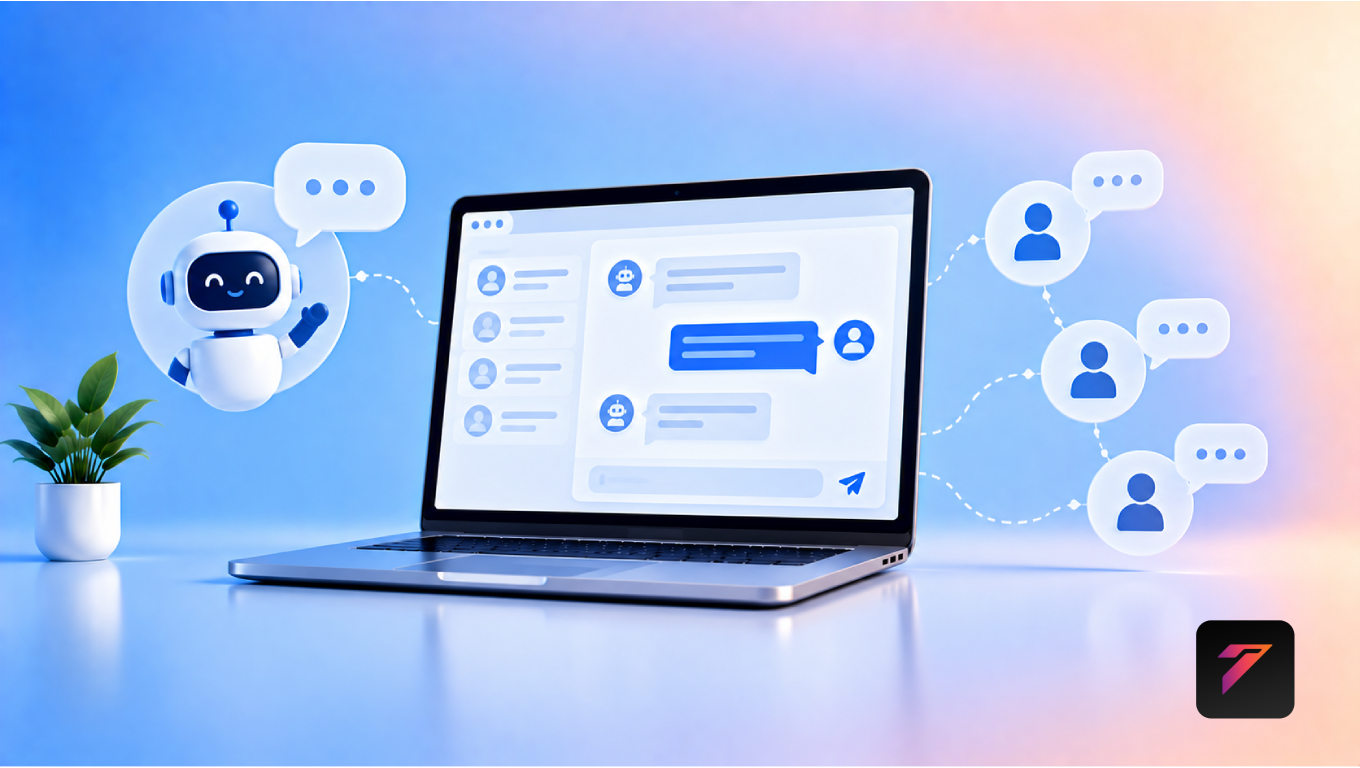

Customers expect businesses to provide quick, convenient, and accessible communication. When visitors have questions about products, services, pricing, delivery, appointments, or support, they often want answers without making a phone call or waiting several hours for an email response.
This is where website live chat can make a significant difference.
Website live chat allows visitors to communicate with a business directly through its website. Depending on the implementation, chat may connect customers with human support agents, automated chatbots, or a combination of both.
For modern businesses, live chat is more than a communication widget. It can become an important part of customer service, lead generation, sales, support, and overall website experience.
In this guide, we will explore how website live chat works, its major benefits, important features, implementation best practices, common mistakes, and how businesses can use chat technology to improve customer communication.
What Is Website Live Chat?
Website live chat is a communication feature embedded into a website that allows visitors to interact with a business in real time or near real time.
A typical chat feature may allow customers to:
- Ask questions
- Request product information
- Get technical support
- Check service availability
- Request a quotation
- Schedule an appointment
- Contact a sales representative
- Get help navigating the website
Depending on the software, conversations can be handled by customer-service employees, sales teams, AI chatbots, or automated workflows.
Build a Website That Grows Your Business
A professionally developed website is the foundation of your online success. If you’re planning to create a responsive, fast, and SEO-friendly business website, explore our Website Development Services to see how Hashseven can help transform your ideas into a powerful digital presence.
Why Website Live Chat Matters for Businesses
Traditional communication channels such as phone calls and email remain important, but customers increasingly expect multiple ways to contact businesses.
Website chat adds another communication channel directly where customers are already researching products or services.
Instead of leaving the website to search for a phone number or email address, visitors can start a conversation immediately.
This can create a shorter path between:
Website Visit → Question → Answer → Action
For businesses, this can improve communication while creating additional opportunities to understand customer needs.
1. Provides Faster Customer Support
One of the biggest advantages of website live chat is faster communication.
Customers can ask questions while browsing the website instead of waiting for an email response.
For example, a visitor may ask:
- Is this service available?
- How much does it cost?
- How long does delivery take?
- Can I customize this package?
- How can I book a consultation?
A quick response can help customers continue their journey without unnecessary delays.
2. Makes Communication More Convenient
Customers have different communication preferences.
Some prefer phone calls, while others prefer email, messaging applications, or website chat.
Adding live chat gives customers another convenient option.
Because the chat feature appears directly on the website, customers do not necessarily need to switch between different platforms to ask a question.
3. Helps Generate More Leads
Website chat can also support lead generation.
A visitor who is interested in a service may not be ready to complete a contact form.
A chat window can provide a lower-friction way to start a conversation.
For example:
Visitor: “Can you build an e-commerce website?”
Chat: “Yes. We provide custom e-commerce development. Would you like to discuss your requirements?”
The conversation can then move toward collecting relevant contact information.
4. Supports Sales Conversations
Sales teams can use chat to communicate with potential customers while they are actively researching a product or service.
For example, a visitor viewing a pricing page may have questions about:
- Features
- Pricing
- Customization
- Implementation
- Support
- Delivery time
A sales representative can provide relevant information and help the visitor understand the available options.
5. Helps Customers Make Decisions
Customers often need additional information before purchasing.
Even when a website contains detailed product pages, FAQs, and service descriptions, visitors may still have specific questions.
Live chat provides a way to address these questions directly.
This can make the decision-making process more convenient.
6. Provides Real-Time Product or Service Information
A website visitor may want clarification about a specific offering.
For example:
Customer: “Does this package include maintenance?”
The support or sales team can provide an answer without requiring the customer to leave the website.
This can make product and service information more accessible.
7. Reduces Repetitive Support Questions
Businesses often receive the same questions repeatedly.
Common examples include:
- What are your business hours?
- Where are you located?
- How do I place an order?
- What payment methods do you accept?
- How long does delivery take?
- How can I reset my password?
A chatbot can handle many simple, frequently asked questions automatically.
This allows human support agents to focus on more complex issues.
8. Combines Human Support With Automation
Modern chat systems can combine human communication with automation.
A simple workflow could be:
Customer Starts Chat
↓
Automated Greeting
↓
Customer Selects Topic
↓
Bot Answers Common Question
↓
Complex Question
↓
Human Agent Takes Over
This approach can provide automation without completely removing human support.
9. Supports 24/7 Customer Communication
Businesses cannot always have support employees available around the clock.
However, automated chat systems can provide basic assistance outside normal business hours.
A chatbot can potentially:
- Answer FAQs
- Collect contact details
- Capture inquiries
- Provide basic information
- Direct customers to relevant pages
- Create support requests
The exact capabilities depend on the platform and implementation.
10. Improves Customer Experience
A convenient communication channel can contribute to a smoother website experience.
Customers can receive assistance without:
- Searching for contact information
- Opening another application
- Waiting for an email response
- Making an unnecessary phone call
A simple communication experience can make the website easier to use.
11. Helps Identify Customer Problems
Chat conversations can reveal issues that may not be obvious from website analytics alone.
For example, customers may repeatedly ask:
- Where can I find pricing?
- How do I book this service?
- Why can’t I complete checkout?
- Do you offer this feature?
- How long does delivery take?
Repeated questions may indicate that website content or navigation needs improvement.
Businesses can use these insights to improve their website.
12. Provides Valuable Customer Insights
Chat conversations can reveal customer needs, concerns, and expectations.
Businesses may discover:
- Frequently requested services
- Common product questions
- Pricing concerns
- Checkout problems
- Feature requests
- Support issues
These insights can help inform content, product development, sales, and customer-service strategies.
13. Helps Reduce Communication Friction
Every additional step in the communication process can create friction.
For example:
Find Contact Page → Copy Email → Open Email App → Write Message → Wait
With website chat:
Open Chat → Ask Question → Receive Response
The shorter communication path can be particularly useful for visitors who need quick clarification.
14. Supports Appointment and Booking Requests
Service businesses can connect chat with booking workflows.
For example:
Customer: “I want to book a consultation.”
↓
Chatbot: “Which service are you interested in?”
↓
Customer: “Website development.”
↓
Chatbot: “Here are available consultation options.”
↓
Booking System
This can connect communication with scheduling.
15. Helps Customers Navigate the Website
Large websites may contain many pages.
Visitors may not know where to find:
- Pricing
- Product information
- Documentation
- Service details
- Contact information
- Support resources
Chat can guide users toward relevant pages.
For example:
Customer: “Where can I see your SEO services?”
Chat: “You can view the SEO services page here.”
This can make website navigation easier.
16. Supports E-Commerce Customer Service
E-commerce websites can use chat to assist customers with:
- Product selection
- Product availability
- Shipping information
- Returns
- Payments
- Order-related questions
A chat assistant can help visitors find information without requiring them to leave the shopping experience.
17. Helps Recover Potential Customers
Some visitors leave a website without taking action.
Chat can provide an opportunity to engage visitors who may need additional assistance.
For example, a visitor spending significant time on a service page could be offered a helpful message such as:
“Have questions about this service? Our team can help.”
Businesses should use such prompts carefully rather than interrupting every visitor.
18. Supports Customer Retention
Good communication does not end after a purchase.
Businesses can use chat to support existing customers with:
- Product questions
- Account assistance
- Service updates
- Technical support
- Renewal information
- General inquiries
Accessible support can contribute to a better ongoing customer experience.
19. Connects With CRM Systems
Website chat can be integrated with CRM platforms.
For example:
Website Visitor
↓
Chat Conversation
↓
Lead Created
↓
CRM
↓
Sales Follow-Up
This allows sales teams to maintain conversation context and follow up with potential customers.
Businesses should configure data collection carefully and only collect information that is appropriate and necessary.
20. Supports Business Automation
Chat can become part of a larger automation workflow.
For example:
Visitor Starts Chat
↓
Chatbot Identifies Requirement
↓
Lead Information Collected
↓
CRM Updated
↓
Sales Team Notified
↓
Follow-Up Scheduled
This can reduce repetitive administrative work.
Website Live Chat vs Chatbots
Although these terms are often used together, they are not exactly the same.
Website Live Chat
Usually refers to a chat interface that allows customers to communicate with a human support or sales representative.
Chatbot
A chatbot is software that can automatically respond to customer messages based on predefined rules, knowledge bases, AI models, or workflows.
Many modern businesses use both.
For example:
Chatbot → Initial Assistance → Human Agent
This hybrid approach can provide automated responses while keeping human support available for complex conversations.
How Website Live Chat Works
A typical website chat workflow looks like this:
Step 1: Visitor Opens the Website
The visitor browses a page.
Step 2: Chat Interface Appears
A chat button or widget is displayed.
Step 3: Visitor Starts a Conversation
The visitor submits a question.
Step 4: Automated Response
The system may provide an initial response.
Step 5: Human Support
If necessary, the conversation is transferred to an available employee.
Step 6: Customer Receives Assistance
The agent answers the question or provides the required information.
Step 7: Conversation Is Recorded
Depending on the platform, the conversation may be stored for support, reporting, or CRM purposes.
Important Features of Website Live Chat
A business should choose features based on its actual requirements.
Real-Time Messaging
Customers should be able to send and receive messages conveniently.
Automated Greetings
Businesses can configure welcome messages for visitors.
Chatbot Integration
Automated responses can handle common questions.
Human Handoff
Complex conversations should be transferable to human agents.
File Sharing
Some businesses may need customers to share documents or screenshots.
Conversation History
Agents may need access to previous interactions.
CRM Integration
Chat data can be connected to customer records.
Analytics
Businesses can track chat activity and response performance.
Mobile Support
The chat experience should work properly on smartphones.
Notifications
Agents should receive appropriate notifications when customers initiate conversations.
Knowledge Base Integration
Chatbots can use approved business information to answer common questions.
How to Choose a Website Live Chat Solution
Before selecting a chat platform, businesses should consider several factors.
1. Business Size
A small business may only need basic chat functionality, while larger organizations may require multiple agents and advanced workflows.
2. Support Requirements
Consider whether the business needs:
- Sales chat
- Customer support
- Technical support
- Lead generation
- Appointment booking
3. Automation
Determine whether chatbot functionality is required.
4. CRM Integration
Check whether the platform connects with the CRM already used by the business.
5. Analytics
Look for reporting features that help measure chat performance.
6. Mobile Experience
Test the interface on smartphones and tablets.
7. Security
Review how conversation data and customer information are protected.
8. Scalability
Choose a system that can support future growth.
9. Cost
Consider subscription fees, agent seats, automation costs, integrations, and additional features.
Best Practices for Website Live Chat
Businesses should follow these practices when implementing chat.
Keep the Interface Simple
Customers should immediately understand how to start a conversation.
Set Clear Expectations
If agents are not available 24/7, clearly communicate operating hours.
Use Helpful Automated Messages
Avoid generic or irrelevant chatbot responses.
Provide Human Handoff
Customers should have an option to speak with a person when necessary.
Avoid Excessive Pop-Ups
Chat invitations should not disrupt the user’s browsing experience.
Use Relevant Prompts
Display chat prompts based on the page or customer journey where appropriate.
Train Support Teams
Human agents should understand products, services, policies, and escalation procedures.
Monitor Response Times
Track how quickly customers receive responses.
Review Conversations
Regularly analyze conversations to identify recurring problems and improvement opportunities.
Protect Customer Data
Follow appropriate privacy and security practices when collecting and storing chat information.
Common Website Live Chat Mistakes
1. No Human Support
If a business advertises live chat but never provides human assistance when needed, customers may become frustrated.
2. Slow Responses
Customers may expect faster communication through chat than through email.
3. Poor Chatbot Answers
Automated responses should be based on accurate business information.
4. Too Many Pop-Ups
Aggressive chat prompts can interrupt visitors.
5. Collecting Too Much Information
Only request information necessary for the conversation or business process.
6. No Clear Escalation Process
Complex issues should have a path to human support.
7. Ignoring Chat Analytics
Businesses can miss useful customer insights if conversations are never reviewed.
8. Poor Mobile Experience
A chat widget that covers important buttons or content can negatively affect mobile usability.
Website Live Chat and Lead Generation
Website chat can support lead generation by allowing potential customers to start conversations without completing a long form.
For example:
Visitor
↓
Question
↓
Chat Conversation
↓
Requirement Identified
↓
Contact Details
↓
Qualified Lead
However, businesses should avoid treating every chat conversation as a sales opportunity. The focus should remain on helping the visitor first.
Website Live Chat and Customer Support
For customer support teams, chat can provide a centralized communication channel.
Support teams can use it for:
- Troubleshooting
- Account questions
- Product information
- Service requests
- Order questions
- Technical assistance
Businesses can also connect chat with helpdesk or ticketing systems.
Website Live Chat and AI
AI-powered chat assistants can handle certain conversations automatically.
Potential uses include:
- FAQ responses
- Product recommendations
- Lead qualification
- Appointment scheduling
- Support routing
- Knowledge-base search
- Basic troubleshooting
AI should be provided with accurate and controlled business information.
For sensitive or complex issues, customers should have access to an appropriate human-support path.
Website Live Chat and Personalization
Chat experiences can be personalized based on information such as:
- Current website page
- Customer type
- Previous interactions
- Service interest
- Support status
For example, a returning customer may receive a different support workflow from a first-time visitor.
Personalization should be transparent and should respect applicable privacy requirements.
How to Measure Website Live Chat Performance
Businesses can track several metrics.
Chat Volume
How many conversations are started?
Response Time
How quickly do customers receive responses?
Resolution Rate
How many issues are resolved through chat?
Lead Conversion
How many chat conversations result in qualified leads?
Customer Satisfaction
How do customers rate the support experience?
Escalation Rate
How often are conversations transferred to human agents?
Chat Abandonment
How many visitors leave the conversation before receiving assistance?
These metrics can help businesses improve their communication strategy.
How Hashseven Can Help
Implementing website live chat effectively requires more than placing a chat widget on a website.
Businesses may need:
- Website development
- Live chat integration
- AI chatbot integration
- CRM integration
- API integration
- Customer portal development
- Lead generation systems
- Business automation
- UI/UX design
- Custom web application development
Hashseven provides web development, UI/UX design, custom CRM and ERP development, API integration, automation, digital marketing, and technology solutions for businesses.
A customized communication workflow can be designed around the business’s customer-service process, sales funnel, CRM, booking system, and website structure.
Want to improve customer communication through your website? Contact Hashseven to discuss website live chat, chatbot integration, CRM connectivity, and customer-service automation.
Conclusion
Website live chat gives businesses a convenient way to communicate with visitors and customers directly from their websites.
From answering questions and supporting sales to generating leads, assisting customers, collecting feedback, and connecting with CRM systems, chat can support multiple stages of the customer journey.
The most effective implementation is not necessarily the one with the most features. Businesses should focus on creating a simple, useful, responsive, secure, and customer-friendly communication experience.
When live chat is combined with automation, AI, CRM integration, and business workflows, it can become more than a support tool. It can become an important part of a connected digital customer experience.
Frequently Asked Questions
1. What is website live chat?
Website live chat is a communication feature that allows website visitors to interact with a business through a chat interface. Conversations may be handled by human agents, chatbots, or a combination of both.
2. How does website live chat improve customer communication?
It provides customers with a convenient way to ask questions directly from a website. Businesses can provide faster assistance, answer product or service questions, support sales, and resolve customer issues.
3. Can website live chat generate leads?
Yes. Website live chat can allow potential customers to start conversations without completing a traditional contact form. Businesses can use chat to understand requirements and, where appropriate, collect contact information for follow-up.
4. What is the difference between live chat and a chatbot?
Live chat generally enables communication with human support or sales agents, while a chatbot automatically responds to customer messages. Many businesses combine both so automated systems handle simple questions and human agents manage more complex conversations.
5. Can AI be integrated with website live chat?
Yes. AI can be integrated into chat systems to answer FAQs, qualify leads, provide basic support, guide customers, and route conversations. Human support should remain available when automated responses are not sufficient.
Ready to Build a Professional Website for Your Business?
Turn your business into a powerful online brand with Hashseven.
Since 2017, we’ve helped businesses grow through professional website development, mobile apps, custom software, SEO, digital marketing, CRM, POS solutions, and Meta-approved WhatsApp automation. Let’s create a fast, secure, and conversion-focused website that attracts more customers and drives real business growth.


