


Service businesses depend heavily on appointments, consultations, reservations, and scheduled services. Whether it is a salon, clinic, fitness center, repair company, consultancy, cleaning service, tutoring business, or professional agency, managing appointments manually can consume a significant amount of time.
Phone calls, WhatsApp messages, emails, spreadsheets, and social media inquiries can quickly become difficult to manage as the number of customers increases.
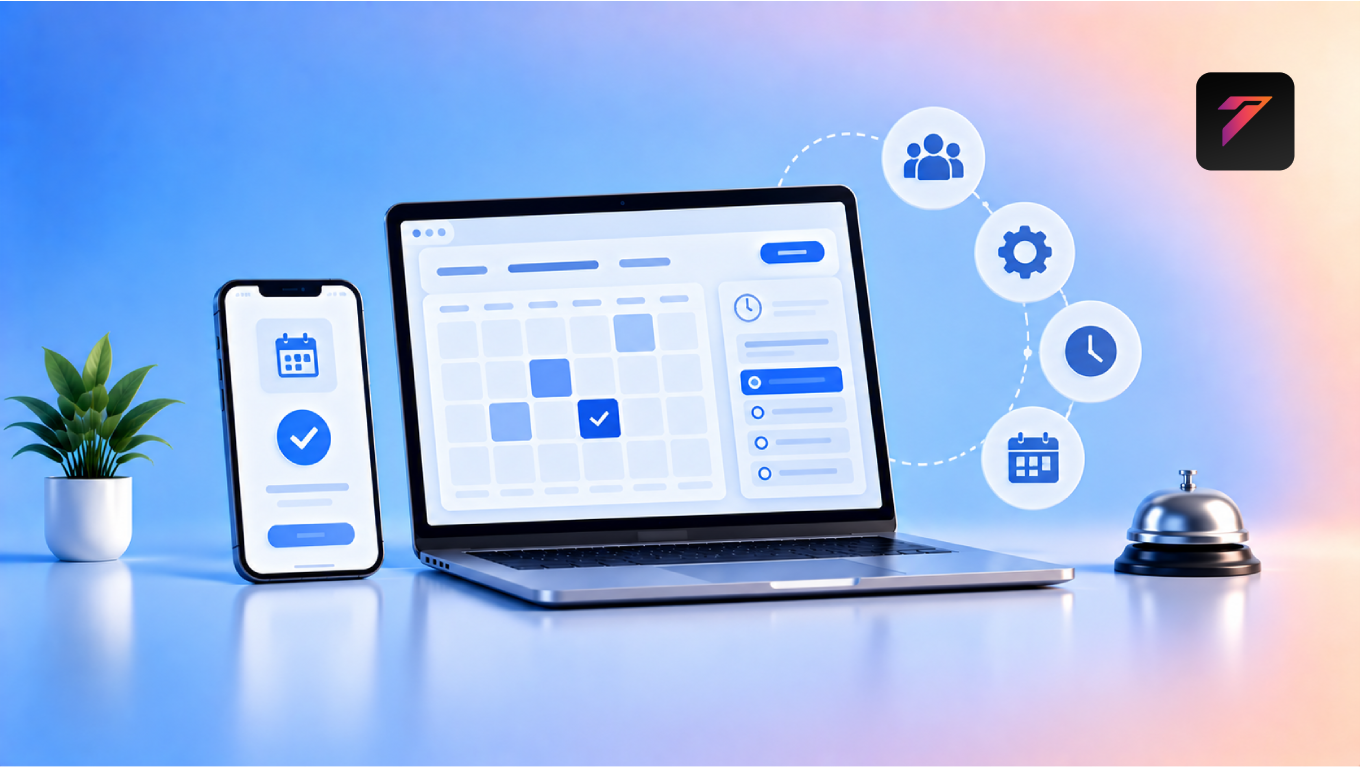
An online booking system gives customers a convenient way to schedule appointments through a website or digital platform. At the same time, it can help businesses organize schedules, reduce repetitive administrative work, send reminders, and manage customer information more efficiently.
The goal is not simply to automate appointment scheduling. A well-designed booking system can become part of a broader digital workflow connecting customers, employees, calendars, payments, notifications, and business management tools.
In this guide, we will explore how online booking systems save time, how they work, their major benefits, important features, common mistakes, implementation best practices, and how service businesses can use them to improve their daily operations.
What Is an Online Booking System?
An online booking system is a digital application that allows customers to schedule appointments or services through a website, mobile device, or other digital interface.
Depending on the business, customers may be able to:
- Select a service
- Choose an employee
- Select a date
- Choose an available time
- Enter their information
- Make a payment
- Receive confirmation
- Reschedule or cancel an appointment
A booking system can also provide businesses with tools for managing schedules, staff availability, customer records, notifications, and bookings.
Build a Website That Grows Your Business
A professionally developed website is the foundation of your online success. If you’re planning to create a responsive, fast, and SEO-friendly business website, explore our Website Development Services to see how Hashseven can help transform your ideas into a powerful digital presence.
Why Service Businesses Need Online Booking
Traditional appointment management can involve several manual steps.
A typical process may look like:
Customer calls
↓
Employee checks availability
↓
Employee discusses available times
↓
Customer selects a time
↓
Employee records appointment
↓
Confirmation is sent manually
Each booking can require several minutes of staff time.
With an online system, much of this process can happen automatically:
Customer visits website
↓
Selects service
↓
Chooses available time
↓
Enters details
↓
Receives confirmation
This reduces repetitive administrative tasks and gives employees more time to focus on customers and core business activities.
1. Reduces Phone-Based Appointment Management
Phone calls can be one of the biggest sources of repetitive administrative work for service businesses.
Employees may spend significant time answering questions such as:
- What services do you provide?
- What times are available?
- Can I book tomorrow?
- Can I reschedule?
- How long does the service take?
An online booking system can answer many of these questions through the booking interface itself.
Customers can view available services and appointment times without waiting for an employee.
2. Allows Customers to Book 24/7
A physical business may have fixed operating hours, but an online booking system can remain available outside those hours.
Customers can submit booking requests:
- Early in the morning
- During lunch breaks
- In the evening
- On weekends
- Outside normal business hours
This gives customers more flexibility and reduces the need for employees to manually manage bookings after working hours.
3. Reduces Repetitive Administrative Work
Appointment management often includes repetitive activities such as:
- Checking calendars
- Entering customer details
- Sending confirmations
- Updating schedules
- Sending reminders
- Recording cancellations
- Managing rescheduling requests
Automation can handle many of these routine activities.
Employees can therefore spend less time on administrative tasks and more time on service delivery.
4. Helps Prevent Double Bookings
Manual scheduling can lead to human errors.
For example, an employee may accidentally book two customers for the same time slot.
A properly configured booking system can check availability before allowing a customer to select a time.
This can reduce scheduling conflicts.
However, the system must be configured correctly, especially when multiple employees, locations, services, or resources are involved.
5. Makes Staff Scheduling Easier
Service businesses may have several employees with different working hours.
For example:
- Employee A: 9 AM–5 PM
- Employee B: 10 AM–6 PM
- Employee C: 12 PM–8 PM
An online booking system can be configured around employee availability.
Customers can then see relevant appointment slots based on the selected service or staff member.
This can reduce the amount of manual coordination required.
6. Automates Appointment Confirmations
After a booking is completed, customers usually need confirmation.
A system can automatically send:
- Email confirmation
- SMS notification
- In-app notification
- Calendar invitation
The exact options depend on the booking platform and integrations being used.
Automated confirmations save employees from manually responding to every appointment request.
7. Sends Automated Appointment Reminders
Missed appointments can affect service businesses.
Reminder messages can be sent before scheduled appointments.
For example:
48 hours before: Appointment reminder
24 hours before: Confirmation reminder
A few hours before: Final reminder
Businesses can choose reminder timing based on their customer behavior and service type.
Automated reminders can reduce the need for staff to manually contact every customer.
8. Simplifies Rescheduling
Customers sometimes need to change their appointment.
Without an online system, they may need to:
- Call the business.
- Explain the situation.
- Wait for availability.
- Select another time.
- Receive confirmation.
A booking system can allow customers to reschedule through a self-service interface.
This can reduce unnecessary back-and-forth communication.
9. Makes Cancellations Easier to Manage
Cancellation policies can be incorporated into booking workflows.
For example, the system may display:
“Appointments can be cancelled up to 24 hours before the scheduled time.”
Businesses can configure cancellation processes according to their policies and software capabilities.
Clear cancellation workflows can reduce administrative confusion.
10. Reduces Data Entry
Manual appointment management often requires employees to enter customer information into spreadsheets or software.
A booking form can collect information directly from the customer.
Typical information includes:
- Name
- Phone
- Service
- Appointment time
- Notes
This reduces duplicate data entry.
11. Keeps Customer Information Organized
An online booking system can store appointment-related information in a structured format.
Depending on the system, businesses may be able to view:
- Customer name
- Contact details
- Booking history
- Service history
- Appointment status
- Preferences
- Notes
This can make customer management easier.
Businesses should ensure that personal information is handled securely and according to applicable privacy requirements.
12. Integrates With Calendars
Calendar integration can simplify scheduling.
Depending on the software, businesses may be able to connect booking systems with calendars such as:
- Google Calendar
- Microsoft Outlook
- Apple Calendar
- Other supported calendar platforms
Calendar synchronization can help employees see appointments alongside their other scheduled activities.
13. Supports Multiple Services
A service business may offer many different services.
For example, a salon may provide:
- Haircut
- Hair coloring
- Facial
- Styling
- Spa treatment
Each service may have a different duration.
A booking system can associate services with their expected durations and available staff.
This can help create more organized schedules.
14. Supports Multiple Locations
Growing businesses may operate from several locations.
For example:
- Coimbatore
- Chennai
- Bengaluru
- Kochi
A booking system can allow customers to select their preferred location before choosing an appointment.
This can reduce confusion and help businesses manage location-specific availability.
15. Supports Online Payments
Some booking systems can accept online payments or deposits.
Customers may be able to pay using:
- Credit cards
- Debit cards
- UPI
- Digital wallets
- Payment gateways
Payment integration can reduce manual payment collection and provide a more convenient customer experience.
Businesses should select payment providers appropriate for their location, business model, and regulatory requirements.
16. Helps Reduce No-Shows
Appointment reminders and confirmation workflows can help customers remember scheduled services.
Businesses can also use:
- Deposit requirements
- Confirmation links
- Cancellation policies
- Rescheduling options
These features can be configured based on business requirements.
A booking system cannot guarantee that no-shows will disappear, but it can provide tools for managing them.
17. Saves Time for Customers
Time savings are not limited to employees.
Customers also benefit from self-service booking.
Instead of calling and waiting for an employee, they can select an available time themselves.
This can be especially useful for customers who prefer digital communication.
18. Improves Customer Experience
Convenience is an important part of modern service delivery.
A well-designed booking experience can allow customers to:
- Find services quickly
- View availability
- Choose convenient times
- Receive confirmation
- Reschedule appointments
- Access booking details
A simpler process can make the overall customer journey easier.
19. Supports Business Analytics
Booking systems can provide useful operational data.
Businesses may be able to track:
- Number of bookings
- Cancellations
- No-shows
- Most popular services
- Peak booking periods
- Employee utilization
- Customer booking frequency
- Revenue from services
These insights can help businesses understand demand and make operational decisions.
20. Helps Businesses Manage Peak Hours
Booking data can reveal when demand is highest.
For example:
Monday: Lower demand
Wednesday: Moderate demand
Saturday: High demand
A business can use this information when planning staff schedules and service availability.
Historical data can be particularly useful when making staffing decisions.
Types of Service Businesses That Can Use Online Booking
Online booking is applicable to many industries.
Salons and Beauty Businesses
Customers can book:
- Haircuts
- Styling
- Spa treatments
- Beauty services
Clinics and Healthcare Services
Depending on applicable requirements and systems, patients may schedule:
- Consultations
- Follow-ups
- Appointments
Healthcare organizations have additional privacy, security, and regulatory considerations.
Fitness Centers
Customers can book:
- Personal training
- Classes
- Fitness consultations
Consultants
Consultants can allow customers to schedule:
- Discovery calls
- Consultations
- Strategy sessions
Repair Services
Customers can request appointments for:
- Vehicle servicing
- Appliance repair
- Electronics repair
- Maintenance
Cleaning Services
Customers can select:
- Cleaning type
- Date
- Time
- Property details
Educational Services
Tutors and training businesses can schedule:
- Classes
- One-to-one sessions
- Consultations
- Workshops
Professional Services
Law firms, agencies, accountants, and consultants can use appointment systems for consultations and meetings.
Essential Features of an Online Booking System
A business does not necessarily need every available feature.
The right features depend on the business model.
Service Selection
Customers should be able to select the required service.
Availability Management
The system should display appropriate available time slots.
Staff Management
Businesses should be able to assign services to relevant employees.
Customer Profiles
Customer information can be stored for future bookings.
Appointment Confirmation
Customers should receive confirmation after successful booking.
Automated Reminders
Reminder notifications can help customers remember appointments.
Rescheduling
Customers can change appointments according to business policies.
Cancellation Management
Businesses can define cancellation workflows.
Calendar Integration
Connecting calendars can simplify schedule management.
Payment Integration
Businesses can collect payments or deposits where appropriate.
Reporting
Reports can help businesses monitor booking activity and performance.
Mobile Responsiveness
The booking experience should work effectively on smartphones and tablets.
How an Online Booking System Works
A typical workflow looks like this:
Step 1: Customer Visits the Website
The customer selects the booking option.
Step 2: Customer Selects a Service
The system displays available services.
Step 3: Customer Selects Staff or Location
If applicable, the customer chooses a preferred employee or branch.
Step 4: Customer Selects a Date
The calendar displays available dates.
Step 5: Customer Selects a Time
Only available time slots are shown.
Step 6: Customer Enters Information
The customer provides required details.
Step 7: Customer Confirms Booking
The appointment is created.
Step 8: Confirmation Is Sent
The system sends a confirmation message.
Step 9: Reminder Is Scheduled
Automated reminders may be sent before the appointment.
Step 10: Appointment Is Completed
The booking becomes part of the customer’s service history.
Online Booking System vs Manual Booking
| Feature | Manual Booking | Online Booking System |
|---|---|---|
| 24/7 booking | Limited | Available |
| Automated confirmation | Usually manual | Can be automated |
| Appointment reminders | Manual | Can be automated |
| Calendar management | Manual | Integrated options |
| Customer self-service | Limited | Available |
| Data entry | Often manual | Can be automated |
| Reporting | Manual | Built-in options |
| Online payments | Separate process | Can be integrated |
| Rescheduling | Staff-assisted | Can be self-service |
| Availability display | Staff provides it | Customer can view it |
An online system does not eliminate every administrative task, but it can automate many repetitive steps.
How to Choose the Right Online Booking System
Businesses should consider several factors before selecting a platform.
1. Business Requirements
Identify what the business actually needs.
Ask:
- How many employees will use it?
- How many services are offered?
- Are multiple locations required?
- Are payments needed?
- Are reminders required?
- Does the system need CRM integration?
2. Ease of Use
The system should be easy for both customers and employees.
3. Mobile Experience
Test the booking journey on smartphones.
4. Integration
Check whether the platform integrates with existing:
- Website
- CRM
- Calendar
- Payment gateway
- Email system
- Marketing tools
5. Security
Review authentication, data protection, access controls, and other relevant security features.
6. Scalability
The system should support business growth without requiring an immediate replacement.
7. Reporting
Choose reporting capabilities that match the business’s needs.
8. Cost
Consider:
- Subscription fees
- Setup costs
- Transaction fees
- Integration costs
- Maintenance costs
The cheapest option is not always the best fit, and the most expensive system may provide features the business does not need.
Common Online Booking System Mistakes
1. Complicated Booking Process
Customers should not have to complete unnecessary steps.
2. Too Many Required Fields
Only collect information necessary for the booking.
3. Poor Mobile Design
A booking system that works only on desktop can create friction.
4. Incorrect Availability
Incorrect schedules can result in booking conflicts.
5. No Reminder System
Without reminders, customers may forget appointments.
6. No Cancellation Policy
Customers should understand the applicable cancellation rules.
7. Poor Calendar Synchronization
Incorrect synchronization can cause scheduling problems.
8. Weak Security
Appointment systems may contain personal information and should be protected appropriately.
9. No Backup Process
Businesses should have a contingency plan for technical problems.
10. Ignoring Customer Feedback
Businesses should monitor how customers experience the booking process and improve it when needed.
Best Practices for Online Booking Systems
Businesses should:
- Keep the booking process simple.
- Make the interface mobile-friendly.
- Display accurate availability.
- Use clear service descriptions.
- Show appointment duration where useful.
- Minimize unnecessary form fields.
- Provide booking confirmation.
- Send automated reminders.
- Offer appropriate rescheduling options.
- Explain cancellation policies.
- Integrate calendars where appropriate.
- Secure customer information.
- Connect payments securely when required.
- Track booking performance.
- Monitor failed bookings.
- Review no-show patterns.
- Test the booking process regularly.
- Provide customer support when needed.
- Keep software and integrations updated.
- Review the system as the business grows.
Online Booking and Business Automation
An online booking system can become part of a larger automation workflow.
For example:
Customer Books Appointment
↓
Booking Created
↓
CRM Updated
↓
Confirmation Sent
↓
Calendar Updated
↓
Reminder Sent
↓
Appointment Completed
↓
Follow-Up Message
This type of workflow can reduce repetitive administrative tasks.
Online Booking and CRM Integration
CRM integration can connect appointment information with customer records.
For example:
Website Booking
↓
CRM Lead/Customer Record
↓
Appointment History
↓
Follow-Up
This gives sales and customer-service teams more context.
Businesses can also use appointment history to understand customer relationships and service usage.
Online Booking and Website Development
An online booking system can be integrated into an existing website or developed as part of a custom web application.
Depending on requirements, a business may use:
- WordPress booking plugins
- SaaS booking platforms
- Custom booking applications
- API-based booking systems
- CRM-connected booking solutions
The right option depends on the complexity of the booking workflow.
A simple salon may need only a straightforward scheduling tool, while a multi-location service company may require custom scheduling logic.
How AI Can Improve Online Booking
AI can support booking workflows in several ways.
Potential applications include:
- Automated customer support
- Appointment recommendations
- Natural-language booking
- Intelligent scheduling
- Reminder personalization
- Customer inquiry classification
- No-show prediction
For example, a chatbot could help a customer find an appropriate service and then direct them to available booking times.
AI should complement the booking system rather than create unnecessary complexity.
The Future of Online Booking Systems
Online booking is moving toward more connected digital experiences.
Future booking platforms may combine:
- AI assistants
- CRM systems
- Marketing automation
- Digital payments
- Customer portals
- Mobile applications
- Analytics
- API integrations
- Personalized experiences
Instead of treating booking as a separate feature, businesses can integrate it into the complete customer journey.
How Hashseven Can Help
Implementing an online booking system requires more than adding a calendar to a website.
Businesses may need:
- Custom website development
- Booking system integration
- CRM integration
- API integration
- Payment gateway integration
- Customer portals
- Business automation
- UI/UX design
- Mobile-responsive development
- Custom web applications
Hashseven provides web development, UI/UX design, custom CRM and ERP development, API integration, automation, digital marketing, and technology solutions for businesses.
A customized booking workflow can be designed around the services, employees, locations, availability rules, and customer journey of a business.
Want to reduce manual appointment management and make booking easier for your customers? Contact Hashseven to discuss an online booking system and custom business automation solution.
Conclusion
An online booking system can help service businesses save time by reducing repetitive appointment-management tasks and giving customers more control over scheduling.
Instead of relying entirely on phone calls, emails, messages, and spreadsheets, businesses can provide a structured digital booking experience.
From automated confirmations and reminders to calendar synchronization, customer management, payments, CRM integration, and analytics, modern booking systems can support many parts of the customer journey.
However, successful implementation depends on choosing the right features and designing the booking process around actual business requirements. A simple, secure, mobile-friendly, and easy-to-use system can provide value without creating unnecessary complexity.
For service businesses looking to reduce administrative work while improving customer convenience, online booking can become an important part of a broader digital transformation strategy.
Frequently Asked Questions
1. What is an online booking system?
An online booking system is a digital platform that allows customers to schedule appointments or services through a website or other online interface. It can also help businesses manage availability, customer information, confirmations, reminders, and appointments.
2. How does an online booking system save time?
It can automate repetitive tasks such as checking availability, recording appointments, sending confirmations, scheduling reminders, and managing certain rescheduling or cancellation requests. This reduces manual administrative work.
3. Can an online booking system reduce appointment no-shows?
Appointment reminders, confirmation messages, deposits, and clear cancellation policies can help businesses manage no-shows. However, no booking system can guarantee that customers will never miss an appointment.
4. What features should an online booking system have?
Common features include service selection, availability management, staff scheduling, customer information, booking confirmation, reminders, rescheduling, cancellation management, calendar integration, reporting, and optional payment integration.
5. Can an online booking system integrate with a business website and CRM?
Yes. Depending on the platform, an online booking system can be integrated with a website, CRM, calendar, payment gateway, email system, and other business applications. APIs can also be used for custom integrations.
Ready to Build a Professional Website for Your Business?
Turn your business into a powerful online brand with Hashseven.
Since 2017, we’ve helped businesses grow through professional website development, mobile apps, custom software, SEO, digital marketing, CRM, POS solutions, and Meta-approved WhatsApp automation. Let’s create a fast, secure, and conversion-focused website that attracts more customers and drives real business growth.


