

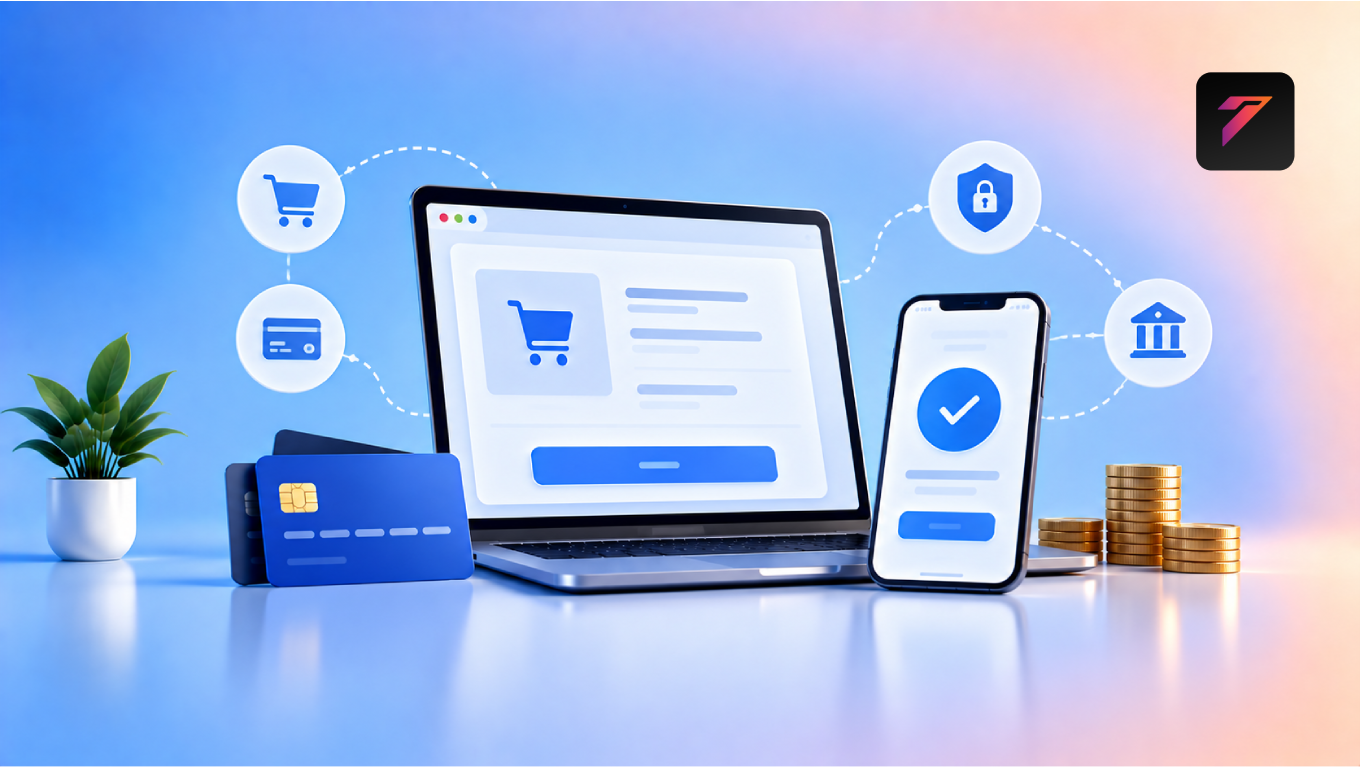

Online businesses depend on convenient and secure payment experiences. Whether a company sells physical products, digital services, subscriptions, courses, bookings, or professional services, customers need a reliable way to complete transactions online.
This is where payment gateway integration becomes important.
A payment gateway connects an online business with payment processing infrastructure, allowing customers to pay through supported payment methods while the business receives transaction information and payment status.
For an e-commerce website, payment processing is not simply a technical feature. It is an important part of the customer journey. A confusing, slow, or unreliable checkout experience can create friction, while a well-integrated payment system can make purchasing easier and more efficient.
Modern businesses can integrate payment gateways with websites, mobile applications, booking systems, customer portals, CRM platforms, and custom web applications. The right implementation depends on the business model, target market, currencies, payment methods, security requirements, and technology stack.
In this guide, we will explain what payment gateway integration means, how it works, its benefits, important features, security considerations, common mistakes, integration methods, and best practices for online businesses.
What Is Payment Gateway Integration?
Payment gateway integration is the process of connecting an online business platform with a payment gateway so customers can complete digital transactions.
A payment gateway acts as an important part of the online payment flow between the customer, merchant, and payment-processing infrastructure.
A typical transaction may involve:
Customer
↓
Business Website
↓
Payment Gateway
↓
Payment Processing / Financial Network
↓
Payment Result
↓
Business Website
The exact technical flow varies depending on the payment provider and integration method.
A properly integrated payment system can help businesses:
- Accept online payments
- Display supported payment methods
- Confirm successful transactions
- Handle failed payments
- Record transaction details
- Process refunds where supported
- Connect payments with orders
- Automate payment notifications
Build a Website That Grows Your Business
A professionally developed website is the foundation of your online success. If you’re planning to create a responsive, fast, and SEO-friendly business website, explore our Website Development Services to see how Hashseven can help transform your ideas into a powerful digital presence.
Why Payment Gateway Integration Matters
For an online business, the checkout experience can directly affect how easily customers complete purchases.
A customer may spend time researching a product, adding it to a cart, and reaching checkout. If the payment process is complicated or unavailable, the customer may abandon the transaction.
A well-planned payment integration can provide:
- Convenient payment options
- Secure transaction processing
- Faster checkout
- Automated payment confirmation
- Better order management
- Improved customer experience
- Easier transaction tracking
1. Makes Online Payments Possible
The most fundamental benefit of payment gateway integration is that it allows a website or application to accept online payments.
Depending on the provider and market, businesses may support methods such as:
- Credit cards
- Debit cards
- UPI
- Bank transfers
- Digital wallets
- Net banking
- Buy-now-pay-later options
- Recurring payment methods
The available payment methods depend on the payment provider, country, business type, and customer location.
2. Creates a More Convenient Checkout Experience
Customers expect online purchases to be simple.
A well-designed checkout process can allow users to:
- Review their order.
- Enter required information.
- Select a payment method.
- Complete payment.
- Receive confirmation.
Reducing unnecessary steps can make the purchasing process easier.
For businesses, convenience can also help reduce friction during checkout.
3. Supports Multiple Payment Methods
Different customers prefer different ways to pay.
For example, customers in India may prefer UPI, while international customers may commonly use cards or other payment methods.
Supporting relevant payment options allows businesses to serve a broader customer base.
However, businesses should avoid adding payment methods that their customers are unlikely to use simply for the sake of offering more options.
4. Improves Customer Trust
Customers want to feel confident when entering payment information online.
A professional payment experience can provide trust signals through:
- Secure connections
- Recognized payment methods
- Clear checkout information
- Transaction confirmation
- Transparent pricing
- Clear refund policies
Businesses should also clearly explain how customer and payment information is handled.
5. Helps Secure Online Transactions
Payment systems involve sensitive information and require appropriate security controls.
Depending on the integration, payment providers can handle sensitive payment data so that businesses do not need to directly store certain card information.
Businesses should still implement appropriate website security, access controls, encryption, secure development practices, and monitoring.
The PCI Security Standards Council provides standards and resources related to payment-card security.
6. Automates Payment Confirmation
Manual payment verification can consume employee time.
With a properly integrated system, successful transactions can automatically update the business platform.
For example:
Customer Makes Payment
↓
Payment Confirmed
↓
Order Updated
↓
Confirmation Email
↓
Customer Receives Order Information
This can reduce repetitive administrative work.
7. Connects Payments With Orders
Payment and order information should work together.
For example:
Order #1025
Product: Website Development Package
Amount: ₹50,000
Payment: Successful
Status: Paid
Connecting payment information with order records can make business operations easier to manage.
8. Supports Automated Refunds
Customers may occasionally request refunds.
Depending on the payment provider and business workflow, businesses can initiate refunds through the payment platform or connected application.
A well-designed system can update the corresponding order status after a refund.
Businesses should clearly communicate their refund and cancellation policies.
9. Supports Recurring Payments
Some businesses operate subscription-based models.
Examples include:
- SaaS platforms
- Membership websites
- Online courses
- Digital subscriptions
- Maintenance services
Payment providers may support recurring billing or subscription functionality.
This can help automate repeated transactions instead of requiring customers to make manual payments every billing cycle.
10. Supports E-Commerce Growth
An online store needs a reliable way to collect payments.
As order volume increases, manually verifying transactions becomes increasingly difficult.
Payment integration can connect:
Product Catalog
↓
Shopping Cart
↓
Checkout
↓
Payment Gateway
↓
Order Management
↓
Customer Notification
This creates a more connected e-commerce workflow.
11. Helps Reduce Manual Payment Verification
Without integration, businesses may need to manually check bank accounts, screenshots, emails, or transaction references.
Automated payment status updates can reduce this workload.
For example:
Payment Successful → Order Confirmed
Payment Failed → Payment Retry
Payment Pending → Await Confirmation
The exact statuses depend on the payment provider and integration.
12. Provides Transaction Information
Payment platforms generally provide transaction-related information through dashboards, reports, webhooks, APIs, or other tools.
Businesses may be able to monitor:
- Transaction amount
- Payment status
- Transaction ID
- Payment method
- Date and time
- Refund status
- Failed payments
This information can support accounting and operational processes.
13. Supports Payment Status Automation
A payment does not always result in an immediate successful transaction.
A payment may be:
- Successful
- Failed
- Pending
- Cancelled
- Refunded
A properly developed website should respond appropriately to these statuses.
For example:
Successful
→ Confirm order
Failed
→ Offer retry option
Pending
→ Display appropriate status
Refunded
→ Update order
This creates a more reliable customer journey.
14. Helps Businesses Sell Globally
Businesses targeting international customers may need support for:
- Multiple currencies
- International cards
- Local payment methods
- Tax requirements
- Regional checkout experiences
The available features depend on the payment provider and the countries where the business operates.
Before selecting a provider, businesses should confirm whether it supports their target markets.
15. Supports Mobile Payments
Many customers complete purchases through smartphones.
Payment gateway integration should therefore work effectively across:
- Smartphones
- Tablets
- Laptops
- Desktop computers
A responsive checkout experience can make mobile transactions easier.
Businesses should test the complete payment flow on multiple devices and browsers.
16. Connects With Business Applications
Payment systems can be connected with other business tools.
For example:
Website
↓
Payment Gateway
↓
CRM
↓
Accounting Software
↓
Order Management
↓
Analytics
API-based integrations can help synchronize relevant information between systems.
17. Supports Better Business Reporting
Payment information can contribute to financial and business reporting.
Businesses can analyze:
- Total transaction value
- Number of orders
- Successful payments
- Failed payments
- Refunds
- Average order value
- Payment methods
- Sales trends
These insights can help businesses understand transaction performance.
18. Improves Customer Communication
Payment events can trigger automated communication.
For example:
Successful Payment
→ Order confirmation
Failed Payment
→ Payment retry message
Refund
→ Refund confirmation
Subscription Renewal
→ Payment notification
This can reduce manual communication.
19. Helps Manage Failed Payments
Payment failures can happen for several reasons.
Examples include:
- Insufficient funds
- Incorrect payment details
- Bank restrictions
- Network problems
- Payment-provider issues
- Expired cards
A good checkout experience should provide clear information and an appropriate retry option where possible.
Businesses should avoid displaying confusing technical error messages to customers.
20. Supports Business Automation
Payment integration can become part of a broader automation workflow.
For example:
Customer Places Order
↓
Payment Completed
↓
Order Confirmed
↓
Invoice Generated
↓
CRM Updated
↓
Customer Notified
↓
Fulfillment Started
Automation can reduce repetitive tasks and help businesses manage transactions more efficiently.
How Payment Gateway Integration Works
The exact architecture varies, but a simplified payment workflow looks like this.
Step 1: Customer Selects a Product or Service
The customer adds an item to the cart or chooses a service.
Step 2: Customer Opens Checkout
The website displays order information and payment options.
Step 3: Customer Selects Payment Method
The customer chooses an available payment method.
Step 4: Payment Request Is Created
The website or backend communicates with the payment provider.
Step 5: Customer Completes Payment
The customer completes the required authentication or payment process.
Step 6: Payment Provider Processes the Transaction
The payment provider communicates with relevant payment networks or financial institutions.
Step 7: Payment Status Is Returned
The business application receives a payment result.
Step 8: Order Status Is Updated
The website updates the order based on the verified payment status.
Step 9: Customer Receives Confirmation
The business sends a confirmation message or displays a confirmation page.
API-Based Payment Gateway Integration
Many modern payment integrations use APIs.
An API allows the website or application to communicate with the payment provider programmatically.
A simplified architecture may look like:
Frontend
↓
Backend
↓
Payment API
↓
Payment Provider
↓
Transaction Result
↓
Backend
↓
Order / CRM / Database
The backend should handle sensitive operations rather than exposing secret API credentials in frontend code.
What Is a Payment Webhook?
A webhook allows a payment provider to send an event notification to a business application’s server.
For example:
Payment Provider
→ payment_success
↓
Business Server
↓
Order Updated
Webhooks are particularly useful when the payment result needs to be processed asynchronously.
Developers should verify webhook authenticity and design the system to handle duplicate or repeated events safely.
Payment Gateway Integration for E-Commerce Websites
For e-commerce businesses, payment integration is usually connected with the entire shopping workflow.
A typical process is:
Product Page
↓
Add to Cart
↓
Cart
↓
Checkout
↓
Payment
↓
Order Confirmation
↓
Fulfillment
A successful payment should not simply redirect the user to a thank-you page. The backend should verify the payment result before marking an order as paid.
Payment Gateway Integration for Service Businesses
Payment gateways are not limited to online stores.
Service businesses can use payment integration for:
- Appointment deposits
- Consultation fees
- Service payments
- Event registrations
- Memberships
- Course enrollment
- Maintenance plans
For example:
Book Appointment
↓
Pay Deposit
↓
Booking Confirmed
This can connect booking and payment into one workflow.
Payment Gateway Integration for Subscription Businesses
Subscription businesses need additional payment functionality.
A subscription workflow may involve:
Customer Selects Plan
↓
Payment Method Added
↓
Subscription Created
↓
Recurring Payment
↓
Account Updated
Businesses should consider failed recurring payments, cancellations, upgrades, downgrades, refunds, and billing notifications when implementing subscription payments.
How to Choose a Payment Gateway
Businesses should evaluate payment providers based on their specific requirements.
1. Supported Payment Methods
Check whether the provider supports the methods your customers use.
2. Supported Countries
If you sell internationally, confirm that the provider supports your target countries.
3. Currency Support
Check whether the provider supports the currencies required by your business.
4. Transaction Fees
Compare applicable:
- Transaction fees
- Currency-conversion fees
- Settlement fees
- Refund fees
- Subscription fees
Pricing can vary by provider and region.
5. Integration Options
Consider whether the provider offers:
- APIs
- SDKs
- Plugins
- Hosted checkout
- Webhooks
- Documentation
6. Security
Review the provider’s security practices and compliance requirements.
7. Developer Experience
Clear documentation and testing tools can simplify development and maintenance.
8. Reporting
Check whether the platform provides useful transaction reports.
9. Refund Management
Confirm how refunds are initiated and tracked.
10. Customer Support
Reliable technical and business support can be important when payment problems occur.
Popular Payment Gateway Options
Businesses should choose providers based on their market and requirements.
Examples include:
- Razorpay
- Stripe
- PayPal
- Cashfree Payments
- PayU
The availability, pricing, supported payment methods, and features of these services can change over time. Businesses should review the providers’ current documentation and pricing before selecting one.
Hosted Checkout vs Custom Payment Integration
There are different ways to integrate payments.
Hosted Checkout
The customer is redirected to a payment provider’s hosted payment page.
Advantages
- Potentially simpler implementation
- Payment interface managed by provider
- Reduced handling of sensitive payment information
Considerations
- Less control over checkout experience
- Additional redirect step
Embedded or Custom Checkout
The payment experience can be integrated more closely with the website.
Advantages
- Greater control over user experience
- More customized checkout flow
Considerations
- Greater development responsibility
- More security and compliance considerations
- More testing requirements
The appropriate approach depends on business needs and the provider’s available integration options.
Security Best Practices for Payment Integration
Payment security should be treated as a core development requirement.
Businesses should:
- Use HTTPS.
- Never expose secret API keys in frontend code.
- Keep payment credentials secure.
- Validate server-side payment responses.
- Verify webhooks.
- Use appropriate authentication.
- Apply access controls.
- Keep dependencies updated.
- Monitor suspicious activity.
- Follow applicable payment-security requirements.
- Avoid storing sensitive payment data unnecessarily.
- Use official SDKs and APIs where appropriate.
- Test payment failures as well as successful transactions.
- Log relevant events without exposing sensitive information.
For card payments, businesses should understand their responsibilities under applicable PCI DSS requirements.
Common Payment Gateway Integration Mistakes
1. Exposing Secret API Keys
Secret credentials should never be placed in publicly accessible frontend code.
2. Trusting Frontend Payment Status
The backend should verify payment status using trusted server-side mechanisms.
3. Ignoring Failed Payments
The system should have a clear process for failed transactions.
4. Not Handling Webhooks
Some payment events may need asynchronous processing.
5. Poor Error Messages
Customers should receive clear and useful information.
6. No Refund Workflow
Businesses should have a process for handling refunds.
7. Not Testing Different Payment Methods
A payment flow should be tested across relevant payment methods and devices.
8. Ignoring Mobile Checkout
Mobile users should receive a smooth checkout experience.
9. No Duplicate-Transaction Protection
Systems should be designed carefully to avoid accidentally creating duplicate orders or payments.
10. Ignoring Compliance
Businesses should understand the legal, tax, privacy, and payment-security requirements that apply to their operations.
Payment Gateway Integration Best Practices
Businesses should:
- Choose a provider that matches their target market.
- Keep checkout simple.
- Offer relevant payment methods.
- Use secure server-side processing.
- Verify payment status.
- Implement webhooks where required.
- Handle failed payments gracefully.
- Provide clear confirmation.
- Support refunds appropriately.
- Test the complete payment workflow.
- Monitor transaction failures.
- Keep APIs and dependencies updated.
- Protect customer information.
- Maintain clear refund and cancellation policies.
- Review payment performance regularly.
How Payment Gateway Integration Supports Business Growth
A payment system can become an important part of a scalable digital business infrastructure.
As a business grows, it may need:
- More payment methods
- More customers
- More currencies
- Subscription billing
- Multiple websites
- Mobile applications
- CRM integration
- Accounting integration
- Automated invoicing
- Advanced reporting
A flexible payment architecture can make it easier to add these capabilities over time.
How AI Can Improve Payment Experiences
AI can support payment-related workflows without replacing the core payment-processing infrastructure.
Potential applications include:
- Fraud detection
- Transaction anomaly detection
- Customer-support automation
- Payment failure analysis
- Personalized checkout experiences
- Revenue forecasting
AI-powered systems should be implemented carefully, particularly when handling financial information and automated decisions.
The Future of Payment Gateway Integration
Online payments are becoming increasingly connected with websites, applications, customer portals, subscriptions, mobile apps, and business automation.
Future payment experiences may combine:
- Digital wallets
- UPI
- Embedded payments
- Subscription billing
- AI-assisted checkout
- Fraud detection
- Real-time payment notifications
- API-driven financial workflows
- Personalized payment experiences
For businesses, the goal is not simply to accept payments but to create a secure and connected transaction experience.
How Hashseven Can Help
Implementing payment gateway integration requires careful planning across the website, backend, payment provider, database, and business workflow.
Businesses may need:
- E-commerce website development
- Custom web application development
- Payment gateway integration
- API integration
- CRM integration
- Booking system integration
- Subscription functionality
- Payment automation
- Customer portal development
- Secure checkout development
- Mobile application integration
Hashseven provides web development, custom web applications, CRM and ERP development, API integration, automation, digital marketing, and technology solutions for businesses.
A customized payment workflow can be designed around the business’s products, services, customers, payment methods, and operational requirements.
Need secure and reliable online payment functionality for your website or web application? Contact Hashseven to discuss payment gateway integration, e-commerce development, API integration, and business automation solutions.
Conclusion
Payment gateway integration is an essential component of many modern online businesses. It allows websites and applications to accept digital payments while connecting transactions with orders, customers, subscriptions, bookings, and business systems.
A successful payment implementation should focus on more than simply adding a payment button. Businesses need to consider security, payment methods, mobile usability, transaction verification, refunds, failed payments, webhooks, reporting, compliance, and future scalability.
When payment processing is properly connected with e-commerce platforms, CRM systems, booking tools, accounting software, and automation workflows, it can create a more efficient digital business environment.
For online businesses looking to provide convenient transactions and build scalable digital operations, a carefully planned payment integration can become an important part of their technology infrastructure.
Frequently Asked Questions
1. What is payment gateway integration?
Payment gateway integration is the process of connecting a website or application with a payment gateway so customers can complete online transactions. It can also connect payment status with orders, bookings, subscriptions, and other business workflows.
2. Why is payment gateway integration important for online businesses?
It allows businesses to accept digital payments and create a more convenient checkout experience. It can also support payment automation, transaction tracking, refunds, recurring payments, and integration with other business systems.
3. Is payment gateway integration secure?
Security depends on the payment provider, integration architecture, and business implementation. Businesses should use HTTPS, protect API credentials, verify payment responses, secure webhooks, follow applicable security requirements, and avoid unnecessarily storing sensitive payment information.
4. Can payment gateways support recurring payments?
Many payment providers support recurring or subscription payments. Availability depends on the provider, country, payment method, and business model. Businesses should review the provider’s current subscription and recurring-payment documentation.
5. How do I choose the right payment gateway for my business?
Consider supported payment methods, countries, currencies, transaction fees, security requirements, APIs and integrations, reporting, refund capabilities, recurring payments, developer documentation, and customer support. The best fit depends on the specific business requirements.
Ready to Build a Professional Website for Your Business?
Turn your business into a powerful online brand with Hashseven.
Since 2017, we’ve helped businesses grow through professional website development, mobile apps, custom software, SEO, digital marketing, CRM, POS solutions, and Meta-approved WhatsApp automation. Let’s create a fast, secure, and conversion-focused website that attracts more customers and drives real business growth.


