

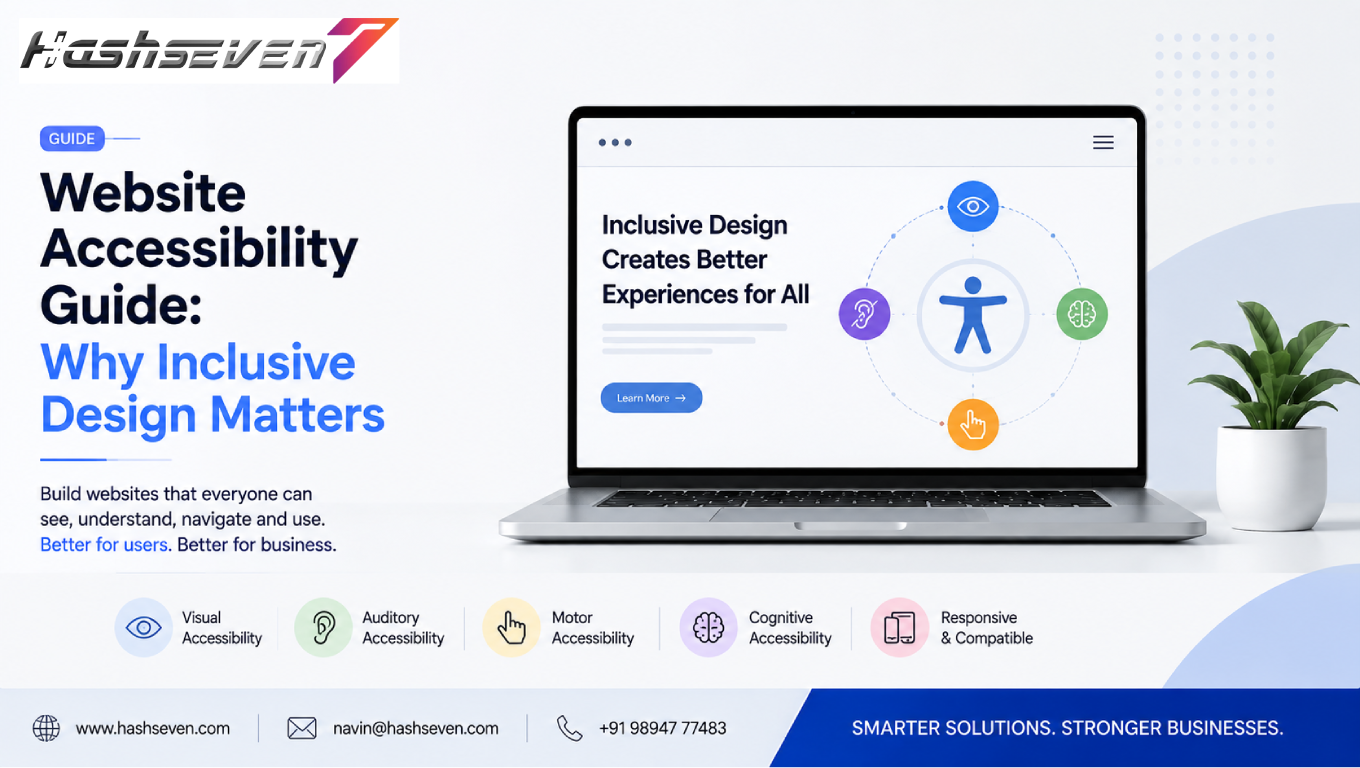

A website should be usable by as many people as possible, regardless of their abilities, devices, or circumstances. This is why website accessibility has become an important part of modern web design and development.
Businesses increasingly depend on websites to generate leads, sell products, provide customer support, share information, and build relationships with customers. If visitors cannot navigate a website, understand its content, interact with forms, or access important information, the business may lose valuable opportunities.
Website accessibility focuses on removing barriers that can prevent people with disabilities from using digital content effectively. These barriers can affect people with visual, auditory, physical, speech, cognitive, or neurological disabilities.
Accessibility also benefits people without permanent disabilities. Someone using a mobile device in bright sunlight, a person with a temporary injury, or someone in a noisy environment can also benefit from accessible design.
The World Wide Web Consortium (W3C) publishes the Web Content Accessibility Guidelines (WCAG), which provide recommendations for making web content more accessible. WCAG 2.2 is currently a W3C Recommendation.
In this guide, we will explain what website accessibility means, why inclusive design matters, the major accessibility principles, practical improvements businesses can make, common mistakes to avoid, and how accessibility can support a better overall website experience.
What Is Website Accessibility?
Website accessibility means designing and developing websites so that people with different abilities can perceive, navigate, understand, and interact with digital content.
An accessible website should work effectively with different:
- Devices
- Browsers
- Input methods
- Assistive technologies
- Screen sizes
- User abilities
For example, an accessible website may provide:
- Alternative text for meaningful images
- Keyboard navigation
- Captions for videos
- Clear form labels
- Sufficient color contrast
- Descriptive links
- Logical headings
- Accessible menus
- Readable content
- Visible focus indicators
The goal is not to create a separate website for people with disabilities. The goal is to make the same website usable by a broader range of people.
Build a Website That Grows Your Business
A professionally developed website is the foundation of your online success. If you’re planning to create a responsive, fast, and SEO-friendly business website, explore our Website Development Services to see how Hashseven can help transform your ideas into a powerful digital presence.
Why Website Accessibility Matters for Businesses
Accessibility is not simply a technical feature.
It can influence:
- Customer experience
- Brand reputation
- Website usability
- Search visibility
- Customer engagement
- Conversion opportunities
- Digital inclusion
A website that is difficult to use can frustrate visitors and cause them to leave.
By improving accessibility, businesses can create a more inclusive experience while also improving the overall quality of their website.
1. Reach a Wider Audience
One of the most obvious benefits of website accessibility is that it can help businesses serve a broader audience.
People interact with websites in different ways.
Some visitors may:
- Use screen readers
- Navigate with keyboards
- Increase text size
- Use voice controls
- Depend on captions
- Use alternative input devices
An accessible website considers these different ways of interacting with digital content.
This can help businesses avoid unnecessarily excluding potential customers.
2. Improve User Experience
Accessibility and usability are closely connected.
Features such as:
- Clear navigation
- Descriptive buttons
- Readable text
- Logical page structure
- Helpful error messages
- Consistent layouts
can make websites easier to use.
These improvements can benefit everyone, not only users with disabilities.
A visitor should be able to quickly understand what a page is about and determine what action to take next.
3. Support Screen Reader Users
Screen readers convert digital content into speech or other output formats.
They can help users understand:
- Headings
- Links
- Buttons
- Images
- Forms
- Tables
- Navigation
Poorly structured websites can create significant problems for screen reader users.
Businesses should use meaningful HTML structures and provide appropriate text alternatives.
For example, an image that communicates important information should have meaningful alternative text.
Decorative images may require different treatment so they do not create unnecessary noise for assistive technology users.
4. Make Websites Keyboard Accessible
Not every user relies on a mouse.
Some people navigate websites entirely through a keyboard or another keyboard-like input method.
Important interactive elements should therefore be accessible using the keyboard.
Users should be able to:
- Move between controls
- Open menus
- Submit forms
- Activate buttons
- Close dialogs
- Navigate links
A visible focus indicator is also important because users need to know which element is currently selected.
5. Improve Color Contrast
Color should not be the only method used to communicate important information.
For example, instead of saying:
“Fields marked in red are required.”
a form could use clear text and appropriate visual indicators.
Good contrast also helps people who have difficulty distinguishing certain colors.
Businesses should evaluate:
- Text contrast
- Button contrast
- Link visibility
- Form controls
- Focus indicators
- Background and foreground combinations
Accessibility standards provide specific contrast requirements for different types of content.
6. Provide Alternative Text for Images
Images can communicate important information.
Alternative text helps users who cannot see an image understand its relevant purpose.
For example, instead of:
ALT: image123
use descriptive text when appropriate.
ALT: Website dashboard showing monthly sales performance
However, alternative text should describe the purpose or meaningful information of the image rather than unnecessarily describing every visual detail.
7. Add Captions to Videos
Videos can create accessibility barriers when important information is communicated only through audio.
Captions can help people who:
- Are deaf or hard of hearing
- Watch videos in noisy environments
- Watch videos without sound
- Prefer reading along with speech
For important video content, businesses should provide accurate captions.
Transcripts can also improve accessibility and make information easier to reference.
8. Use Clear and Descriptive Links
Link text should help users understand where the link will take them.
Avoid using vague link text such as:
- Click here
- Read more
- Learn more
when the surrounding context does not make the destination clear.
Instead, use descriptive phrases such as:
- View our website maintenance services
- Read the complete accessibility guide
- Explore our cloud computing solutions
Descriptive links are easier to understand for users and can also provide clearer context for search engines.
9. Create Accessible Forms
Forms are important conversion tools for businesses.
Visitors may use forms to:
- Contact a company
- Request a quotation
- Register for an account
- Subscribe to a newsletter
- Book a service
- Complete a purchase
Accessible forms should provide:
- Clear labels
- Logical field order
- Helpful instructions
- Understandable error messages
- Keyboard accessibility
- Appropriate focus states
If a user makes an error, the website should clearly explain what went wrong and how to correct it.
10. Use Logical Heading Structure
Headings provide structure to web pages.
A well-organized page can use:
H1: Main page topic
H2: Major sections
H3: Supporting sections
Logical headings help visitors scan content and understand the relationship between different sections.
They can also make pages easier to navigate with assistive technologies.
11. Make Navigation Predictable
Visitors should not have to relearn how a website works on every page.
Consistent navigation can include:
- Predictable menus
- Consistent buttons
- Familiar layouts
- Clear page titles
- Breadcrumbs
- Logical content organization
Consistency reduces cognitive effort and makes websites easier to understand.
12. Make Content Easy to Read
Readable content is an important part of inclusive design.
Businesses should consider:
- Font size
- Line spacing
- Paragraph length
- Heading structure
- Text alignment
- Contrast
- Language complexity
Large blocks of text can be difficult to scan.
Short paragraphs, descriptive headings, lists, and clear language can improve readability.
13. Design for Mobile Accessibility
Accessibility should not be limited to desktop websites.
People increasingly access websites through:
- Smartphones
- Tablets
- Laptops
- Desktop computers
Mobile accessibility can involve:
- Touch target size
- Responsive layouts
- Readable text
- Keyboard or alternative input support
- Accessible menus
- Proper zoom behavior
A responsive website should remain usable when the screen size or orientation changes.
14. Avoid Keyboard Traps
A keyboard trap occurs when a user enters an interactive component and cannot easily move away from it using the keyboard.
This can create a serious usability problem.
Interactive elements such as:
- Popups
- Dialog boxes
- Menus
- Sliders
- Custom controls
should allow users to navigate into and out of them predictably.
15. Provide Visible Focus Indicators
When someone navigates with a keyboard, they need to know which element currently has focus.
For example, when moving through links, buttons, and form fields, the selected element should have a visible focus state.
Removing default focus outlines without providing an accessible replacement can make keyboard navigation difficult.
16. Avoid Accessibility Problems With Animations
Animations can improve visual experiences, but excessive movement can create problems for some users.
Businesses should be careful with:
- Flashing content
- Rapid animations
- Auto-playing motion
- Moving backgrounds
- Continuously scrolling content
Where appropriate, websites should provide controls or respect user preferences for reduced motion.
17. Make Error Messages Understandable
When something goes wrong, users need clear information.
For example, instead of:
“Error 402.”
a form could communicate:
“Please enter a valid email address.”
Good error messages should explain:
- What went wrong
- Where the problem occurred
- How the user can fix it
This can improve usability for everyone.
18. Make Buttons Descriptive
Buttons should clearly communicate their action.
Instead of:
Submit
businesses can sometimes use more specific labels such as:
- Send inquiry
- Request a quote
- Create account
- Complete purchase
- Download report
The appropriate label depends on the action.
Clear button labels reduce uncertainty and improve usability.
19. Use Semantic HTML
Semantic HTML helps communicate the structure and meaning of website content.
Elements such as:
<header><nav><main><section><article><footer><button>
provide meaningful structure.
Using native HTML controls whenever possible can also reduce the amount of custom accessibility behavior developers need to implement.
20. Use ARIA Carefully
ARIA, or Accessible Rich Internet Applications, can help communicate additional information to assistive technologies.
However, ARIA should not be used as a replacement for proper HTML.
When native HTML already provides the required semantics, it is generally preferable to use the native element.
Developers should understand ARIA roles, states, and properties before applying them to custom components.
The official WAI-ARIA specification provides detailed technical guidance.
21. Follow WCAG Guidelines
The Web Content Accessibility Guidelines provide a widely recognized framework for improving web accessibility.
WCAG organizes accessibility around four core principles:
- Perceivable
- Operable
- Understandable
- Robust
These principles are often summarized as POUR.
WCAG 2.2 is a W3C Recommendation and includes testable success criteria for accessible web content.
Businesses should use the official WCAG 2.2 guidelines when establishing accessibility requirements.
22. Understand the Four WCAG Principles
Perceivable
Information should be presented in ways users can perceive.
Examples include:
- Text alternatives
- Captions
- Sufficient contrast
- Adaptable content
Operable
Users should be able to interact with the interface.
Examples include:
- Keyboard accessibility
- Clear navigation
- Adequate time
- Avoiding problematic flashing
Understandable
Content and functionality should be easy to understand.
Examples include:
- Clear instructions
- Predictable navigation
- Helpful error messages
- Readable content
Robust
Content should work reliably with different browsers and assistive technologies.
Using proper HTML structure and established web standards helps support this principle.
23. Test Website Accessibility
Accessibility should be tested throughout website development.
Testing can include:
Automated Testing
Automated tools can identify certain accessibility problems.
They can help detect issues such as:
- Missing image alternative text
- Some color contrast problems
- Missing form labels
- Structural issues
However, automated testing cannot identify every accessibility problem.
Manual Testing
Human testing can evaluate:
- Keyboard navigation
- Focus behavior
- Content clarity
- Navigation
- Interactive components
Assistive Technology Testing
Testing with tools such as screen readers can reveal problems that automated tools may miss.
A combination of testing methods provides better coverage.
24. Include Accessibility From the Beginning
Accessibility should not be treated as a final-stage correction.
It should be considered during:
- Planning
- UX design
- UI design
- Development
- Content creation
- Testing
- Maintenance
Fixing accessibility problems early can be more efficient than rebuilding components after launch.
25. Train Designers and Developers
Accessibility is a team responsibility.
Designers should understand:
- Contrast
- Typography
- Focus states
- Layout
- Interaction patterns
Developers should understand:
- Semantic HTML
- Keyboard navigation
- ARIA
- Forms
- Focus management
- Assistive technologies
Content teams should understand:
- Alternative text
- Heading structure
- Descriptive links
- Captions
- Plain language
Training helps accessibility become part of the normal development workflow.
26. Make Accessibility Part of Website Maintenance
A website can become less accessible after updates.
For example:
- New plugins may introduce inaccessible components
- New images may lack ALT text
- Developers may change navigation
- New forms may contain labeling problems
- Redesigns may reduce contrast
Regular accessibility reviews can help businesses identify and correct these problems.
Accessibility should therefore be included in the website maintenance process.
Common Website Accessibility Mistakes
Businesses should avoid these common mistakes:
1. Missing ALT Text
Important images may not provide useful alternatives.
2. Poor Color Contrast
Text may be difficult to read against its background.
3. Keyboard Inaccessibility
Interactive elements may only work with a mouse.
4. Unclear Form Errors
Users may not understand how to correct mistakes.
5. Missing Video Captions
Important audio information may be inaccessible.
6. Poor Heading Structure
Pages may lack logical organization.
7. Vague Link Text
Links such as “click here” may provide insufficient context.
8. Inaccessible Popups
Dialogs may prevent keyboard or screen reader users from navigating effectively.
9. Overuse of ARIA
Incorrect ARIA implementation can create additional accessibility problems.
10. Accessibility Testing Only Before Launch
Accessibility needs continuous attention after launch.
Website Accessibility Checklist
Use this checklist when reviewing a website:
Meaningful images have appropriate ALT text
Decorative images are handled appropriately
Website works with keyboard navigation
Focus indicators are visible
Text has sufficient contrast
Links have descriptive labels
Forms have clear labels
Form errors are understandable
Videos include captions when needed
Headings follow a logical structure
Navigation is consistent
Buttons clearly describe their actions
Content remains usable when zoomed
Website works on mobile devices
Animations do not create unnecessary barriers
Semantic HTML is used
ARIA is used appropriately
Accessibility testing is performed
New content is reviewed for accessibility
Accessibility is included in maintenance plans
How Website Accessibility Can Support SEO
Accessibility and SEO have different goals, but some practices can benefit both.
For example:
- Descriptive ALT text can help explain images
- Logical headings improve content structure
- Descriptive links provide context
- Clear content improves usability
- Semantic HTML helps communicate page structure
- Mobile-friendly design supports better user experiences
Accessibility should not be implemented solely as an SEO tactic.
Its primary purpose is to make websites more inclusive and usable.
However, accessible design and strong SEO practices can often complement each other.
How Website Accessibility Can Improve Conversions
A visitor is more likely to complete an action when the website makes that action clear and easy.
Accessible design can improve:
- Form completion
- Navigation
- Product discovery
- Content consumption
- Checkout experiences
- Contact requests
For example, a clearly labeled form with useful error messages can reduce confusion and help users successfully submit an inquiry.
Better usability can create a smoother path from visitor to customer.
Website Accessibility and Brand Reputation
Businesses communicate their values through digital experiences.
A website that considers accessibility demonstrates attention to:
- Inclusion
- Usability
- Customer experience
- Quality
- Responsible design
This can contribute to a stronger perception of the brand.
Businesses should treat accessibility as part of their broader commitment to creating useful digital experiences.
Legal and Compliance Considerations
Accessibility requirements can vary by country, industry, organization type, and applicable law.
Businesses should not assume that following a checklist automatically guarantees legal compliance.
Organizations should identify the laws, regulations, contracts, and accessibility standards that apply to their specific situation.
WCAG can provide an important technical reference, but businesses with legal or regulatory obligations should obtain appropriate professional advice regarding their specific requirements.
How to Create an Accessible Website
A practical accessibility strategy can follow these steps:
Step 1: Audit the Existing Website
Identify current accessibility barriers.
Step 2: Prioritize Problems
Fix issues that have the greatest effect on users.
Step 3: Improve the Design
Review:
- Colors
- Typography
- Navigation
- Forms
- Components
Step 4: Improve the Code
Use semantic HTML and accessible interaction patterns.
Step 5: Improve Content
Review:
- ALT text
- Headings
- Links
- Captions
- Instructions
Step 6: Test With Different Methods
Combine automated testing, manual testing, keyboard testing, and assistive technology testing.
Step 7: Monitor After Launch
Include accessibility in ongoing website maintenance.
The Future of Website Accessibility
As digital experiences become more interactive, accessibility will remain an important part of web development.
Emerging technologies such as:
- Artificial intelligence
- Voice interfaces
- Advanced personalization
- Conversational interfaces
- Augmented reality
- Automated content generation
can create new accessibility opportunities as well as new challenges.
Businesses should ensure that new technologies are designed with accessibility in mind rather than treating accessibility as an afterthought.
The long-term goal is to create digital experiences that are flexible, understandable, and usable by a diverse range of people.
Frequently Asked Questions
1. What is website accessibility?
Website accessibility is the practice of designing and developing websites so people with different abilities can perceive, navigate, understand, and interact with digital content.
2. Why is website accessibility important for businesses?
Website accessibility helps businesses create more inclusive digital experiences, reach a wider audience, improve usability, reduce barriers, and provide customers with easier ways to access information and services.
3. What is WCAG 2.2?
WCAG 2.2 is the current W3C Recommendation for Web Content Accessibility Guidelines. It provides testable recommendations for improving the accessibility of web content across different devices and user needs.
4. How can I check if my website is accessible?
Businesses can combine automated accessibility testing with manual keyboard testing, content reviews, and testing with assistive technologies such as screen readers. No single automated tool can identify every accessibility issue.
5. Does website accessibility improve SEO?
Some accessibility practices, such as descriptive ALT text, logical headings, descriptive links, semantic HTML, and good usability, can complement SEO. However, accessibility should primarily be implemented to make websites more inclusive and usable.
Conclusion
Website accessibility is an essential part of modern inclusive web design. Businesses should not think of accessibility as a feature that applies only to a small group of users. Clear navigation, readable content, keyboard support, accessible forms, captions, meaningful alternative text, and predictable interactions can improve the experience for many different visitors.
Following recognized accessibility guidance such as WCAG 2.2 can provide businesses with a structured foundation for identifying and addressing accessibility barriers.
The best approach is to consider accessibility from the earliest stages of design and continue testing it throughout development and website maintenance.
An accessible website can help businesses create better digital experiences, reach a broader audience, strengthen usability, and build a more inclusive online presence.
Inclusive design is not simply about meeting a technical requirement. It is about making sure more people can successfully use the digital experiences that businesses provide.
Ready to Build a Professional Website for Your Business?
Turn your business into a powerful online brand with Hashseven.
Since 2017, we’ve helped businesses grow through professional website development, mobile apps, custom software, SEO, digital marketing, CRM, POS solutions, and Meta-approved WhatsApp automation. Let’s create a fast, secure, and conversion-focused website that attracts more customers and drives real business growth.


