

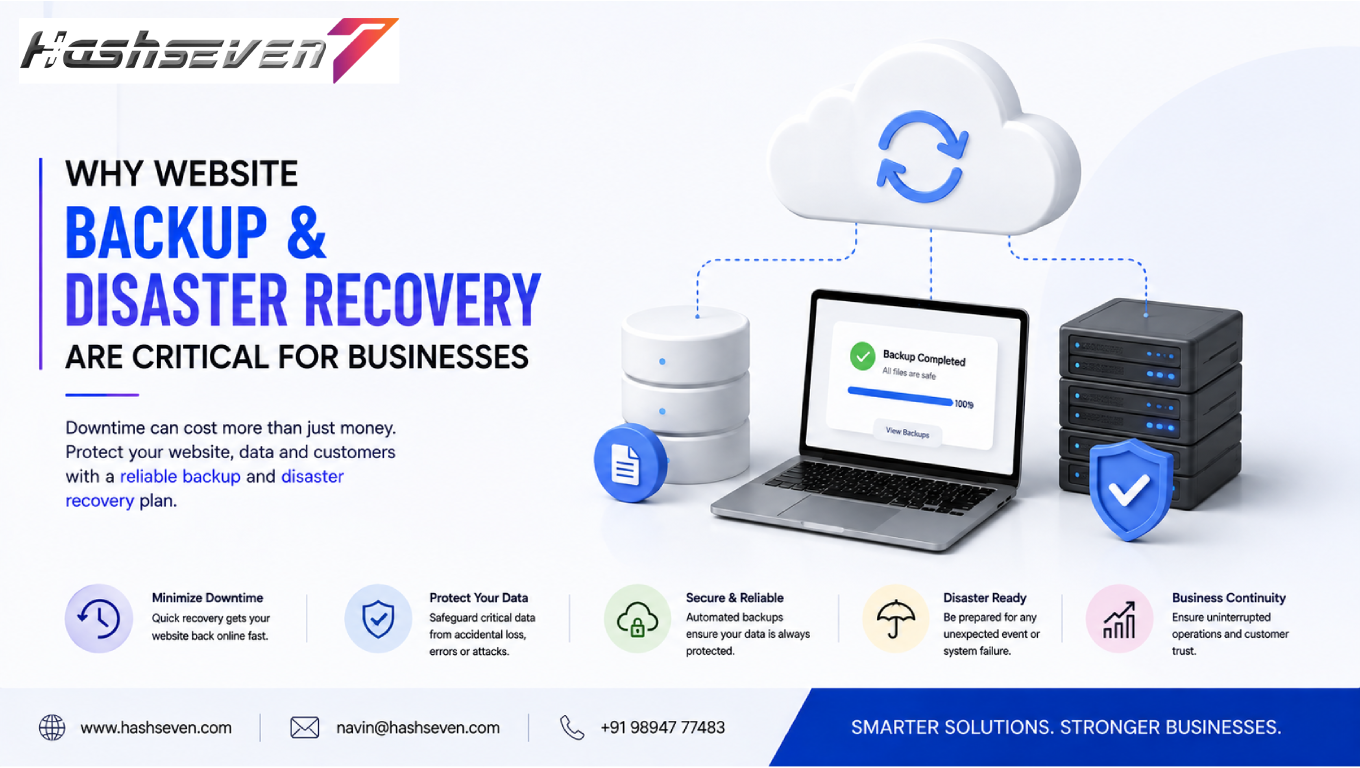

A business website is more than an online presence. It can be a major source of leads, sales, customer communication, brand information, and business operations. If a website suddenly becomes unavailable or important data is lost, the impact can be serious.
This is why website backup and recovery should be an essential part of every business’s website management strategy.
Websites can experience problems for many reasons, including cyberattacks, accidental deletion, software conflicts, server failures, faulty updates, human errors, and unexpected technical issues. Without a reliable backup, recovering lost website data can be difficult or sometimes impossible.
A backup creates a copy of important website information that can be restored when the original data is damaged, deleted, or unavailable. Recovery is the process of bringing the website and its data back to a working state.
For businesses, having a reliable backup and recovery strategy can reduce downtime, protect valuable information, and provide greater confidence when making website updates.
In this guide, we will explain why website backup and recovery is critical, what should be backed up, different backup methods, disaster recovery planning, common mistakes, best practices, and how businesses can build a reliable backup strategy.
What Is Website Backup and Recovery?
Website backup and recovery refers to creating copies of website data and having a process for restoring that information when something goes wrong.
A website backup can contain:
- Website files
- Databases
- Images
- Documents
- Themes
- Plugins
- Configuration files
- Customer information
- Website settings
Recovery involves restoring the website or selected data from an available backup.
For example, if a faulty plugin update causes a website to stop working, a recent backup can potentially allow the business to restore the previous working version.
Backup and recovery work together. A backup without a tested recovery process may not provide sufficient protection.
Build a Website That Grows Your Business
A professionally developed website is the foundation of your online success. If you’re planning to create a responsive, fast, and SEO-friendly business website, explore our Website Development Services to see how Hashseven can help transform your ideas into a powerful digital presence.
Why Website Backup and Recovery Matters
Businesses depend heavily on their websites.
A website may handle:
- Customer inquiries
- Online purchases
- Appointment bookings
- Lead generation
- Product information
- Customer accounts
- Business communications
- Marketing campaigns
If the website goes offline or data is lost, customers may be unable to access important services.
A strong backup and recovery strategy helps businesses prepare for these situations instead of reacting to them without a plan.
1. Protect Against Data Loss
Data loss is one of the biggest risks businesses face.
Important website data can disappear because of:
- Human mistakes
- Hardware failure
- Software errors
- Cyberattacks
- Accidental deletion
- Database corruption
- Server problems
Regular backups provide additional copies of important information.
If the original data becomes unavailable, the business may be able to restore it from a recent backup.
2. Protect Against Cyberattacks
Cybersecurity incidents can seriously affect business websites.
Attackers may:
- Modify website files
- Delete information
- Inject malicious code
- Lock access to data
- Damage databases
- Change administrator accounts
A secure backup can provide an additional recovery option after an incident.
However, backups themselves must be protected. If attackers can access or modify backup files, the backup may not be useful during recovery.
Businesses should therefore consider access controls, encryption, separate storage, and backup monitoring.
3. Recover From Website Hacking
A hacked website may contain unauthorized changes or malicious files.
Simply removing visible malicious code may not always be enough.
Businesses may need to:
- Identify the incident
- Secure the website
- Remove malicious components
- Investigate affected systems
- Restore clean data
- Update vulnerable software
- Change credentials
- Monitor the website
A known-good backup can make the restoration process easier.
4. Prevent Permanent Loss From Human Error
People make mistakes.
An administrator may accidentally:
- Delete a page
- Remove a database record
- Change website settings
- Delete important files
- Install incompatible software
Without a backup, reversing the damage may be difficult.
With regular backups, businesses can potentially restore the affected information.
This is particularly important when several people have access to a website’s administration system.
5. Recover From Failed Updates
Website software needs regular updates for security, compatibility, and functionality.
However, updates can occasionally create conflicts.
Problems can occur after updating:
- Plugins
- Themes
- CMS software
- Extensions
- Custom code
Creating a backup before major updates gives businesses a recovery option if something goes wrong.
This is especially important for websites with custom functionality or multiple third-party integrations.
6. Reduce Website Downtime
Website downtime can affect:
- Sales
- Leads
- Customer trust
- Search visibility
- Brand reputation
A website that remains unavailable for an extended period can create significant business problems.
A well-planned recovery process can help reduce the time required to restore critical website functionality.
The objective should be to restore important services as quickly and safely as possible.
7. Protect E-Commerce Websites
E-commerce websites have particularly important backup requirements.
An online store may contain:
- Product information
- Customer accounts
- Orders
- Transaction records
- Inventory information
- Shipping information
- Payment-related configurations
Losing this information can create operational and customer-service problems.
E-commerce businesses should establish frequent backups and carefully test restoration procedures.
8. Protect Customer Information
Websites can store or process sensitive customer information.
Examples may include:
- Contact information
- Account details
- Order history
- Business inquiries
- Form submissions
Businesses should understand what information their website stores and ensure that backups are protected appropriately.
Backup systems should follow the organization’s security and data protection requirements.
9. Support Business Continuity
Business continuity means maintaining or restoring essential operations during disruptions.
A website recovery plan can be part of a broader business continuity strategy.
For example, a company may define:
- Critical website functions
- Recovery priorities
- Responsible team members
- Backup locations
- Communication procedures
- Recovery targets
This helps transform backup from a simple technical task into a structured business process.
10. Improve Disaster Recovery
Disasters can affect physical infrastructure.
Potential events include:
- Fire
- Flood
- Power failures
- Hardware damage
- Data center incidents
- Severe weather
Keeping backups in a separate location can reduce the risk of losing both the original website and its backup at the same time.
For important websites, businesses should consider geographically separate or independently protected backup storage.
11. Protect Website Content
Businesses invest significant time creating website content.
This can include:
- Blog posts
- Service pages
- Product descriptions
- Images
- Videos
- Landing pages
- Case studies
- Customer testimonials
Losing this content can create a major setback.
Regular backups help preserve the work that has already been created.
12. Protect SEO Investments
Businesses can spend months or years building organic search visibility.
A website may contain:
- SEO-optimized pages
- Metadata
- Structured content
- Internal links
- Landing pages
- Blog articles
- Redirect configurations
If important website components are lost, SEO performance can potentially be affected.
A reliable backup helps preserve the website structure and content that support long-term search visibility.
13. Protect Business Reputation
A broken or hacked website can affect how customers perceive a company.
Visitors may see:
- Error pages
- Broken layouts
- Security warnings
- Missing content
- Unexpected redirects
Customers may question whether the business is reliable.
A fast and organized recovery process can help reduce the duration of such problems.
14. Support Safe Website Maintenance
Website maintenance often involves changes to:
- Plugins
- Themes
- Content
- Code
- Databases
- Security settings
Backups provide a safety net before making significant changes.
A good maintenance workflow can be:
Backup → Update → Test → Monitor
This approach reduces unnecessary risk.
15. Enable Faster Troubleshooting
Sometimes it is difficult to determine exactly when a website problem started.
Multiple backup versions can provide useful recovery points.
For example, if a website worked correctly last week but developed a problem after several changes, an earlier backup may help identify a working version.
This can simplify troubleshooting.
What Should a Website Backup Include?
A complete backup strategy should consider both website files and data.
Important components may include:
Website Files
These can include:
- CMS files
- Themes
- Plugins
- Images
- Documents
- Custom scripts
- Configuration files
Database
The database may contain:
- Pages
- Posts
- Users
- Settings
- Product information
- Orders
- Comments
- Form data
For many CMS websites, the database is just as important as the website files.
Backing up only files may not be sufficient.
Types of Website Backups
Different backup approaches can be used depending on business requirements.
Full Backup
A full backup creates a complete copy of the website and relevant data.
Advantages:
- Easier restoration
- Complete recovery point
- Simple backup management
Disadvantages:
- Requires more storage
- Can take longer
Full backups are useful as part of a comprehensive backup strategy.
Incremental Backup
An incremental backup stores changes made since the previous backup.
Advantages:
- Uses less storage
- Faster backup process
Disadvantages:
- Restoration can require multiple backup sets
Incremental backups can be useful for websites that change frequently.
Differential Backup
A differential backup stores changes made since the last full backup.
This approach can provide a balance between storage requirements and restoration complexity.
How Often Should a Website Be Backed Up?
There is no single schedule that works for every business.
Backup frequency should depend on how frequently website data changes.
Low-Change Website
A basic informational website may require less frequent backups.
Business Website
A website that receives regular leads, content updates, or customer information may require more frequent backups.
E-Commerce Website
An online store may require very frequent backups because orders and customer information can change continuously.
The key principle is simple:
The more frequently important data changes, the more frequently it should be backed up.
What Is the 3-2-1 Backup Strategy?
The 3-2-1 backup strategy is a widely used approach to data protection.
It recommends maintaining:
- 3 copies of important data
- 2 different storage media or locations
- 1 copy stored separately or off-site
The strategy reduces the risk that a single incident will destroy every available copy.
Businesses can adapt this approach to their technical environment and risk profile.
Cloud Backups vs Local Backups
Both cloud and local backups can have a role.
Local Backups
Local backups can provide fast access and recovery.
However, they can be vulnerable if the same physical environment is affected by:
- Hardware damage
- Fire
- Theft
- Malware
- Physical disasters
Cloud Backups
Cloud backups can provide remote storage and geographic separation.
However, businesses should evaluate:
- Security
- Provider reliability
- Cost
- Recovery speed
- Data retention
- Access controls
For important websites, using more than one recovery location can provide additional resilience.
Why Backup Security Matters
A backup contains valuable business information.
It should therefore be protected like production data.
Businesses should consider:
- Strong passwords
- Multi-factor authentication
- Encryption
- Restricted access
- Separate credentials
- Access monitoring
- Secure storage
- Backup integrity checks
Backup accounts should not automatically have unrestricted access to every business system.
Backup Encryption
Encryption can help protect backup data from unauthorized access.
Businesses should consider encryption:
- During transfer
- While stored
- During backup synchronization
Encryption requirements should depend on the sensitivity of the information and applicable security policies.
Why Backup Testing Is Important
Creating backups is not enough.
Businesses also need to verify that backups can actually be restored.
A backup can fail to provide protection if:
- Files are corrupted
- Data is incomplete
- Credentials no longer work
- Backup software fails
- Restoration procedures are unclear
Regular restoration testing helps identify these problems before a real disaster occurs.
What Is a Disaster Recovery Plan?
A disaster recovery plan explains how a business will restore technology systems after a major disruption.
A website disaster recovery plan can define:
- What needs to be restored
- Who is responsible
- Where backups are stored
- Which systems are critical
- Recovery procedures
- Communication processes
- Testing schedules
The plan should be documented and updated as the website changes.
Recovery Time Objective and Recovery Point Objective
Two important concepts in disaster recovery are:
Recovery Time Objective
RTO refers to how quickly a business aims to restore a system after disruption.
For example, a business may require a critical website to be restored within a few hours.
Recovery Point Objective
RPO refers to how much recent data the business can afford to lose.
For example, if the RPO is one hour, the organization aims to limit data loss to approximately one hour of changes.
These targets can help businesses determine suitable backup frequency and recovery strategies.
Common Website Backup Mistakes
Businesses should avoid the following mistakes.
1. No Backup at All
The biggest mistake is assuming that nothing will go wrong.
Every important website should have a backup strategy.
2. Backing Up Only Once
A single old backup may not contain recent website changes.
Regular backups provide more recovery options.
3. Keeping Every Backup in One Location
If the primary environment is damaged, backups stored there may also be lost.
4. Never Testing Backups
An untested backup is an assumption rather than a verified recovery resource.
5. Ignoring the Database
Backing up website files without the database may leave important information unavailable.
6. Keeping Backups Forever
Unlimited retention can increase storage costs.
Businesses should establish an appropriate retention policy.
7. Using Weak Backup Credentials
Compromised backup accounts can expose important business information.
8. Forgetting About Backups After a Redesign
Major website changes should be included in the backup strategy.
Website Backup and Recovery Best Practices
Businesses can improve their backup strategy by following these practices:
- Schedule automatic backups
- Back up files and databases
- Keep multiple recovery points
- Store backups separately
- Protect backup accounts
- Use encryption where appropriate
- Monitor backup jobs
- Test restoration regularly
- Document recovery procedures
- Define RTO and RPO
- Review backup retention
- Update the strategy when the website changes
- Include backups in website maintenance
Automation is particularly useful because it reduces dependence on someone remembering to create backups manually.
How to Create a Website Backup and Recovery Plan
Businesses can follow these steps.
Step 1: Identify Critical Website Data
List everything that must be restored after an incident.
Step 2: Determine Backup Frequency
Consider how often website data changes.
Step 3: Select Backup Locations
Use appropriate local, cloud, or off-site storage.
Step 4: Secure Backup Access
Implement strong authentication and restricted permissions.
Step 5: Automate Backups
Automated schedules reduce the possibility of missed backups.
Step 6: Define Retention Rules
Determine how long different backup versions should be stored.
Step 7: Establish Recovery Procedures
Document exactly how the website should be restored.
Step 8: Test Recovery
Perform restoration tests periodically.
Step 9: Review the Strategy
Update the plan when the website, business, or technology environment changes.
Website Backup for WordPress Websites
WordPress websites commonly depend on both files and databases.
A WordPress backup strategy should consider:
- WordPress core files
- Themes
- Plugins
- Uploads
- Database
- Configuration
- Custom code
Businesses should create backups before major WordPress updates and maintain scheduled backups according to their website’s activity level.
A backup should also be stored separately from the primary hosting environment when possible.
Website Backup for E-Commerce Businesses
E-commerce businesses need particularly strong recovery planning.
Important information can change frequently.
Businesses should consider:
- Frequent backups
- Database protection
- Order data
- Customer information
- Product catalogs
- Inventory
- Website configurations
- Payment integrations
Recovery testing is especially important because restoring an e-commerce website incorrectly could affect active transactions or customer information.
How Backup and Recovery Support SEO
A backup strategy can indirectly protect SEO investments.
A website’s organic visibility can depend on:
- Content
- URLs
- Metadata
- Internal links
- Structured data
- Redirects
- Site structure
If a major website failure causes these elements to disappear, search performance may be affected.
Backup and recovery therefore form part of a broader website management strategy.
Backup alone does not improve rankings, but it can help protect the digital assets that support SEO.
Website Backup and Recovery vs Website Maintenance
Website maintenance focuses on keeping a website:
- Updated
- Secure
- Functional
- Compatible
- Optimized
Backup and recovery focus on protecting data and restoring the website when something goes wrong.
They are different but closely connected.
A strong website maintenance strategy should include reliable backup procedures.
How Businesses Can Reduce Recovery Time
Businesses can improve recovery speed by:
- Maintaining recent backups
- Automating backup processes
- Documenting recovery procedures
- Keeping credentials securely available
- Testing restoration
- Defining RTO
- Prioritizing critical services
- Monitoring backup health
Preparation can make a significant difference during a real incident.
The Future of Website Backup and Recovery
Backup technology continues to evolve.
Businesses can expect increased use of:
- Automated backup monitoring
- Cloud-based disaster recovery
- Immutable backups
- AI-assisted threat detection
- Automated recovery workflows
- Multi-region infrastructure
- Advanced ransomware protection
As websites become more connected to business operations, recovery planning will become increasingly important.
Businesses should not wait for a major incident before creating a recovery strategy.
Website Backup and Recovery Checklist
Use this checklist when reviewing your website:
Website files are backed up
Database is backed up
Backups run automatically
Multiple recovery points exist
Backups are stored separately
Backup access is protected
Multi-factor authentication is enabled where appropriate
Backup integrity is monitored
Recovery procedures are documented
Backups are tested
RTO is defined
RPO is defined
Retention policy is established
Backup strategy is reviewed regularly
Disaster recovery responsibilities are assigned
Frequently Asked Questions
1. What is website backup and recovery?
Website backup and recovery is the process of creating copies of website files and data and restoring them when the original website is damaged, deleted, hacked, or unavailable.
2. How often should a business website be backed up?
Backup frequency depends on how often the website changes. Websites with frequent transactions, customer activity, or content updates generally require more frequent backups than simple informational websites.
3. What should be included in a website backup?
A complete backup should generally consider website files, databases, media, themes, plugins, configurations, and other business-critical website data.
4. Are cloud backups better than local backups?
Neither is universally better. Cloud and local backups have different advantages. Businesses with important websites can consider multiple backup locations to improve resilience and recovery options.
5. Why should businesses test their backups?
Backup testing confirms that data can actually be restored when needed. Without testing, businesses may discover that a backup is incomplete, corrupted, outdated, or difficult to restore during an actual incident.
Conclusion
Website backup and recovery is a critical part of protecting a business’s digital presence.
Websites can be affected by cyberattacks, human mistakes, failed updates, server problems, hardware failures, and other unexpected incidents. Without reliable backups and a documented recovery process, businesses may face extended downtime, data loss, financial costs, and damage to customer trust.
A strong strategy should include regular automated backups, protection of both files and databases, secure backup storage, multiple recovery points, restoration testing, and a documented disaster recovery plan.
Businesses should also define appropriate recovery objectives based on how much downtime and data loss they can tolerate.
Backup and recovery should not be treated as an optional technical task. They should be part of regular website maintenance, security, and business continuity planning.
When businesses prepare before a problem occurs, they are in a much stronger position to restore operations and continue serving customers.
Ready to Build a Professional Website for Your Business?
Turn your business into a powerful online brand with Hashseven.
Since 2017, we’ve helped businesses grow through professional website development, mobile apps, custom software, SEO, digital marketing, CRM, POS solutions, and Meta-approved WhatsApp automation. Let’s create a fast, secure, and conversion-focused website that attracts more customers and drives real business growth.


