

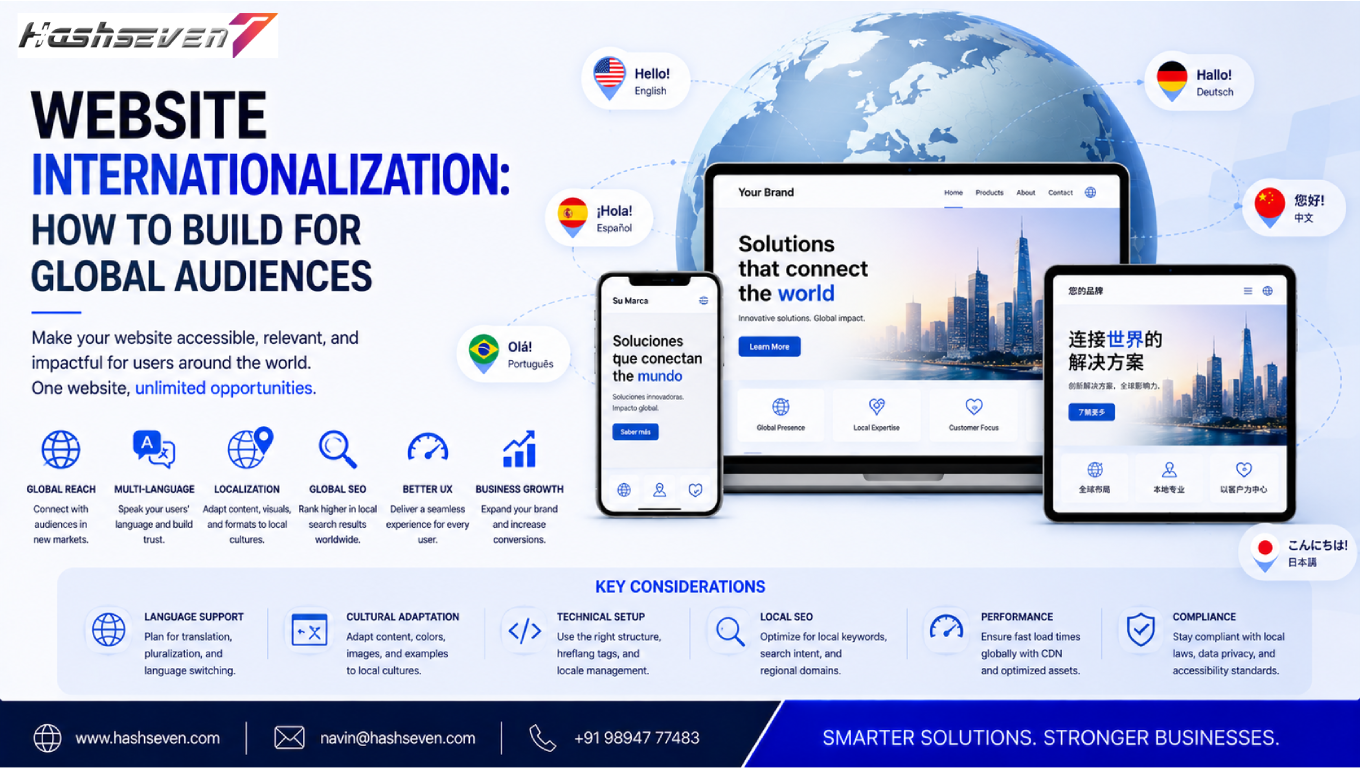

Businesses are no longer limited to customers in one city, region, or country. The internet allows companies to reach audiences across different languages, cultures, currencies, and time zones. However, simply translating a website is not enough to create a successful global digital presence.
This is where website internationalization becomes important.
Website internationalization is the process of designing and developing a website so it can support multiple languages, regions, cultures, currencies, date formats, addresses, and other local requirements without requiring major changes to the underlying system.
A properly internationalized website makes it easier for businesses to expand into new markets while providing visitors with a familiar and convenient experience.
In this guide, we will explain what website internationalization means, why it matters, how it differs from localization, important technical considerations, SEO best practices, multilingual content strategies, common mistakes, and practical steps businesses can follow to build websites for global audiences.
What Is Website Internationalization?
Website internationalization is the process of preparing a website’s design, content, code, and infrastructure to support users from different countries and regions.
It creates a flexible foundation that allows businesses to adapt their websites for different markets.
Website internationalization can involve:
- Multiple languages
- Regional content
- Currency formats
- Date and time formats
- Number formats
- Address formats
- Time zones
- Character sets
- Right-to-left languages
- Local payment methods
- Regional regulations
- International SEO
- Cultural preferences
The main objective is to make the website adaptable without rebuilding the entire platform for every new market.
Why Website Internationalization Matters for Businesses
Global customers have different expectations.
A visitor from India may expect prices in Indian rupees, while a customer from Germany may expect euros. A user from Japan may prefer Japanese content, while another visitor may expect English.
If a website does not accommodate these differences, customers may experience confusion or distrust.
Effective website internationalization can help businesses:
- Reach international customers
- Support multiple markets
- Improve user experience
- Increase customer confidence
- Support multilingual SEO
- Simplify future expansion
- Reduce development duplication
- Improve conversion opportunities
- Create a consistent global brand
Internationalization therefore becomes particularly valuable for companies planning long-term international growth.
Build a Website That Grows Your Business
A professionally developed website is the foundation of your online success. If you’re planning to create a responsive, fast, and SEO-friendly business website, explore our Website Development Services to see how Hashseven can help transform your ideas into a powerful digital presence.
Website Internationalization vs Localization
Internationalization and localization are related but different concepts.
Website Internationalization
Internationalization prepares the technical and structural foundation of a website to support different languages and regions.
Website Localization
Localization adapts that prepared website for a specific market.
Localization may involve:
- Translating content
- Changing currency
- Adapting images
- Modifying product descriptions
- Using local terminology
- Adjusting date formats
- Supporting local payment methods
A simple way to understand the difference is:
Internationalization = Build the website to support global markets
Localization = Adapt the website for a specific market
Both processes are important when creating a successful international website.
Benefits of Website Internationalization
A well-planned international website provides several business advantages.
Reach New Markets
Businesses can expand beyond their original geographic market.
Improve Customer Experience
Visitors can interact with content using familiar language, currency, and regional conventions.
Strengthen Brand Trust
Localized experiences can make an international company feel more relevant and accessible.
Simplify Expansion
A flexible technical foundation makes adding new markets easier.
Support International SEO
Proper international website architecture helps search engines understand regional and language variations.
Reduce Development Costs
A reusable internationalized architecture can reduce the need to maintain completely separate websites.
Website Internationalization Starts With Architecture
The website architecture should be planned before adding multiple languages.
Businesses need to determine:
- Which markets they will target
- Which languages they will support
- Whether content differs by region
- Whether products differ by market
- Which currencies are required
- Which domains or URL structures will be used
Making these decisions early can prevent expensive technical changes later.
Choosing an International URL Structure
Businesses have several options for structuring URLs for international audiences.
Country-Code Top-Level Domains
Example:
example.fr
example.de
example.in
Country-code domains can clearly communicate geographic targeting.
Subdomains
Example:
fr.example.com
de.example.com
in.example.com
Subdomains provide separate regional sections while keeping the primary domain.
Subdirectories
Example:
example.com/fr/
example.com/de/
example.com/in/
Subdirectories are often easier to manage because international versions remain within the same domain structure.
URL Structure Comparison
| Structure | Example | Main Advantage |
|---|---|---|
| Country domain | example.fr | Strong geographic signal |
| Subdomain | fr.example.com | Clear regional separation |
| Subdirectory | example.com/fr/ | Simple centralized management |
The best option depends on the company’s technical architecture, branding strategy, SEO requirements, and operational resources.
Website Internationalization and Multilingual Content
Supporting multiple languages requires more than replacing words.
A multilingual website should consider:
- Translation quality
- Cultural context
- Local terminology
- Text expansion
- Grammar
- Search behavior
- Customer expectations
For example, direct machine translation may produce technically understandable content but still sound unnatural to native speakers.
Professional review can improve accuracy and credibility.
Translation vs Localization
Translation converts content from one language into another.
Localization adapts content to the cultural and commercial expectations of a specific audience.
Localization can include:
- Language
- Currency
- Images
- Measurements
- Expressions
- Colors
- Payment methods
- Legal information
- Product availability
For global businesses, localization can make a significant difference in how customers perceive a website.
Website Internationalization and Language Selection
Visitors should be able to easily select their preferred language or region.
A language selector should be:
- Easy to find
- Clearly labeled
- Accessible
- Consistent
- Easy to use on mobile
Avoid using country flags as the only language indicator.
A flag represents a country, not necessarily a language.
For example, several countries may speak the same language, while one country may contain multiple commonly used languages.
Using language names such as:
- English
- Español
- Français
- Deutsch
- 日本語
can provide clearer guidance.
Website Internationalization and Character Support
Different languages require different character sets.
Websites should properly support Unicode so that characters from different writing systems can display correctly.
This is important when supporting:
- English
- Chinese
- Japanese
- Korean
- Arabic
- Hindi
- Tamil
- Russian
- Greek
- European languages
Incorrect character encoding can result in broken or unreadable text.
Website Internationalization for Right-to-Left Languages
Some languages, such as Arabic and Hebrew, are written from right to left.
A website designed only for left-to-right languages may require significant adjustments to support these audiences.
Internationalization should therefore account for:
- Text direction
- Navigation
- Buttons
- Forms
- Icons
- Layouts
- Alignment
- Spacing
Developers should build flexible layouts rather than assuming that every language will follow the same visual structure.
Website Internationalization and Text Expansion
Translated text can become longer or shorter than the original.
For example, a short English button label may require significantly more space in another language.
This can cause:
- Button overflow
- Broken navigation
- Overlapping text
- Layout problems
- Mobile usability issues
Flexible UI components are therefore important.
Avoid designing interfaces where text containers have extremely rigid widths.
Website Internationalization and Date Formats
Different regions use different date conventions.
For example:
- 08/27/2026
- 27/08/2026
- 2026/08/27
These formats can represent the same date but may be interpreted differently.
International websites should use appropriate regional formatting.
For technical implementation, standardized date handling should be separated from the presentation layer.
Website Internationalization and Time Zones
Global businesses may have customers operating in different time zones.
A website may need to display:
- Appointment times
- Delivery times
- Event schedules
- Support hours
- Booking availability
Time-zone handling should be carefully designed so users understand when an event or service is available.
For international applications, storing time consistently and converting it for the user’s context can help prevent scheduling errors.
Website Internationalization and Currency
Currency is another important consideration.
An international e-commerce website may need to support:
- USD
- EUR
- GBP
- INR
- JPY
- AUD
- CAD
Currency implementation should account for:
- Currency symbols
- Decimal rules
- Thousands separators
- Exchange rates
- Tax rules
- Local pricing
Businesses should clearly communicate the currency being displayed.
Website Internationalization and Number Formats
Number formatting differs across regions.
For example:
1,000.50
and
1.000,50
can represent the same numeric value in different formatting conventions.
International websites should format numbers according to the user’s locale where appropriate.
This is particularly important for:
- Prices
- Measurements
- Statistics
- Product quantities
- Financial information
Website Internationalization and Address Formats
Address structures vary significantly around the world.
A form designed for one country’s address system may not work well internationally.
Depending on the market, users may need fields for:
- Street
- Apartment
- City
- State
- Province
- Postal code
- District
- Country
Avoid forcing every country into an identical address format.
Website Internationalization and Payment Methods
International customers may prefer different payment methods.
Depending on the target market, businesses may need to support:
- Credit cards
- Debit cards
- Bank transfers
- Digital wallets
- Local payment services
- Buy-now-pay-later services
Payment options should be selected based on customer expectations and business requirements.
Website Internationalization and International SEO
International SEO helps search engines understand which versions of a website are intended for different audiences.
Important considerations include:
- URL structure
- Language targeting
- Regional targeting
hreflang- Canonical URLs
- Sitemaps
- Internal linking
- Localized content
Google provides detailed guidance for multilingual and multi-regional websites.
Google Search Central: Managing Multi-Regional and Multilingual Sites
Website Internationalization and Hreflang
The hreflang attribute helps search engines understand relationships between localized versions of a page.
For example, a website may have:
- English version
- French version
- German version
The appropriate language and regional signals can help search engines serve the relevant version to users.
Correct implementation is important because incorrect hreflang configuration can create confusion.
Businesses should carefully validate:
- Language codes
- Regional codes
- Return references
- Canonical relationships
- URL accessibility
Website Internationalization and Canonical URLs
Canonical tags help indicate the preferred version of similar or duplicate pages.
International websites need to be careful with canonical implementation.
For example, if English, French, and German pages contain localized content, each version should be evaluated correctly rather than automatically canonicalizing all versions to one language.
SEO implementation should reflect the actual content relationship between pages.
Website Internationalization and Search Intent
Search behavior can vary across countries.
Users in different markets may search for the same product or service using different phrases.
For example, terminology, spelling, and purchasing language can differ.
International keyword research should therefore consider:
- Local search terms
- Search volume
- User intent
- Regional terminology
- Cultural differences
- Competitor content
Directly translating keywords from one market may not produce the best SEO strategy.
Website Internationalization and Local Keyword Research
Each target market should ideally have its own keyword research process.
Research should identify:
- Popular local phrases
- Product terminology
- Service terminology
- Informational queries
- Commercial queries
- Local competitors
This helps businesses create content that matches how people actually search in each market.
Website Internationalization and Content Management Systems
A CMS should support international content efficiently.
Important CMS capabilities may include:
- Multilingual pages
- Translation workflows
- Regional content
- Language metadata
- SEO controls
- Media management
- User permissions
Businesses should select a CMS based on both current needs and future international expansion plans.
Website Internationalization and Database Design
For custom websites and applications, internationalization should be considered at the database level.
Avoid hardcoding:
- Language-specific text
- Currency symbols
- Date formats
- Country-specific rules
Instead, applications should use flexible structures that allow these values to change according to locale.
This makes future market expansion easier.
Website Internationalization and Front-End Design
Front-end components should be flexible enough to handle different languages.
Developers should test:
- Navigation
- Buttons
- Forms
- Headings
- Cards
- Tables
- Error messages
- Product information
A design that works perfectly in English may break when translated.
Internationalization should therefore be considered during UI development rather than after the website is completed.
Website Internationalization and Mobile Experience
International audiences may access websites through many different devices.
Mobile optimization becomes particularly important when reaching global markets.
Businesses should test localized versions on:
- Smartphones
- Tablets
- Desktop computers
Check:
- Text wrapping
- Navigation
- Language selectors
- Forms
- Payment screens
- Images
- Page speed
Website Internationalization and Images
Images can also require localization.
For example, a marketing image showing:
- Currency
- Text
- People
- Clothing
- Products
- Cultural references
may not be suitable for every market.
Businesses should evaluate whether visual content feels relevant and appropriate for each target audience.
Website Internationalization and Accessibility
International websites should also maintain accessibility standards.
Language changes should not reduce usability for people using assistive technologies.
Important considerations include:
- Correct language attributes
- Keyboard navigation
- Accessible forms
- Readable text
- Sufficient contrast
- Meaningful ALT text
- Screen-reader compatibility
The Web Content Accessibility Guidelines provide internationally recognized accessibility guidance.
Website Internationalization and Legal Requirements
Different markets may have different legal and regulatory requirements.
Depending on the business and location, websites may need to consider:
- Privacy requirements
- Cookie policies
- Consumer protection
- Accessibility regulations
- Tax information
- Terms and conditions
- Data processing requirements
Businesses should obtain appropriate legal advice when entering regulated international markets.
Website Internationalization and Website Performance
International websites can become heavier when they contain:
- Multiple scripts
- Translation systems
- Large media files
- Regional integrations
- Third-party services
Performance should therefore be monitored across different regions.
A website that loads quickly for users near the main server may perform differently for users on another continent.
CDNs and appropriate hosting infrastructure can help improve content delivery.
Website Internationalization and Content Delivery Networks
A Content Delivery Network can distribute static resources through geographically distributed servers.
This can improve delivery for international visitors by serving resources from locations closer to users.
CDNs can be useful for:
- Images
- CSS
- JavaScript
- Fonts
- Static assets
However, CDN configuration should be combined with broader performance optimization.
Website Internationalization Testing
Testing should occur before launching new regional versions.
A useful testing process includes:
Language Testing
Check translations for accuracy and consistency.
Layout Testing
Verify that longer or shorter translations do not break the interface.
Functional Testing
Test forms, checkout, navigation, and account features.
SEO Testing
Check:
hreflang- Canonical tags
- URLs
- Sitemaps
- Indexability
- Internal links
Performance Testing
Test pages from relevant geographic regions.
Mobile Testing
Verify localized pages on smartphones and tablets.
Common Website Internationalization Mistakes
1. Relying Entirely on Automatic Translation
Automatic translation can miss cultural context and industry terminology.
2. Creating Separate Websites Without a Shared Strategy
Completely independent websites can increase maintenance complexity.
3. Ignoring URL Structure
Poor URL architecture can create SEO and management problems.
4. Forgetting Text Expansion
Translated content may require more space.
5. Using Flags as Language Selectors
Flags represent countries, not necessarily languages.
6. Hardcoding Currency
Currency should be flexible and locale-aware.
7. Ignoring Right-to-Left Languages
Layouts should be capable of supporting different text directions where required.
8. Translating Keywords Directly
Local keyword research is more effective than simple translation.
9. Ignoring Local Regulations
Each target market may have different requirements.
10. Launching Without Regional Testing
A website can work correctly in one country and fail in another due to network, payment, language, or infrastructure differences.
Website Internationalization Best Practices
Businesses planning international growth should follow a structured approach.
Build for Flexibility
Avoid hardcoding market-specific content into the website.
Separate Content From Code
Store translatable content separately from application logic.
Use Locale-Aware Formatting
Dates, currencies, numbers, and measurements should adapt to the user’s locale.
Design Flexible Interfaces
Allow text to expand or contract.
Plan International SEO Early
URL structures and language architecture should be considered before launch.
Use Professional Localization
Review important content for linguistic and cultural accuracy.
Test Every Market
Do not assume that one successful regional implementation will automatically work everywhere.
Monitor Performance
Measure performance across different geographic regions.
Step-by-Step Website Internationalization Process
Step 1: Define Target Markets
Identify countries and languages that represent genuine business opportunities.
Step 2: Research Local Requirements
Understand language, currency, payment, legal, cultural, and SEO considerations.
Step 3: Select the URL Structure
Choose country domains, subdomains, or subdirectories.
Step 4: Design an Internationalized Architecture
Create flexible content, database, and application structures.
Step 5: Prepare the UI
Ensure components can handle different languages and writing directions.
Step 6: Localize Content
Translate and adapt content for each target audience.
Step 7: Implement International SEO
Configure URLs, metadata, sitemaps, canonical tags, and hreflang.
Step 8: Configure Regional Features
Add currencies, payment methods, dates, addresses, and other market-specific requirements.
Step 9: Test
Perform language, design, functionality, SEO, accessibility, and performance testing.
Step 10: Launch and Monitor
Track traffic, rankings, conversions, errors, and customer feedback.
Website Internationalization Checklist
Planning
Identify target countries
Identify target languages
Research local customers
Research competitors
Choose URL architecture
Plan international SEO
Development
Support Unicode
Separate content from code
Support locale-aware formatting
Support multiple currencies
Support multiple time zones
Prepare flexible layouts
Support RTL where necessary
Content
Translate important pages
Localize terminology
Research local keywords
Review cultural references
Adapt images where necessary
Check metadata
SEO
Configure localized URLs
Implement
hreflangReview canonical tags
Create appropriate sitemaps
Check indexability
Build regional internal links
Testing
Test mobile layouts
Test desktop layouts
Test forms
Test payments
Test translations
Test SEO signals
Test performance
Test accessibility
How Website Internationalization Supports Business Growth
International expansion can create new opportunities for businesses, but the website must be prepared to serve those audiences effectively.
A strong international website can support:
Global Reach → Local Experience → Customer Trust → Better Engagement → More Conversions
The website becomes more than a translated version of the original platform.
It becomes a scalable digital foundation for international business growth.
Future of Website Internationalization
Global digital experiences will continue to become more sophisticated.
Businesses should prepare for:
- AI-assisted translation
- Real-time localization
- Personalized regional experiences
- International e-commerce
- Global payment systems
- Multilingual customer support
- Regional content personalization
- Automated currency conversion
- AI-powered customer experiences
However, technology should support—not replace—the need for accurate localization, cultural understanding, accessibility, and good user experience.
Frequently Asked Questions
1. What is website internationalization?
Website internationalization is the process of designing and developing a website so it can support multiple languages, regions, currencies, formats, cultures, and other international requirements without requiring a complete rebuild.
2. What is the difference between internationalization and localization?
Internationalization prepares the website’s technical and structural foundation for global markets, while localization adapts that website for a specific language, country, or regional audience.
3. How does website internationalization help SEO?
Website internationalization supports international SEO through appropriate URL structures, localized content, language and regional signals, hreflang, canonical implementation, sitemaps, and region-specific keyword strategies.
4. Should every business create a multilingual website?
Not necessarily. Businesses should consider multilingual websites when there is meaningful demand from audiences who speak different languages or when international expansion is part of their growth strategy.
5. What are the most important website internationalization practices?
Important practices include flexible architecture, multilingual content support, locale-aware formatting, appropriate URL structures, international SEO, responsive design, accessibility, professional localization, regional testing, and ongoing performance monitoring.
Conclusion
Website internationalization is an important strategy for businesses planning to reach customers across multiple countries and regions.
Creating a global website involves much more than translating existing pages. Businesses need to consider language, culture, currencies, dates, numbers, addresses, payment methods, time zones, accessibility, SEO, performance, and local customer expectations.
By building an internationalized technical foundation first, businesses can make future localization easier and more scalable.
A successful approach combines flexible technology, accurate localization, international SEO, accessible design, strong performance, and continuous testing.
For businesses planning global growth, investing in website internationalization early can reduce future development complexity while creating a better experience for customers around the world.
Ready to Build a Professional Website for Your Business?
Turn your business into a powerful online brand with Hashseven.
Since 2017, we’ve helped businesses grow through professional website development, mobile apps, custom software, SEO, digital marketing, CRM, POS solutions, and Meta-approved WhatsApp automation. Let’s create a fast, secure, and conversion-focused website that attracts more customers and drives real business growth.


