

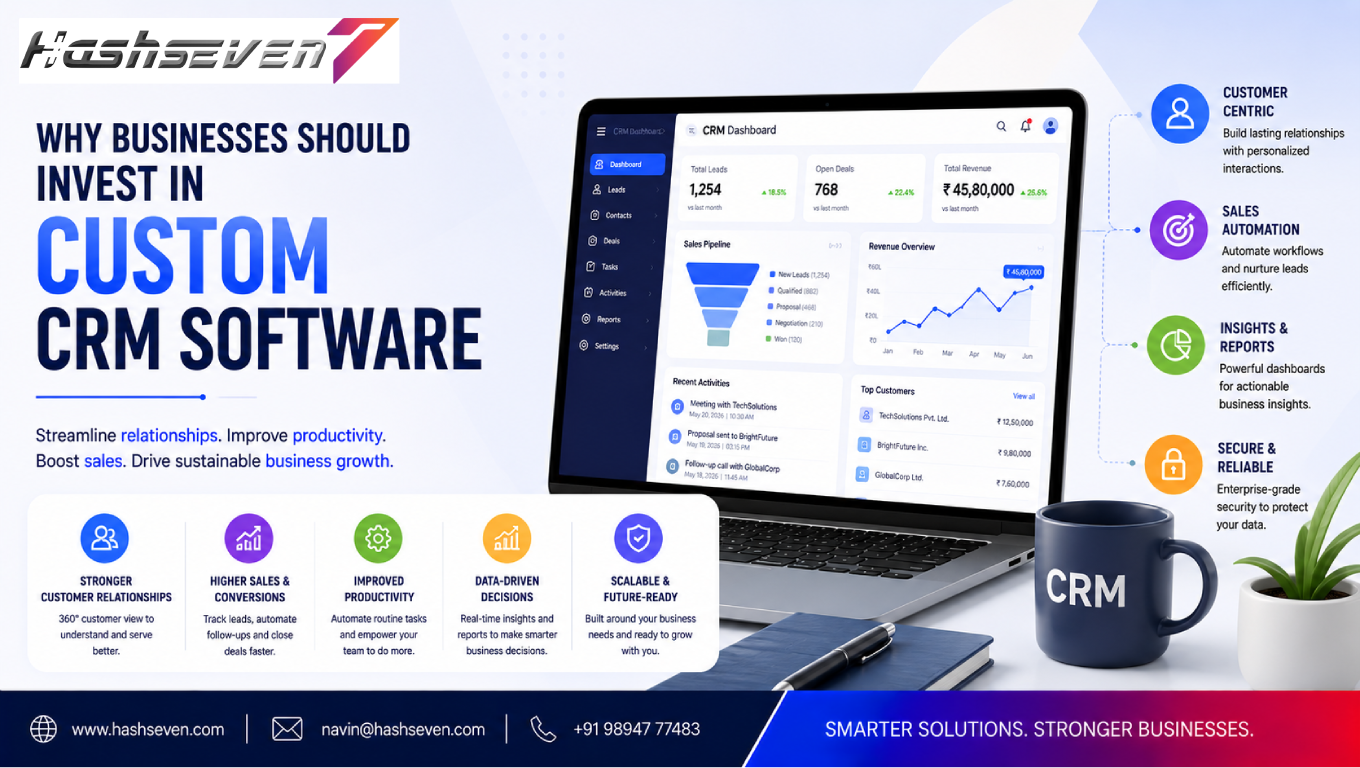

In today’s competitive business environment, managing customer relationships efficiently is essential for long-term growth. Businesses need more than spreadsheets, disconnected applications, and generic tools to manage leads, customers, sales activities, and communication. This is where custom CRM software can provide a significant advantage.
Customer Relationship Management (CRM) software helps businesses organize customer information, track interactions, manage sales pipelines, automate repetitive tasks, and improve customer service. However, standard CRM platforms may not always match the exact workflows, processes, and requirements of every business.
Custom CRM software is developed around the specific needs of an organization. Instead of forcing employees to adapt their processes to a pre-built system, businesses can create a CRM platform that fits their existing workflows and future objectives.
In this guide, we will explore what custom CRM software is, why businesses invest in it, its key advantages, important features, implementation considerations, and how it can support business growth.
What Is Custom CRM Software?
Custom CRM software is a customer relationship management system specifically designed and developed for the requirements of a particular business.
Unlike off-the-shelf CRM platforms, a custom CRM can be designed around:
- Business workflows
- Sales processes
- Customer management
- Industry requirements
- Internal communication
- Reporting needs
- Automation requirements
- Existing software integrations
- Security policies
- Future growth plans
For example, a real estate company may require property management, lead assignment, site-visit scheduling, and follow-up functionality.
A standard CRM may provide some of these capabilities, while a custom CRM can combine them into one platform designed specifically for the company’s workflow.
Build a Website That Grows Your Business
A professionally developed website is the foundation of your online success. If you’re planning to create a responsive, fast, and SEO-friendly business website, explore our Website Development Services to see how Hashseven can help transform your ideas into a powerful digital presence.
Why Are Businesses Investing in Custom CRM Software?
Businesses are increasingly using technology to improve customer experiences and operational efficiency.
A CRM system can become the central platform for managing customer-related information.
With a well-designed system, businesses can connect:
- Marketing
- Sales
- Customer service
- Management
- Reporting
- Automation
Instead of storing information across multiple systems, teams can work from a centralized source of customer data.
This can improve visibility and reduce unnecessary manual work.
1. Custom CRM Software Fits Your Business Workflow
One of the biggest advantages of custom CRM software is flexibility.
Every business has different processes.
For example, one company may follow:
Lead → Qualification → Demo → Proposal → Negotiation → Sale
Another may use:
Inquiry → Site Visit → Quotation → Approval → Contract → Delivery
A generic CRM may require businesses to modify these workflows.
A custom CRM can be designed around the actual process.
This allows employees to work within a system that reflects how the business operates.
2. Improve Lead Management
Leads are valuable business opportunities.
However, leads can easily be lost when businesses rely on spreadsheets, emails, messaging applications, or disconnected tools.
A custom CRM can centralize lead information such as:
- Customer name
- Contact details
- Lead source
- Requirements
- Assigned employee
- Follow-up date
- Lead status
- Communication history
- Expected value
Sales teams can quickly see which leads require attention.
This improves organization and reduces the possibility of leads being forgotten.
3. Centralize Customer Information
Customer data is often scattered across different systems.
Employees may store information in:
- Spreadsheets
- Messaging apps
- Accounting software
- Sales tools
- Paper documents
This makes it difficult to understand the complete customer relationship.
A custom CRM creates a centralized customer database.
Employees can access relevant information from one location, depending on their permissions.
This improves visibility and reduces duplicated data.
4. Improve Sales Pipeline Management
Sales managers need to understand where opportunities are within the sales process.
A custom CRM can provide a visual pipeline showing:
- New leads
- Qualified leads
- Active opportunities
- Proposals
- Negotiations
- Won deals
- Lost deals
Managers can quickly identify bottlenecks and understand the status of sales opportunities.
This makes sales management more structured and measurable.
5. Automate Repetitive Tasks
Employees often spend significant time performing repetitive activities.
Examples include:
- Sending follow-up reminders
- Assigning leads
- Updating statuses
- Creating notifications
- Generating reports
- Sending emails
- Updating customer records
Custom CRM software can automate many of these activities.
For example:
New lead received → Lead automatically assigned → Sales employee notified → Follow-up task created
Automation reduces manual effort and allows employees to focus on higher-value activities.
6. Improve Customer Service
Customer service teams need access to accurate information.
A CRM can help employees understand:
- Customer history
- Previous conversations
- Purchases
- Complaints
- Support requests
- Open issues
- Account information
When employees have this information available, they can provide more relevant support.
Customers don’t have to repeatedly explain their situation to different employees.
7. Provide Better Customer Insights
Customer data can provide valuable business insights.
A custom CRM can help businesses understand:
- Customer preferences
- Buying behavior
- Lead sources
- Sales patterns
- Customer value
- Repeat purchases
- Churn indicators
These insights can help businesses make more informed decisions.
Instead of relying entirely on assumptions, managers can use data to identify trends and opportunities.
8. Create Custom Reports and Dashboards
Different businesses need different reports.
A sales manager may need:
- Monthly sales
- Conversion rates
- Sales pipeline
- Employee performance
- Lead sources
A management team may need:
- Revenue trends
- Customer acquisition
- Customer retention
- Forecasting
- Business performance
Custom CRM software allows dashboards to be designed around the metrics that matter most to the organization.
9. Integrate With Existing Business Systems
Businesses rarely operate with only one software application.
A CRM may need to connect with:
- ERP systems
- Accounting software
- Email platforms
- Marketing automation
- Payment systems
- Customer support tools
- E-commerce platforms
- Communication applications
Custom integrations allow information to move between systems.
For example:
New customer → CRM → Accounting system → Invoice created
This reduces duplicate data entry and improves operational efficiency.
Businesses can use APIs to connect different software systems when appropriate. The MDN Web APIs documentation provides useful technical information about web APIs.
10. Reduce Manual Data Entry
Manual data entry can consume significant employee time.
It can also introduce errors.
When multiple systems require the same customer information, employees may have to enter the same data repeatedly.
Custom CRM integrations can automate data synchronization.
This helps reduce:
- Duplicate entries
- Typing errors
- Missing information
- Repeated work
Automation can therefore improve both efficiency and data consistency.
11. Improve Employee Productivity
Employees work more efficiently when they can access the information they need quickly.
A custom CRM can provide:
- Centralized records
- Automated tasks
- Notifications
- Search
- Dashboards
- Templates
- Workflow automation
Instead of switching between multiple applications, employees can complete more tasks within one platform.
12. Provide Role-Based Access
Not every employee should have access to every piece of customer information.
Custom CRM software can implement role-based permissions.
For example:
Sales Employees
Access leads, opportunities, and assigned customers.
Customer Support
Access customer profiles, orders, and support history.
Managers
Access reports, dashboards, and team performance.
Administrators
Manage users, permissions, configurations, and system settings.
Role-based access helps businesses control who can view or modify specific information.
13. Improve Data Security
Customer information can be highly valuable and sensitive.
A custom CRM can be designed with security requirements in mind.
Security measures may include:
- User authentication
- Role-based permissions
- Encryption
- Secure APIs
- Activity logs
- Regular backups
- Session management
- Access controls
Businesses should also establish security policies and regularly review their systems.
For application security guidance, businesses can refer to the OWASP Top 10.
14. Scale With Your Business
A CRM that works for a small company may not be suitable when the organization grows.
As businesses expand, they may need:
- More users
- More customers
- More leads
- More integrations
- More automation
- More reporting
Custom CRM software can be designed with scalability in mind.
This allows the platform to evolve as business requirements change.
15. Add Industry-Specific Features
Different industries have different customer management requirements.
A custom CRM can include specialized functionality for industries such as:
- Real estate
- Healthcare
- Education
- Manufacturing
- Construction
- Financial services
- Retail
- Travel
- Professional services
For example, a travel company may require:
- Travel inquiries
- Package management
- Customer preferences
- Booking information
- Follow-up reminders
A custom CRM can combine these requirements into a single system.
16. Improve Customer Retention
Customer acquisition is important, but customer retention is equally valuable.
A CRM can help businesses track:
- Customer interactions
- Purchase history
- Support requests
- Feedback
- Follow-up schedules
- Renewal dates
Automated reminders can help businesses stay connected with customers after a purchase.
This creates opportunities for:
- Repeat purchases
- Renewals
- Upselling
- Cross-selling
- Customer loyalty
17. Improve Sales Forecasting
Sales forecasting helps businesses plan future revenue.
A CRM can analyze:
- Open opportunities
- Deal values
- Pipeline stages
- Historical sales
- Expected closing dates
Managers can use this information to create more informed forecasts.
Forecasting becomes particularly useful for resource planning and business decision-making.
18. Track Employee Performance
Managers can monitor sales activities using CRM data.
Useful metrics may include:
- Leads handled
- Follow-ups completed
- Opportunities created
- Deals closed
- Conversion rates
- Revenue generated
Performance information can help managers identify training needs and high-performing processes.
The goal should be to use data constructively rather than simply monitoring employees.
19. Improve Marketing and Sales Alignment
Marketing teams generate leads while sales teams convert them.
Without proper coordination, leads can be lost.
A CRM can help connect marketing and sales by tracking:
- Lead sources
- Campaign responses
- Lead quality
- Sales status
- Conversion rates
This creates better visibility across the customer journey.
20. Support Personalized Customer Experiences
Customers increasingly expect businesses to understand their needs.
CRM data can help businesses personalize:
- Communication
- Offers
- Recommendations
- Follow-ups
- Customer service
For example, a company can send different messages to a new lead, existing customer, and long-term client.
Personalization becomes more effective when customer information is organized and accessible.
21. Make Communication More Organized
Customer communication may happen through:
- Phone
- Chat
- Forms
- Social media
- Messaging platforms
A CRM can bring relevant communication history into one customer profile.
This allows employees to understand previous conversations before contacting the customer.
22. Automate Notifications and Reminders
Missing a follow-up can result in a lost opportunity.
Custom CRM software can automatically generate reminders for:
- Lead follow-ups
- Meetings
- Renewals
- Customer birthdays
- Contract expirations
- Payment reminders
- Service schedules
Automation ensures important activities are less likely to be forgotten.
23. Create a Better Customer Journey
A customer journey can contain many stages.
For example:
Awareness → Inquiry → Qualification → Purchase → Support → Retention
A CRM helps businesses track customers across these stages.
This provides a better understanding of where customers are and what action should happen next.
24. Reduce Software Limitations
Off-the-shelf CRM systems often include features designed for a broad audience.
Businesses may encounter limitations such as:
- Unnecessary features
- Limited customization
- Workflow restrictions
- Integration limitations
- Pricing based on users
- Limited reporting
Custom CRM development provides greater control over functionality.
Businesses can prioritize the features they actually need.
25. Avoid Paying for Unused Features
Some standard CRM platforms provide dozens of features.
However, a business may only use a small portion of them.
Custom development allows companies to focus on their actual requirements.
Instead of paying for a large collection of unused functionality, businesses can invest in a platform designed around their processes.
However, custom development has its own development, maintenance, and infrastructure costs, so businesses should evaluate the total cost carefully.
26. Improve Data Ownership and Control
With custom CRM software, businesses have greater control over how their systems are designed and integrated.
Depending on the architecture and hosting arrangement, businesses may have greater control over:
- Data structures
- Integrations
- User permissions
- Workflows
- Reporting
- Custom functionality
Data ownership and hosting arrangements should always be clearly defined during project planning.
27. Support Remote and Distributed Teams
Modern businesses may have employees working from different locations.
A cloud-enabled CRM can allow authorized employees to access business information remotely.
This can support:
- Remote sales teams
- Customer service
- Managers
- Field employees
- Distributed organizations
Secure authentication and appropriate access controls remain essential.
28. Reduce Operational Bottlenecks
Manual processes often create bottlenecks.
For example:
Lead received → Email sent to manager → Manager assigns employee → Employee contacts customer
A custom workflow could automate much of this process:
Lead received → CRM automatically assigns employee → Employee notified → Follow-up task created
Reducing unnecessary steps can improve response time.
29. Improve Business Decision-Making
Business decisions become easier when managers have reliable information.
CRM dashboards can provide visibility into:
- Sales performance
- Customer activity
- Lead sources
- Revenue
- Conversion
- Retention
This helps management identify trends and make data-driven decisions.
30. Custom CRM Software Can Provide Long-Term Value
CRM software should be viewed as a business infrastructure investment rather than simply another application.
A well-designed platform can support:
- Sales
- Marketing
- Customer service
- Operations
- Reporting
- Automation
- Management
As the company grows, the CRM can evolve alongside the organization.
Key Features of Custom CRM Software
A custom CRM may include the following features:
- Lead management
- Customer management
- Contact management
- Sales pipeline
- Opportunity management
- Task management
- Follow-up reminders
- Email integration
- Communication history
- Customer support
- Reports
- Dashboards
- Notifications
- Workflow automation
- Role-based access
- API integrations
- Analytics
- Document management
- Mobile access
- Security controls
The final feature set should be determined by actual business requirements.
Custom CRM Software vs Off-the-Shelf CRM
| Factor | Custom CRM Software | Off-the-Shelf CRM |
|---|---|---|
| Customization | Very high | Usually limited to available options |
| Business workflow | Built around your process | Adapt process to platform |
| Industry-specific features | Highly flexible | Depends on platform |
| Integrations | Can be customized | Depends on available integrations |
| Initial investment | Usually higher | Usually lower |
| Development time | Longer | Faster to deploy |
| Scalability | Can be designed around growth | Depends on provider |
| Feature control | High | Platform-dependent |
| Maintenance | Business responsibility | Usually provider-managed |
| Long-term flexibility | High | Depends on vendor |
Neither option is automatically better for every business.
The right choice depends on budget, complexity, scalability, workflow requirements, integrations, and long-term goals.
When Should a Business Choose Custom CRM Software?
Custom CRM software may be a good option when:
- Existing CRM platforms don’t fit the workflow
- Industry-specific functionality is required
- Multiple systems need custom integrations
- Complex automation is required
- Data and reporting requirements are highly specialized
- The business expects significant growth
- Existing software creates operational bottlenecks
- The company needs greater control over functionality
Businesses with simple CRM requirements may find a standard platform more practical.
How to Develop Custom CRM Software
A successful CRM project should begin with business requirements rather than technology.
Step 1: Identify Business Problems
Determine what is currently inefficient.
Examples:
- Lost leads
- Duplicate data
- Slow follow-ups
- Poor reporting
- Manual processes
Step 2: Define Requirements
List the workflows, users, integrations, and reports the CRM must support.
Step 3: Design the User Experience
Create interfaces that are simple and efficient for employees.
Step 4: Plan the Architecture
Choose the appropriate technology, database, hosting, security, and integration architecture.
Step 5: Develop the CRM
Build the required modules and workflows.
Step 6: Integrate Existing Systems
Connect relevant business applications through secure integrations.
Step 7: Test the Platform
Test:
- Functionality
- Security
- Performance
- Usability
- Integrations
Step 8: Train Employees
Employees should understand how to use the system effectively.
Step 9: Launch and Monitor
After deployment, monitor usage, performance, errors, and feedback.
Step 10: Improve Continuously
A CRM should evolve as business requirements change.
Common Mistakes to Avoid
Businesses should avoid:
Building Too Many Features
More features don’t automatically create more value.
Ignoring User Experience
A complicated CRM may reduce employee adoption.
Poor Data Migration
Incorrect or incomplete customer data can create problems after deployment.
Weak Security
Customer information requires appropriate security controls.
Ignoring Integrations
A CRM that cannot communicate with important business systems may create new silos.
Skipping Employee Training
Employees need proper training to use the platform effectively.
Not Planning for Scalability
The architecture should account for future growth.
How to Calculate the Value of Custom CRM Software
Businesses should evaluate more than development cost.
Consider:
- Development cost
- Hosting
- Maintenance
- Security
- Training
- Integration
- Data migration
- Support
Then compare these costs with potential benefits such as:
- Reduced manual work
- Faster lead response
- Improved conversion
- Better customer retention
- Reduced software costs
- Better reporting
- Increased productivity
A proper ROI evaluation can help determine whether custom development makes financial sense.
Future of Custom CRM Software
CRM systems are becoming increasingly intelligent and automated.
Future CRM platforms are likely to use more:
- Artificial intelligence
- Predictive analytics
- Automated recommendations
- Conversational interfaces
- Sales forecasting
- Workflow automation
- Customer sentiment analysis
- Personalized communication
AI can help employees identify opportunities and automate repetitive activities, but businesses should maintain appropriate human oversight.
The future CRM will increasingly function as an intelligent business platform rather than simply a customer database.
Frequently Asked Questions
1. What is custom CRM software?
Custom CRM software is a customer relationship management system designed specifically around a business’s workflows, requirements, industry processes, integrations, and reporting needs.
2. Why should a business invest in custom CRM software?
Businesses may invest in custom CRM software when standard platforms cannot adequately support their workflows, integrations, automation requirements, industry-specific needs, or long-term growth plans.
3. Is custom CRM software better than an off-the-shelf CRM?
Not always. Custom CRM software provides greater flexibility and control, while off-the-shelf platforms are often faster and less expensive to deploy. The right choice depends on business requirements, budget, complexity, and scalability.
4. How does custom CRM software improve business efficiency?
It can centralize customer data, automate repetitive tasks, improve lead management, streamline workflows, connect business systems, provide better reporting, and reduce manual data entry.
5. How much does custom CRM software cost?
The cost varies depending on the number of features, users, integrations, security requirements, technology stack, design complexity, and development scope. Businesses should define their requirements before requesting an accurate estimate.
Conclusion
Investing in custom CRM software can help businesses build a customer management system around the way they actually operate.
Instead of forcing employees to adapt to a generic platform, businesses can create workflows, automation, dashboards, integrations, permissions, and features that match their specific requirements.
A well-designed CRM can centralize customer information, improve lead management, support sales teams, automate repetitive activities, strengthen customer service, and provide valuable insights for decision-making.
However, custom development is not automatically the right choice for every organization. Businesses should compare custom development with established CRM platforms based on cost, complexity, flexibility, integrations, scalability, and long-term objectives.
When the requirements are complex and standard tools cannot provide the necessary flexibility, custom CRM software can become a powerful long-term technology investment.
Ready to Build a Professional Website for Your Business?
Turn your business into a powerful online brand with Hashseven.
Since 2017, we’ve helped businesses grow through professional website development, mobile apps, custom software, SEO, digital marketing, CRM, POS solutions, and Meta-approved WhatsApp automation. Let’s create a fast, secure, and conversion-focused website that attracts more customers and drives real business growth.


