

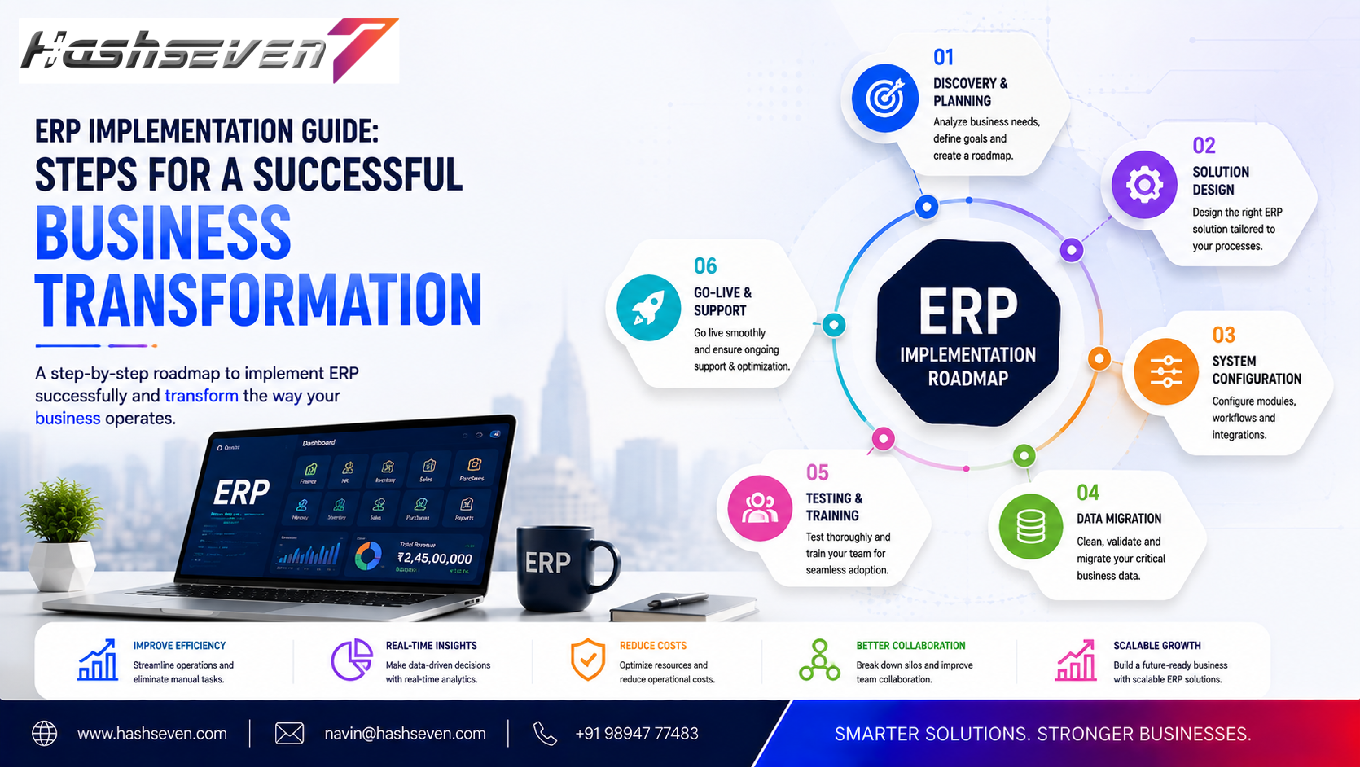

An effective ERP implementation guide can help businesses plan, deploy, and manage an Enterprise Resource Planning system with greater confidence. ERP software connects important business functions such as finance, sales, inventory, purchasing, human resources, manufacturing, and customer management within a centralized system.
However, implementing ERP software is not simply a technology upgrade. It is a major business transformation project that can affect employees, workflows, data, reporting, and daily operations.
Without proper planning, businesses may experience delays, unexpected costs, employee resistance, data problems, and operational disruption. With a structured implementation strategy, organizations can improve efficiency, centralize information, automate processes, and create a stronger foundation for future growth.
This ERP implementation guide explains the major steps businesses should follow, common challenges to consider, implementation best practices, and ways to increase the chances of a successful ERP transformation.
What Is ERP Implementation?
ERP implementation is the process of selecting, configuring, deploying, testing, and adopting an Enterprise Resource Planning system within an organization.
An ERP system can bring multiple business functions together, including:
- Finance
- Accounting
- Sales
- Purchasing
- Inventory
- Human resources
- Manufacturing
- Supply chain
- Customer management
- Reporting
Instead of maintaining separate systems for different departments, an ERP platform creates a connected business environment.
The implementation process typically includes planning, requirements analysis, software selection, configuration, data migration, testing, training, deployment, and ongoing optimization.
Build a Website That Grows Your Business
A professionally developed website is the foundation of your online success. If you’re planning to create a responsive, fast, and SEO-friendly business website, explore our Website Development Services to see how Hashseven can help transform your ideas into a powerful digital presence.
Why Businesses Need a Structured ERP Implementation Guide
ERP implementation can affect almost every part of a business.
A poorly planned implementation may lead to:
- Project delays
- Budget overruns
- Data migration problems
- Employee resistance
- Workflow disruptions
- Integration failures
- Poor user adoption
A structured approach helps organizations identify risks before they become major problems.
An effective ERP implementation guide gives stakeholders a roadmap for moving from existing systems to a centralized ERP environment.
Step 1: Define Your Business Objectives
The first step in an ERP project is understanding why the organization needs the system.
Avoid starting with technology alone.
Instead, identify the business problems that need to be solved.
Common objectives include:
- Reducing manual data entry
- Improving financial reporting
- Managing inventory more efficiently
- Increasing operational visibility
- Automating repetitive processes
- Improving customer service
- Connecting departments
- Reducing duplicate data
- Supporting business expansion
For example, a growing company may discover that its accounting, inventory, and sales teams are using separate spreadsheets.
The ERP objective could be to create one centralized source of business information.
Clear objectives make it easier to measure implementation success later.
Step 2: Build an ERP Implementation Team
ERP implementation should not be handled entirely by the IT department.
The project should involve representatives from important business functions.
A typical team may include:
- Executive sponsor
- Project manager
- IT representative
- Finance representative
- Sales representative
- Operations representative
- HR representative
- Key end users
- ERP implementation partner
Each department can provide valuable information about its workflows and requirements.
A strong implementation team also helps employees feel involved in the transformation process.
Step 3: Analyze Existing Business Processes
Before configuring an ERP system, document how the business currently operates.
Review processes such as:
- Order management
- Purchasing
- Inventory
- Accounting
- Sales
- Payroll
- Customer service
- Manufacturing
- Reporting
Identify:
- Manual tasks
- Duplicate work
- Bottlenecks
- Delays
- Data inconsistencies
- Unnecessary approvals
This process is often called business process mapping.
The objective is not simply to copy existing processes into the new ERP system.
Instead, businesses should identify opportunities for improvement.
Step 4: Identify ERP Requirements
After understanding current processes, create a detailed requirements list.
Requirements may include:
- Financial management
- Inventory management
- CRM
- Purchasing
- Sales management
- Human resources
- Payroll
- Manufacturing
- Project management
- Reporting
- Analytics
- Workflow automation
- Mobile access
- Third-party integrations
Separate requirements into:
Must-Have Features
Functions essential for business operations.
Important Features
Functions that provide significant additional value.
Future Features
Functions that can be introduced later.
This prevents businesses from making the initial ERP project unnecessarily complex.
Step 5: Set a Realistic ERP Budget
ERP costs extend beyond the software license.
Businesses should consider:
- Software costs
- Implementation services
- Customization
- Data migration
- Integrations
- Training
- Testing
- Infrastructure
- Support
- Maintenance
- Future upgrades
A realistic budget should also include contingency funds for unexpected requirements.
The goal should be to understand the total cost of ownership, rather than focusing only on the initial software price.
Step 6: Choose the Right ERP System
Selecting the right ERP platform is one of the most important stages.
Businesses should compare systems based on:
- Business requirements
- Industry functionality
- Scalability
- Integration capabilities
- Security
- Reporting
- Customization
- User experience
- Mobile capabilities
- Vendor support
- Total cost
Avoid selecting software simply because it has the largest number of features.
The best ERP is the one that fits the organization’s actual needs.
Step 7: Decide Between Cloud and On-Premise ERP
Businesses may have different deployment options.
Cloud ERP
Cloud ERP is hosted by a service provider and accessed through the internet.
Potential advantages include:
- Easier remote access
- Reduced infrastructure management
- Faster deployment
- Automatic updates depending on the provider
- Scalable resources
On-Premise ERP
On-premise ERP is deployed and managed within the organization’s own infrastructure.
Potential advantages may include:
- Greater infrastructure control
- Custom hosting arrangements
- Specific compliance requirements
- Direct control over certain technical environments
The right choice depends on business requirements, security, budget, IT resources, and regulatory considerations.
Step 8: Plan the ERP Architecture
Technical architecture should be planned before development or configuration begins.
Consider:
- Database
- Hosting
- APIs
- Integrations
- Authentication
- Security
- Backup
- Disaster recovery
- User access
- Performance
- Scalability
The architecture should support current operations while allowing future growth.
For technical integration work, APIs are often important because they allow different software systems to exchange information. Businesses can refer to the MDN Web APIs documentation for general information about web APIs.
Step 9: Plan Data Migration
Data migration is one of the most important parts of ERP implementation.
Businesses may have information stored across:
- Spreadsheets
- Legacy software
- Databases
- Accounting systems
- Inventory applications
- CRM platforms
Before migration, identify:
- What data should be transferred
- What data should be removed
- What data should be cleaned
- What data should be archived
Poor-quality data should not simply be transferred into the new ERP system.
Step 10: Clean and Standardize Data
Data should be reviewed before migration.
Look for:
- Duplicate records
- Missing information
- Incorrect addresses
- Inconsistent naming
- Invalid product codes
- Outdated customer records
- Incorrect inventory information
For example, the same customer may appear under slightly different names in multiple databases.
Cleaning this information before migration improves data quality.
Step 11: Configure the ERP System
ERP configuration involves setting up the platform according to business requirements.
Configuration may include:
- Company details
- Financial settings
- Tax rules
- User roles
- Approval workflows
- Inventory rules
- Sales processes
- Purchasing workflows
- Reporting settings
The objective should be to configure the ERP around standardized and efficient business processes.
Step 12: Customize Only When Necessary
Businesses sometimes request extensive customization.
However, excessive customization can increase:
- Development costs
- Implementation time
- Maintenance requirements
- Upgrade complexity
Whenever possible, businesses should use standard ERP functionality.
Customization should be considered when the requirement is genuinely important and cannot reasonably be handled through configuration or existing functionality.
Step 13: Integrate the ERP With Existing Systems
Most businesses need their ERP to communicate with other applications.
Potential integrations include:
- CRM
- E-commerce
- Payment gateways
- Banking systems
- Payroll
- Accounting
- Shipping
- Inventory
- Marketing platforms
- Customer support
Integration creates a connected technology environment.
For example:
Online order → ERP → Inventory updated → Invoice generated → Shipping notified
Automation reduces the need for employees to manually transfer information between systems.
Step 14: Establish Security Controls
ERP systems contain valuable business information.
Security should therefore be incorporated from the beginning.
Important controls include:
- User authentication
- Role-based access
- Multi-factor authentication
- Encryption
- Audit logs
- Secure APIs
- Regular backups
- Security monitoring
- Access reviews
Businesses should follow recognized security practices and assess their specific regulatory requirements.
The OWASP Top 10 is a useful reference for understanding common application security risks.
Step 15: Create a Testing Strategy
Testing should take place throughout the implementation rather than only at the end.
Testing can include:
Functional Testing
Verify that individual ERP functions work correctly.
Integration Testing
Confirm that connected systems exchange information correctly.
Data Testing
Verify that migrated information is accurate.
Performance Testing
Determine whether the system performs adequately under expected workloads.
Security Testing
Identify potential security weaknesses.
User Acceptance Testing
Allow employees to test real business workflows.
Step 16: Perform User Acceptance Testing
User Acceptance Testing, commonly called UAT, allows actual users to verify whether the ERP system supports their daily activities.
Users can test scenarios such as:
- Creating an order
- Receiving inventory
- Generating an invoice
- Processing a payment
- Creating a purchase order
- Generating reports
Feedback from users should be documented and prioritized before launch.
Step 17: Train Employees
Technology alone cannot make an ERP implementation successful.
Employees need to understand:
- Why the ERP is being introduced
- How their workflows will change
- How to use the system
- Where to find support
- What processes they should follow
Training can include:
- Workshops
- Video tutorials
- Documentation
- Hands-on sessions
- Department-specific training
Training should be practical and focused on real business activities.
Step 18: Manage Change Effectively
Employee resistance is one of the common challenges of ERP transformation.
People may resist because they:
- Prefer existing processes
- Fear new technology
- Don’t understand the benefits
- Worry about increased workload
- Lack confidence using the new system
Businesses can reduce resistance through:
- Early communication
- Employee involvement
- Training
- Demonstrations
- Feedback sessions
- Management support
Change management should be treated as an essential part of the project.
Step 19: Create an ERP Go-Live Plan
Go-live is the point when the organization begins using the new ERP system for real operations.
A go-live plan should define:
- Launch date
- Responsible teams
- Data migration timing
- System availability
- User support
- Backup procedures
- Communication plans
- Emergency procedures
The organization should avoid launching without a clear support plan.
Step 20: Choose a Deployment Strategy
Businesses can choose different approaches.
Big Bang Implementation
The organization moves to the new ERP system across major operations at once.
Advantage: Faster transition.
Risk: A problem can affect many departments simultaneously.
Phased Implementation
The ERP is introduced gradually.
For example:
Phase 1: Finance
Phase 2: Inventory
Phase 3: Sales
Phase 4: HR
Advantage: Lower transition risk.
Risk: The overall implementation may take longer.
The best approach depends on organizational complexity and risk tolerance.
Step 21: Provide Go-Live Support
Employees may need additional assistance immediately after launch.
Support teams should monitor:
- Errors
- User questions
- Integration problems
- Data issues
- Performance
- Workflow problems
A dedicated support process can help resolve problems quickly.
Step 22: Monitor ERP Performance
ERP implementation doesn’t end at go-live.
Businesses should monitor:
- System performance
- User adoption
- Error rates
- Workflow efficiency
- Data quality
- Reporting accuracy
- Integration performance
Monitoring helps identify issues before they become major operational problems.
Step 23: Measure ERP Success
Businesses should define measurable KPIs.
Examples include:
- Order processing time
- Inventory accuracy
- Invoice processing time
- Sales conversion
- Employee productivity
- Reporting time
- Customer response time
- Operating costs
Comparing these metrics before and after implementation can help demonstrate the value of the ERP project.
Step 24: Continuously Improve the System
ERP systems should evolve as businesses change.
After implementation, organizations can identify:
- New automation opportunities
- Additional integrations
- Reporting improvements
- User experience improvements
- New modules
- Process improvements
Continuous improvement helps businesses maximize the value of their ERP investment.
Common ERP Implementation Challenges
Businesses should prepare for potential challenges.
1. Poor Planning
Without clear objectives and requirements, projects can lose direction.
2. Unrealistic Expectations
ERP implementation may take time and require organizational change.
3. Poor Data Quality
Incorrect data can create problems throughout the new system.
4. Excessive Customization
Too much customization can increase complexity and cost.
5. Employee Resistance
Users may hesitate to adopt unfamiliar processes.
6. Inadequate Training
Insufficient training can reduce system adoption.
7. Weak Testing
Untested workflows may fail after launch.
8. Integration Problems
Disconnected systems can prevent automation.
9. Lack of Executive Support
ERP projects require strong leadership and organizational commitment.
10. Poor Post-Launch Support
Employees need help even after the system goes live.
ERP Implementation Best Practices
Follow these best practices for a smoother implementation:
- Define clear business objectives
- Involve key employees early
- Document existing workflows
- Prioritize requirements
- Clean data before migration
- Avoid unnecessary customization
- Test integrations carefully
- Train employees thoroughly
- Establish security controls
- Create a detailed go-live plan
- Monitor KPIs
- Provide post-launch support
- Continue improving the system
ERP Implementation Timeline
Every ERP project is different, but a typical implementation can include:
| Stage | Main Activities |
|---|---|
| Planning | Objectives, team, scope |
| Requirements | Process analysis and specifications |
| Selection | ERP evaluation and vendor selection |
| Design | Architecture and workflow design |
| Configuration | System setup |
| Development | Customization and integrations |
| Data Migration | Cleaning and importing data |
| Testing | Functional, integration, security and UAT |
| Training | Employee preparation |
| Deployment | Go-live |
| Support | Monitoring and issue resolution |
| Optimization | Continuous improvement |
The actual timeline depends on business size, number of modules, integrations, data complexity, customization, and deployment strategy.
ERP Implementation Checklist
Before going live, confirm that the following areas are ready:
Business objectives defined
Project team established
Requirements documented
ERP platform selected
Budget approved
Workflows mapped
Data cleaned
Data migration tested
ERP configured
Integrations completed
Security controls implemented
Testing completed
UAT completed
Employees trained
Go-live plan prepared
Backup strategy established
Support team assigned
KPIs defined
How ERP Implementation Supports Business Transformation
A successful ERP implementation can create improvements across the organization.
Better Visibility
Managers can access centralized information.
Greater Efficiency
Automation reduces repetitive manual tasks.
Improved Accuracy
Centralized data can reduce duplication and inconsistencies.
Faster Decisions
Real-time or timely reporting provides better business visibility.
Better Collaboration
Departments can work from shared information.
Easier Scaling
A well-designed ERP environment can support business growth.
ERP implementation is therefore not simply an IT project. It can become a foundation for broader business transformation.
Future of ERP Implementation
ERP systems are becoming increasingly intelligent and connected.
Businesses can expect greater adoption of:
- Artificial intelligence
- Predictive analytics
- Automated workflows
- Real-time reporting
- Cloud ERP
- Mobile ERP
- IoT integrations
- Conversational interfaces
- Advanced forecasting
AI can help ERP systems identify patterns, automate routine tasks, generate insights, and support decision-making.
However, businesses should implement advanced capabilities according to actual operational needs rather than adopting technology simply because it is available.
Frequently Asked Questions
1. What is an ERP implementation guide?
An ERP implementation guide is a structured roadmap explaining how a business can plan, select, configure, test, deploy, and optimize an ERP system successfully.
2. How long does ERP implementation take?
ERP implementation timelines vary depending on business size, number of modules, data complexity, integrations, customization, and deployment strategy. Smaller implementations may take less time, while complex enterprise projects can take significantly longer.
3. What are the biggest ERP implementation challenges?
Common challenges include poor planning, unclear requirements, bad data quality, excessive customization, employee resistance, inadequate training, integration problems, and insufficient post-launch support.
4. How can businesses make ERP implementation successful?
Businesses should define clear objectives, involve employees, select the right ERP system, clean data, minimize unnecessary customization, conduct thorough testing, provide training, and establish strong post-launch support.
5. Is ERP implementation only a technology project?
No. ERP implementation affects business processes, employees, data, operations, and management. It should be treated as a business transformation initiative supported by technology.Lorem ipsum dolor sit amet, consectetur adipiscing elit. Ut elit tellus, luctus nec ullamcorper mattis, pulvinar dapibus leo.
Conclusion
Following a structured ERP implementation guide can help businesses reduce implementation risks and create a stronger foundation for digital transformation.
Successful ERP implementation begins with clear business objectives and continues through requirements analysis, software selection, process mapping, data migration, configuration, integration, security, testing, training, deployment, and continuous improvement.
Businesses should remember that ERP implementation is not simply about installing software. It is about improving how people, processes, data, and technology work together.
With effective planning, strong leadership, employee involvement, realistic expectations, and continuous optimization, an ERP system can improve operational efficiency, business visibility, automation, reporting, and long-term scalability.
The most successful ERP projects focus on solving real business problems while creating a system that can evolve with the organization.
Ready to Build a Professional Website for Your Business?
Turn your business into a powerful online brand with Hashseven.
Since 2017, we’ve helped businesses grow through professional website development, mobile apps, custom software, SEO, digital marketing, CRM, POS solutions, and Meta-approved WhatsApp automation. Let’s create a fast, secure, and conversion-focused website that attracts more customers and drives real business growth.


