

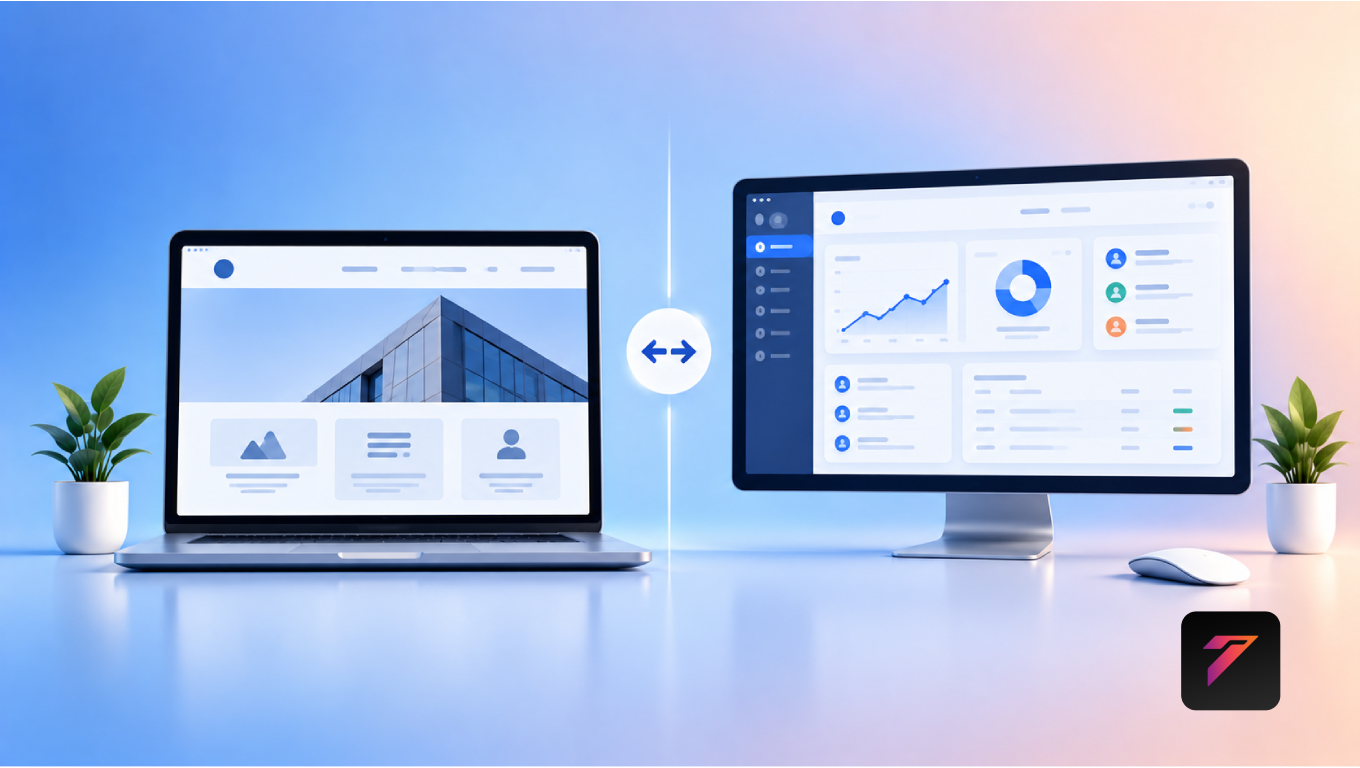

Businesses, organizations, and individuals increasingly depend on the internet to communicate, sell products, provide services, and manage digital operations. While the terms website and web application are often used interchangeably, they serve different purposes.
Understanding web application vs website differences can help businesses choose the right digital solution for their goals. A website primarily provides information or content to visitors, while a web application is designed for interaction, data processing, and specific user tasks.
For example, a company website may explain its services, showcase projects, and provide contact information. A web application may allow customers to log in, place orders, track requests, manage accounts, or interact with business systems.
The distinction is not always absolute. Modern websites can include interactive features, and web applications can contain informational pages. The key difference is usually the primary purpose and level of user interaction.
In this guide, we will explain the differences between websites and web applications, their features, benefits, use cases, development considerations, costs, security requirements, SEO considerations, and how businesses can determine which solution fits their needs.
What Is a Website?
A website is a collection of interconnected webpages that users can access through a web browser.
Websites are commonly created to provide information about a business, organization, product, service, or topic.
Examples include:
- Business websites
- Corporate websites
- Blogs
- News websites
- Portfolio websites
- Informational websites
- Restaurant websites
- Service websites
- Landing pages
A typical business website may include:
- Homepage
- About Us page
- Services page
- Product pages
- Blog
- Contact page
- FAQ section
The main purpose is often to help visitors understand the business and take actions such as contacting the company, requesting information, or purchasing a product.
What Is a Web Application?
A web application is an interactive software application that users access through a web browser.
Instead of simply displaying information, it allows users to perform specific tasks.
Examples include:
- Online banking platforms
- Customer portals
- Project management systems
- CRM platforms
- ERP systems
- Booking applications
- E-commerce management systems
- Employee portals
- Online learning platforms
- Business dashboards
Users may need to log in and interact with databases, forms, dashboards, workflows, and other application features.
Build a Website That Grows Your Business
A professionally developed website is the foundation of your online success. If you’re planning to create a responsive, fast, and SEO-friendly business website, explore our Website Development Services to see how Hashseven can help transform your ideas into a powerful digital presence.
Web Application vs Website: The Main Difference
The primary difference between a website and a web application is their intended function.
A website is generally designed to inform and communicate.
A web application is generally designed to interact, process information, and perform tasks.
| Website | Web Application |
|---|---|
| Primarily provides information | Primarily provides functionality |
| Often publicly accessible | Frequently requires user interaction or login |
| Content-focused | Task-focused |
| Usually simpler user interaction | More complex interaction |
| May use a CMS | Often uses custom application architecture |
| SEO can be a major priority | Functionality and user workflows are often priorities |
| Example: Company website | Example: Customer portal |
There can be overlap between the two. A modern website may include application-like functionality, while a web application may contain public informational pages.
How Websites Work
When a user enters a website address into a browser, the browser requests information from a web server.
The server returns resources such as:
- HTML
- CSS
- JavaScript
- Images
- Fonts
- Other assets
The browser then processes these resources and displays the webpage.
Modern websites can also retrieve information dynamically from servers and APIs.
How Web Applications Work
Web applications generally involve more complex interactions between the user interface, application logic, databases, APIs, and other systems.
A simplified workflow is:
User → Browser → Web Application → Server → Database/API → Response
For example, when a customer checks an order:
- The customer logs in.
- The application verifies the account.
- The application requests order information.
- The database returns the relevant data.
- The application processes the information.
- The browser displays the order status.
This makes web applications suitable for interactive business processes.
Website vs Web Application User Experience
A traditional website usually focuses on helping visitors navigate and consume information.
A web application focuses on helping users complete tasks.
Website Experience
A visitor may:
- Read an article
- View services
- Browse products
- Read testimonials
- Find contact details
Web Application Experience
A user may:
- Log in
- Create an account
- Submit information
- Update records
- Track an order
- Generate a report
- Manage a project
The design approach therefore depends heavily on the user’s objective.
Examples of Websites
Corporate Website
A company website may introduce:
- Company information
- Services
- Products
- Team
- Projects
- Contact details
Blog
A blog primarily publishes articles and educational content.
Portfolio Website
A portfolio website showcases:
- Projects
- Skills
- Experience
- Services
- Achievements
Restaurant Website
A restaurant website may provide:
- Menu
- Location
- Opening hours
- Reservations
- Contact information
These websites primarily communicate information to visitors.
Examples of Web Applications
Customer Portal
A customer portal may allow users to:
- View account information
- Track orders
- Download documents
- Submit requests
- Contact support
CRM
A CRM web application can help businesses manage:
- Leads
- Customers
- Sales pipelines
- Communication
- Reports
ERP
An ERP application can connect business processes such as:
- Finance
- Inventory
- Procurement
- Sales
- Human resources
- Operations
Project Management Application
Users can:
- Create tasks
- Assign employees
- Set deadlines
- Track progress
- Share documents
These are examples where software functionality is more important than simply presenting information.
Key Features of a Website
A professional website may include:
- Responsive design
- Navigation
- Content management
- Contact forms
- Service pages
- Blog
- Search functionality
- Social media integration
- Analytics
- SEO features
- Security
The exact feature set depends on the website’s purpose.
Key Features of a Web Application
Web applications may include:
- User authentication
- User profiles
- Dashboards
- Database management
- Role-based access
- Automated workflows
- API integrations
- Notifications
- Reporting
- File management
- Payment processing
- Real-time data
The complexity depends on the business requirements.
Websites Are Often Content-Driven
A website may be built primarily around content.
For example, a digital marketing company could publish:
- Service pages
- Blog articles
- Case studies
- Industry guides
- FAQs
Search engines can crawl and index these pages, making SEO an important consideration.
Web Applications Are Often Function-Driven
A web application is generally designed around user workflows.
For example:
Login → Dashboard → Create Request → Submit → Approval → Status Tracking
The application’s value comes from helping users complete these tasks efficiently.
Website vs Web Application: Interaction Level
Interaction is one of the most noticeable differences.
A basic website may allow visitors to:
- Click links
- Submit forms
- Search content
- Browse pages
A web application may allow users to:
- Create records
- Edit information
- Upload files
- Generate reports
- Manage accounts
- Process transactions
- Configure settings
The more complex the interaction, the more likely an application architecture is appropriate.
Database Requirements
Many websites can operate primarily with content management systems and databases.
For example, a WordPress website stores:
- Pages
- Posts
- Users
- Settings
- Media information
Web applications often depend more heavily on structured and frequently changing business data.
Examples include:
- Customer records
- Orders
- Transactions
- Inventory
- Projects
- Employee data
- Reports
Database design therefore becomes a major part of web application development.
Authentication and User Accounts
Websites may not require user accounts for most visitors.
A web application frequently needs authentication.
Examples include:
- Username and password
- Single sign-on
- Multi-factor authentication
- Social login
- Role-based access
Authentication requirements depend on the type of application and the sensitivity of its data.
Website vs Web Application Security
Both websites and web applications require security.
However, web applications may have additional security considerations because they process user data and business operations.
Security measures can include:
- HTTPS
- Secure authentication
- Authorization
- Input validation
- Session management
- Access controls
- Encryption
- Secure API communication
- Logging
- Regular updates
The OWASP Application Security Verification Standard provides guidance for application security requirements and controls.
Website SEO
SEO is often a major priority for public-facing websites.
Businesses may optimize:
- Page titles
- Meta descriptions
- Headings
- Content
- URLs
- Images
- Internal links
- Structured data
- Page performance
- Mobile usability
The objective is to help search engines understand and discover relevant content.
Google’s SEO Starter Guide provides guidance on search engine optimization.
Web Application SEO
SEO requirements for web applications can be different.
Some applications are private and require login, meaning their internal pages are not intended to appear in search results.
For public-facing application pages, businesses may need to consider:
- Crawlability
- Indexable content
- Server-side rendering
- Page titles
- Metadata
- Structured data
- Performance
- URL structure
The SEO strategy should reflect which parts of the application are intended for public discovery.
Website Performance
Website performance affects how quickly visitors can access content.
Businesses can improve performance through:
- Image optimization
- Efficient CSS
- JavaScript optimization
- Caching
- Fast hosting
- Content delivery networks
- Reduced third-party scripts
Google PageSpeed Insights can help evaluate website performance.
Web Application Performance
Web application performance can involve additional factors.
These may include:
- Database queries
- API response times
- Server processing
- Authentication
- Caching
- Background tasks
- Concurrent users
- Infrastructure
A web application may need performance testing under realistic user loads.
Website Development Technologies
Websites can be developed using technologies such as:
- HTML
- CSS
- JavaScript
- WordPress
- Bootstrap
- React
- Other frontend frameworks
- Content management systems
The appropriate technology depends on requirements.
Web Application Development Technologies
Web applications may use:
Front End
- HTML
- CSS
- JavaScript
- React
- Angular
- Vue
Back End
- Node.js
- PHP
- Python
- Java
- .NET
Databases
- MySQL
- PostgreSQL
- MongoDB
- Other database technologies
The technology stack should be selected based on functionality, scalability, security, development requirements, and maintenance considerations.
Website vs Web Application Development Process
Website Development
A typical process may include:
- Requirement gathering
- Sitemap planning
- UI/UX design
- Content creation
- Front-end development
- CMS implementation
- SEO setup
- Testing
- Launch
- Maintenance
Web Application Development
A typical process may include:
- Business requirement analysis
- Workflow planning
- User-role definition
- UI/UX design
- Architecture planning
- Database design
- Front-end development
- Back-end development
- API integration
- Security implementation
- Testing
- Deployment
- Monitoring
- Maintenance
Web applications generally require more extensive planning because they contain business logic and interactive workflows.
Which Is More Expensive?
There is no universal price difference because project complexity varies.
A simple business website may require fewer development resources than a complex web application.
A web application can require additional investment because of:
- Database architecture
- User authentication
- Custom workflows
- APIs
- Backend development
- Security
- Testing
- Infrastructure
- Maintenance
Businesses should estimate costs based on requirements rather than simply comparing the terms “website” and “web application.”
When Should a Business Choose a Website?
A website may be appropriate when the primary goal is to:
- Build an online presence
- Share information
- Promote services
- Publish content
- Showcase products
- Generate inquiries
- Improve search visibility
For many small businesses, a professional website can provide the essential digital foundation.
When Should a Business Choose a Web Application?
A web application may be appropriate when users need to:
- Log in
- Manage information
- Perform transactions
- Complete complex workflows
- Access personalized dashboards
- Interact with business data
- Use specialized tools
- Connect multiple systems
If the main requirement involves users performing repeated tasks, an application approach may be more suitable.
Can a Website and Web Application Work Together?
Yes.
Many businesses use both.
For example:
Public Website → Customer Portal → Internal Business Application
The public website attracts and informs visitors.
The customer portal provides personalized functionality.
The internal application helps employees manage business operations.
These systems can communicate through APIs and shared services.
Hybrid Websites and Web Applications
Modern digital platforms often combine website and application functionality.
For example, an e-commerce platform may include:
Website Features
- Product pages
- Blog
- About page
- SEO content
Application Features
- Customer accounts
- Shopping cart
- Checkout
- Order tracking
- Personalized recommendations
This combination allows businesses to provide both discoverable content and interactive functionality.
Web Applications for Business Automation
Web applications can automate repetitive business processes.
Examples include:
- Lead assignment
- Approval workflows
- Notifications
- Invoice generation
- Report generation
- Task assignment
- Customer updates
Automation can reduce repetitive manual work and help employees focus on higher-value activities.
Web Applications and API Integration
APIs allow applications to communicate with other software systems.
A business application may connect with:
- CRM
- ERP
- Payment gateways
- Accounting systems
- Shipping platforms
- Email services
- Analytics tools
For example:
Website Form → Web Application → CRM → Sales Team
This can create a more connected business workflow.
Mobile Responsiveness
Both websites and web applications should consider different screen sizes.
Responsive design allows interfaces to adapt to:
- Smartphones
- Tablets
- Laptops
- Desktop computers
However, web applications may require additional mobile UX considerations because users perform more complex tasks.
Accessibility Considerations
Both websites and web applications should be designed with accessibility in mind.
Important considerations include:
- Keyboard navigation
- Clear form labels
- Accessible buttons
- Logical headings
- Sufficient color contrast
- Visible focus states
- Screen-reader support
The W3C Web Accessibility Initiative provides resources for creating accessible digital experiences.
Maintenance Differences
Websites commonly require maintenance such as:
- Content updates
- Plugin updates
- Security updates
- Backup management
- Performance optimization
Web applications may require additional maintenance such as:
- Database management
- API updates
- Security patches
- Server maintenance
- Application monitoring
- Bug fixes
- Feature updates
The maintenance requirement depends on the project’s architecture and technology stack.
Common Mistakes When Choosing a Solution
Choosing Based Only on Cost
The cheapest initial option may not satisfy long-term business requirements.
Building an Application When a Website Is Enough
A business does not need complex software simply because it can be built.
Using a Website for Complex Business Workflows
A content-focused website may not be appropriate for complex operational processes.
Ignoring Scalability
Future users, data, integrations, and features should be considered.
Ignoring Security
Any system handling sensitive information requires appropriate security controls.
Poor User Experience
Both websites and web applications should be designed around actual user needs.
How to Decide Between a Website and Web Application
Ask these questions:
- Is the primary goal to provide information?
- Do users need accounts?
- Do users need to perform tasks?
- Will the system process business data?
- Are complex workflows required?
- Are multiple systems involved?
- Is SEO a major acquisition channel?
- Does the system need personalized dashboards?
- Will the number of users grow?
- What level of security is required?
If the primary requirement is information and online visibility, a website may be appropriate.
If the primary requirement is interactive functionality and business workflows, a web application may be more suitable.
Best Practices for Website Development
Businesses should:
- Define the website’s purpose.
- Understand the target audience.
- Create clear navigation.
- Use responsive design.
- Optimize page speed.
- Publish useful content.
- Implement SEO fundamentals.
- Use secure hosting.
- Optimize images.
- Monitor website performance.
- Maintain backups.
- Update software regularly.
Best Practices for Web Application Development
Businesses should:
- Define user workflows.
- Identify user roles.
- Document functional requirements.
- Design intuitive interfaces.
- Plan database architecture.
- Implement secure authentication.
- Apply appropriate authorization.
- Validate user input.
- Design APIs carefully.
- Test application workflows.
- Monitor performance.
- Maintain backups.
- Keep dependencies updated.
- Monitor security.
- Plan for scalability.
- Establish ongoing maintenance.
Future of Websites and Web Applications
The distinction between websites and web applications is becoming less rigid.
Modern digital experiences increasingly combine:
- Interactive interfaces
- APIs
- Cloud computing
- Artificial intelligence
- Personalization
- Real-time data
- Automation
- Advanced analytics
Businesses can use these technologies to create digital platforms that combine information, communication, and functionality.
The right approach is not necessarily about choosing one technology over another. It is about selecting an architecture that matches the business objective.
Conclusion
Understanding web application vs website differences is important when planning a digital project.
A website is generally focused on providing information, communicating a brand, publishing content, and helping visitors discover products or services. A web application is generally designed for interactive tasks, data processing, personalized experiences, and business workflows.
Businesses should consider their objectives, audience, required functionality, integrations, security requirements, budget, scalability, and long-term plans before selecting an approach.
In many cases, businesses do not need to choose exclusively between the two. A public-facing website can work alongside a customer portal or internal web application, creating a complete digital ecosystem.
The most effective solution is the one that solves the actual business problem without introducing unnecessary complexity.
Frequently Asked Questions
1. What is the difference between a website and a web application?
A website primarily provides information and content to visitors, while a web application is designed to provide interactive functionality, process data, and help users complete specific tasks.
2. Is a web application the same as a website?
Not exactly. Both can be accessed through web browsers, but their primary purposes differ. Websites are generally content and information focused, while web applications are generally functionality and interaction focused.
3. When does a business need a web application?
A business may need a web application when users must log in, manage data, complete complex workflows, access personalized dashboards, perform transactions, or interact with multiple business systems.
4. Is a web application more expensive than a website?
It can be, particularly when the application requires custom workflows, databases, authentication, APIs, advanced security, and complex functionality. Actual costs depend on project scope and requirements.
5. Can a website and web application work together?
Yes. A business can use a public website for marketing and information while using a web application for customer portals, internal operations, CRM, ERP, e-commerce, or other interactive functionality.
Ready to Build a Professional Website for Your Business?
Turn your business into a powerful online brand with Hashseven.
Since 2017, we’ve helped businesses grow through professional website development, mobile apps, custom software, SEO, digital marketing, CRM, POS solutions, and Meta-approved WhatsApp automation. Let’s create a fast, secure, and conversion-focused website that attracts more customers and drives real business growth.


